
Details
DataMan 475V and 8072V how to quick save verification report
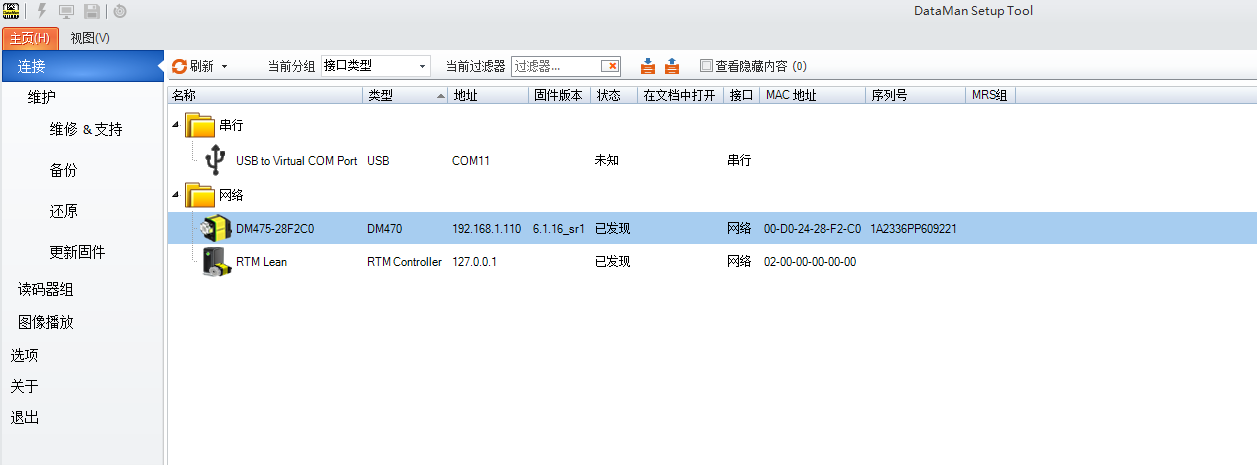
Connect the reader through Dataman Setup Tool software
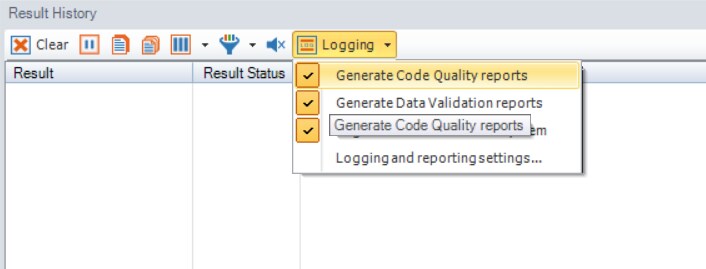
In the interface home page, find “Result History”, open the drop-down box”Logging” and select all the options and click the bottom part”Logging and reporting setting”
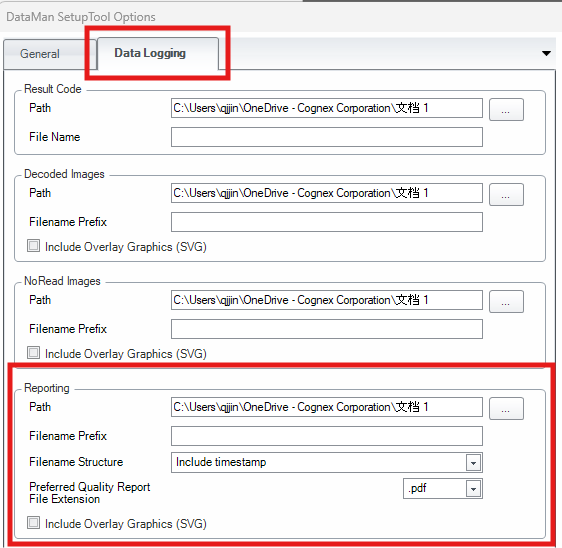
In “Data Logging” interface, reporting part, you can set the report saving path, filename prefix, filename structure and preferred quality report file extension:
Details
DataMan 475V and 8072V how to quick save verification report
Connect the reader through Dataman Setup Tool software
In the interface home page, find “Result History”, open the drop-down box”Logging” and select all the options and click the bottom part”Logging and reporting setting”
In “Data Logging” interface, reporting part, you can set the report saving path, filename prefix, filename structure and preferred quality report file extension: