Question
Is it easy to set up an SFTP server to save images from an In-Sight camera, CSV files, etc.?
Answer
In-Sight Vision Suite includes a simple SFTP server for testing SFTP communications.
Click the gear icon (Settings) on the home screen and select File Server from the pull-down menu.
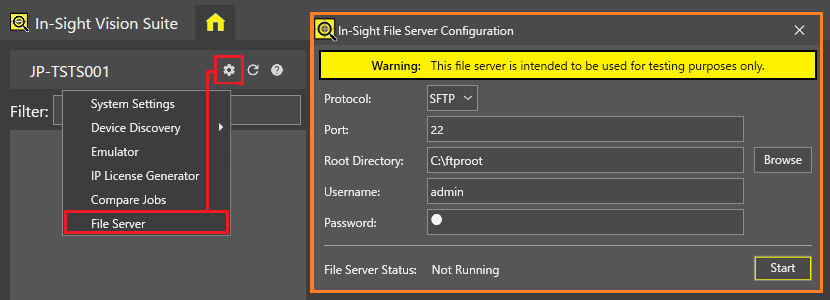
- Click the [Browse] button in the In-Sight File Server Configuration dialog and assign a folder of your choice as the root directory (e.g., C:\ftproot).
- Set a username (e.g., admin) and password (e.g., p). A blank password is not permitted.
- Click the [Start] button to launch Rebex Tiny SFTP Server.
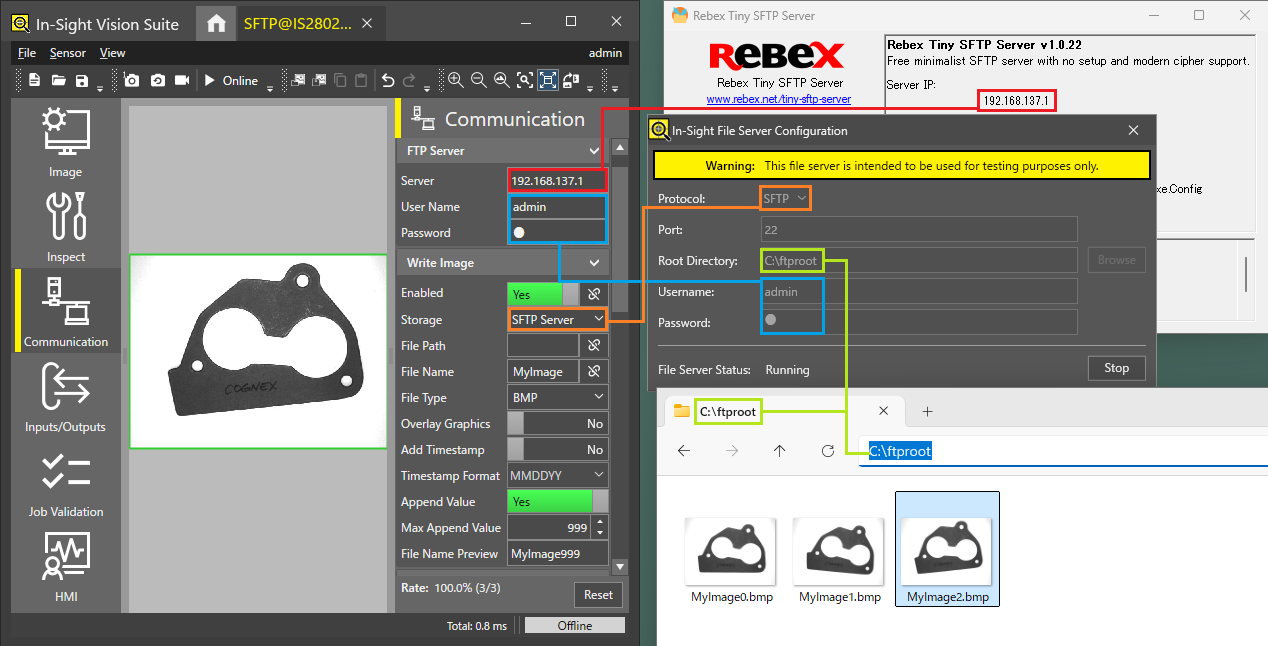
Set the same values in In-Sight as those displayed in the In-Sight File Server Configuration and Rebex Tiny SFTP Server.