Question
DataManHow do I use the Code verification feature (SBG) on DataMan 290 (or DataMan 390)?
Answer
The DataMan 290 and DataMan 390 series can use SBG that conform to ISO standard.
SBG is a different feature from PCM, which was previously applied to the X model of the DM series. It has higher code verification reliability than PCM.
The reason is,
- Calibrated: Using the Calibration card, you can verify that the DataMan 290, DataMan 390 is suitable for code verification.
ISO Standard Decode Algorithm: Validates the code using the decoding algorithm defined by the ISO standard.
** However, the SBG does not follow the lighting specifications recommended by the ISO standard because it uses DataMan 290 and DataMan 390 internal lights. This is the only difference from the Verifier products of Cognex.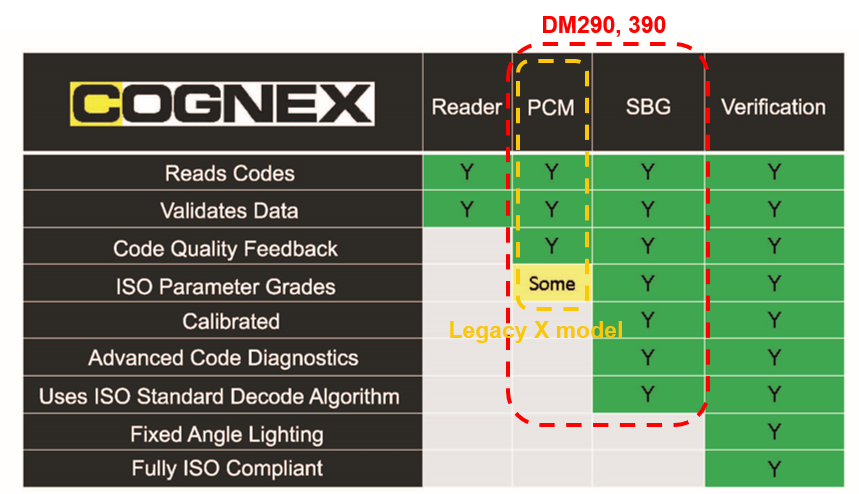
SBG is available in the Dataman Setup Tool.
A calibration card is required to use SBG (sold separately).
- PID : DMV-CCC

Enable and calibrate SBG:
Dataman Setup Tool – Access my DataMan 290 (or DataMan 390)
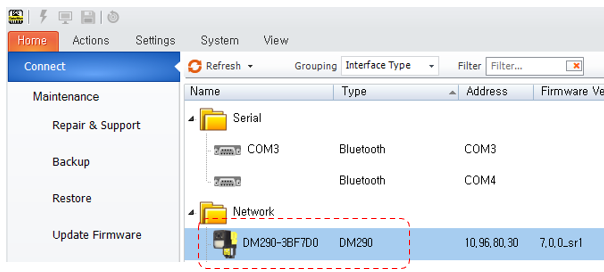
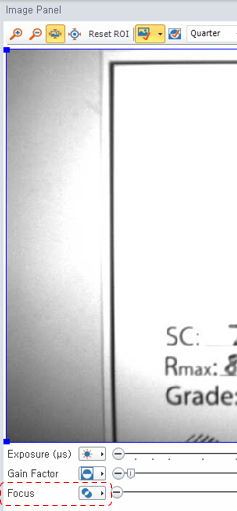
In the Dataman Setup Tool, adjust the focus of the DataMan 290 (or DataMan 390) (Image Panel)
Activate “Action” menu à “Verification” in the top right corner

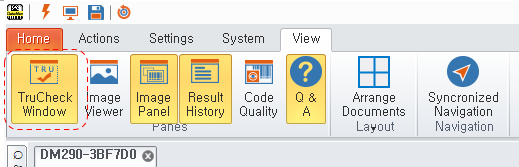
Activate the “View” menu à “TruCheck Window” in the upper right corner
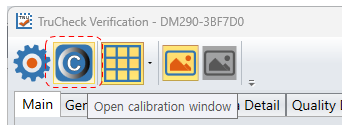
After confirming that the TruCheck Verification program is running, click on the “Open calibration window” icon in the upper right corner
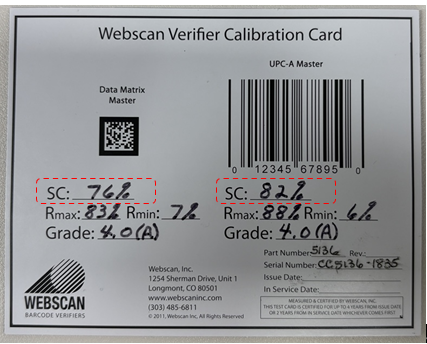
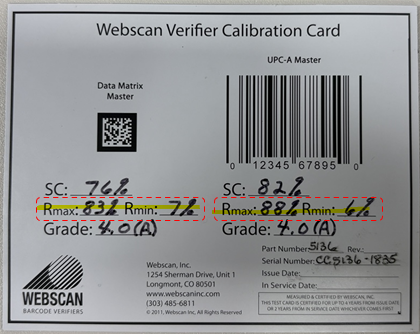
Check the Rmax and Rmin values on the calibration card and enter them in item #1 of TruCheck Calibration
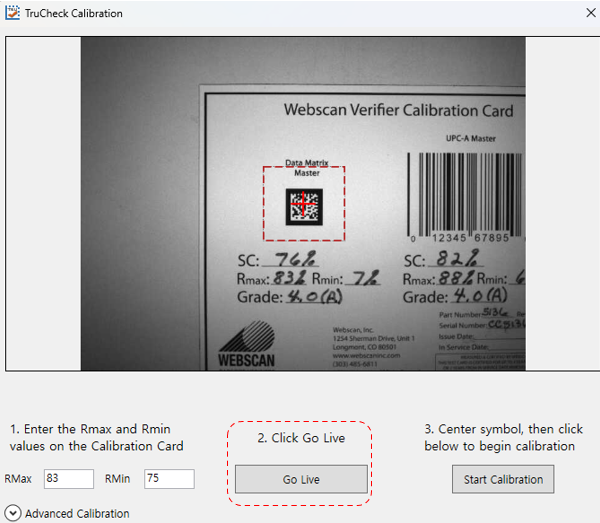
- Select and enter either a Data Matrix Master Code or a UPC-A Master Code
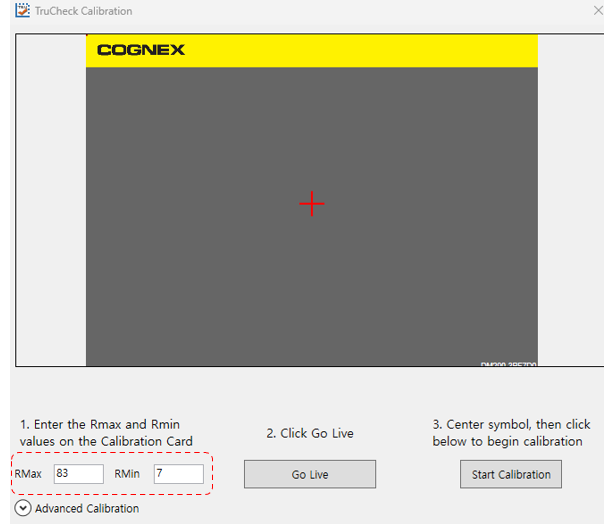
Click the “Go Live” button and move the code from the calibration card into the ROI area
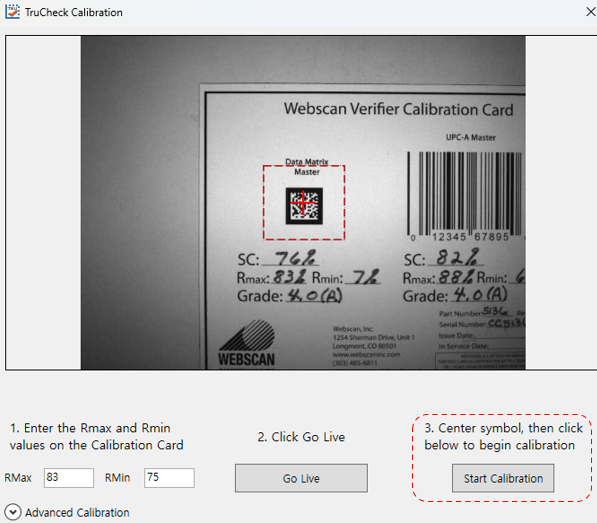
Click the “Start Calibration” button (to start the calibration work)
Check Calibration Status(Calibration complete) and click “Yes” button à Calibration complete
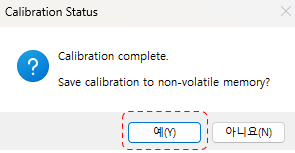
- If the calibration fails, please check the checklist and try again.
Validate the calibration code:
Click the “Live” button, then click the “Verify” button
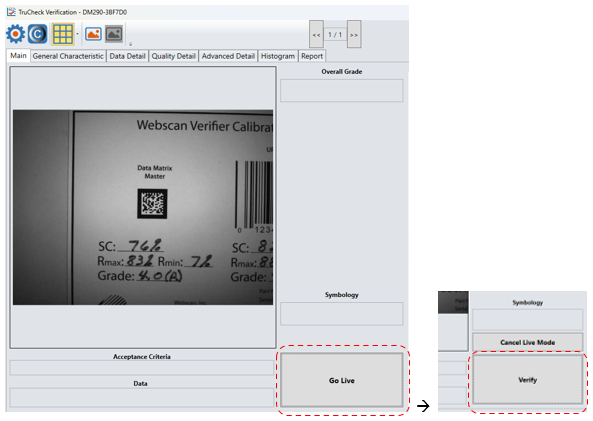
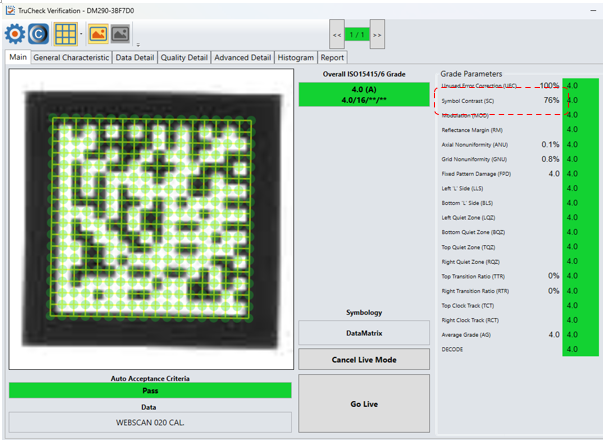
- Check the Code Grade à Compare the Symbol Contrast(SC) value to the SC value on the calibration card
- If the SC value is different, perform the calibration operation again. If the calibration card is out of date, try again with an unexpired calibration card.