
Details
How to change a DataMan setup parameter from a Mitsubishi PLC using Ethernet/IP communication. The method uses DMCC commands sent from the PLC to the DataMan reader through User Data fields inside the Output Assembly of the Ethernet/IP interface.
Note: Below process can be used for any other PLC as well to send the DMCC command through Ethernet IP communication.
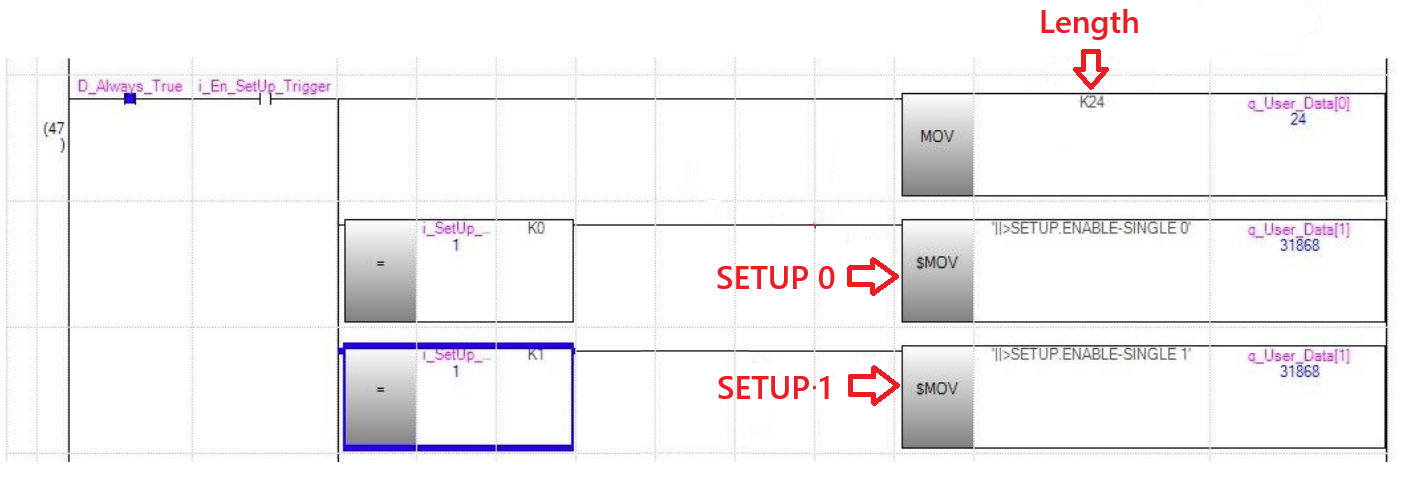
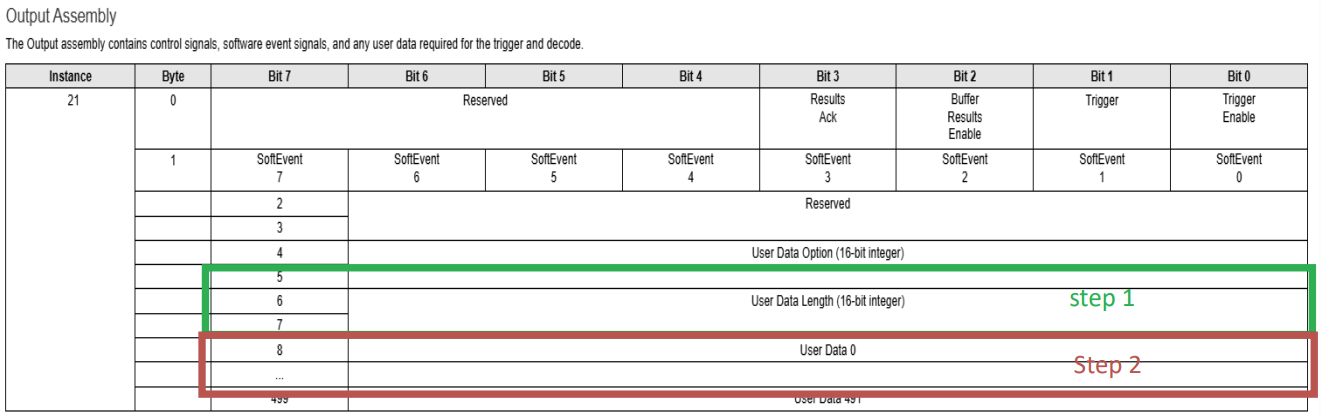
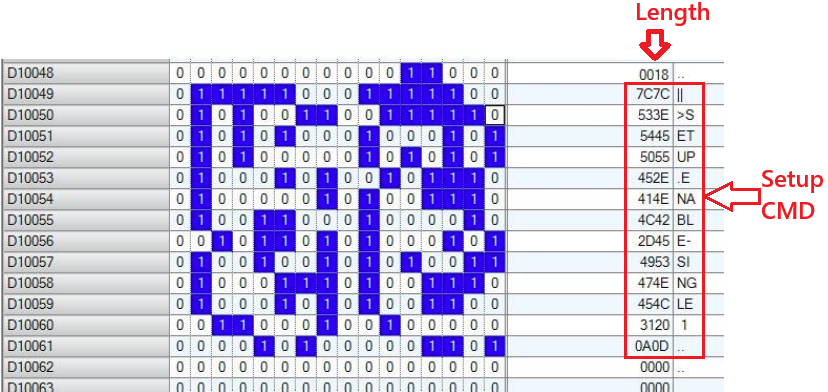
Step 1: Specify the string length in the User Data Length field.
Move a numeric value (eg. K24) into the User Data Length register of the Output Assembly. This indicates how many characters the DMCC command contains.
Step 2: Write the DMCC command string into the User Data area.
The required command is:
||>SETUP.ENABLE-SINGLE 0
This command is written into the User Data registers of the PLC, one character at a time.
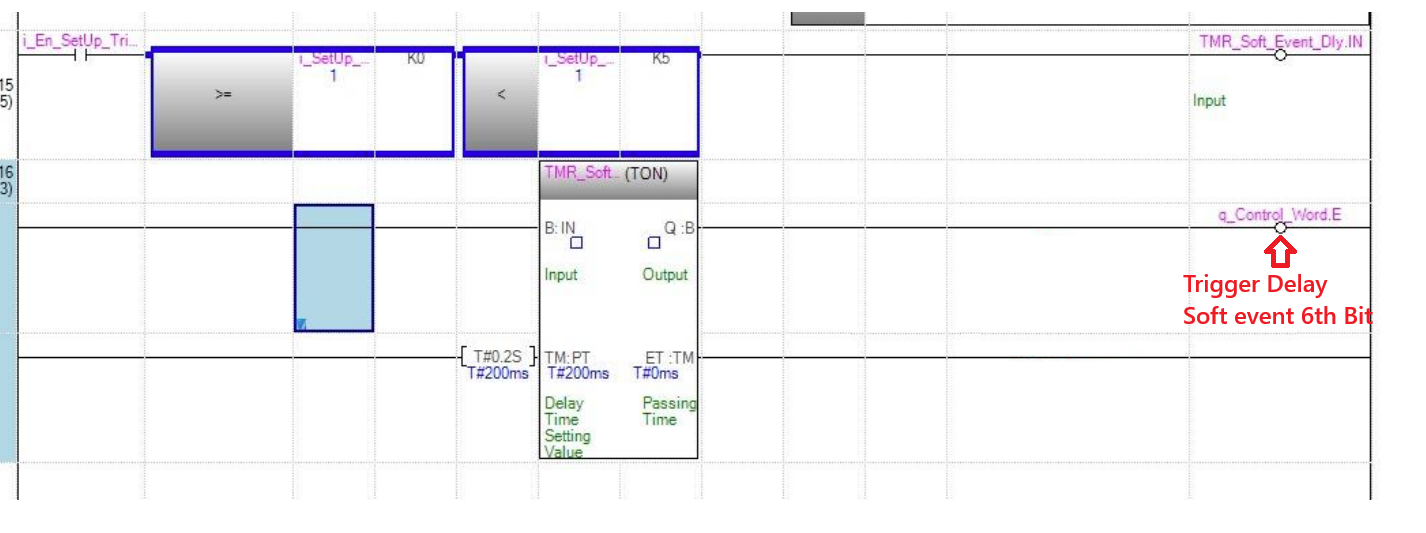
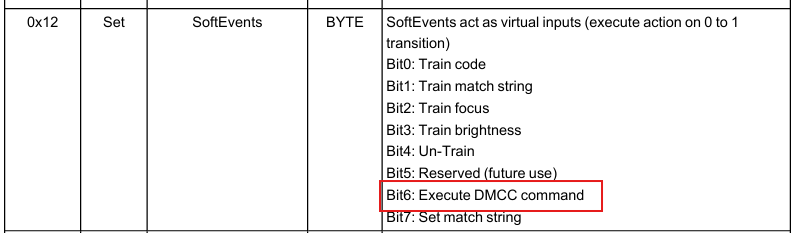
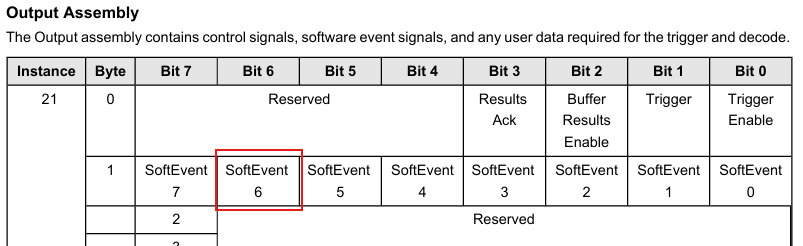
Step 3: Trigger SoftEvent 6 to execute the DMCC command.
SoftEvent 6 is defined in the Vision Block (Output Assembly) as the bit responsible for executing DMCC commands. To run the command, the PLC sets SoftEvent 6 to ON for a short duration. Once SoftEvent 6 is set, the DataMan reader processes the command in the User Data buffer.
Vision Block:
PLC memory layout:
Summary of the process:
Write the length of the DMCC string into the designated User Data Length field.
Write the ASCII DMCC command into the User Data memory area.
Activate SoftEvent 6 to execute the command in the DataMan reader.