
Details
This article shows the step to fix Label image failed error while working with ViDi EL Anomaly Detect tool in In-Sight Vision Suite on IS3800/IS2800.
Error: After labeling 2-3 images user encountered the Label image failed error in ViDi EL Anomaly tool
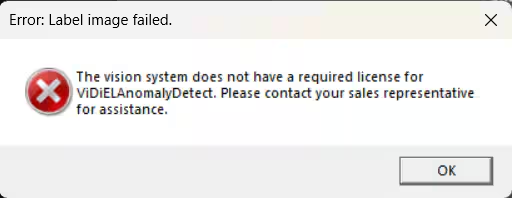
Error Description: This vision system does not have a required license for ViDiELAnomalyDetect. Please contact your sales representative for assistance.
Error Screenshot: Below is the Error Screenshot:
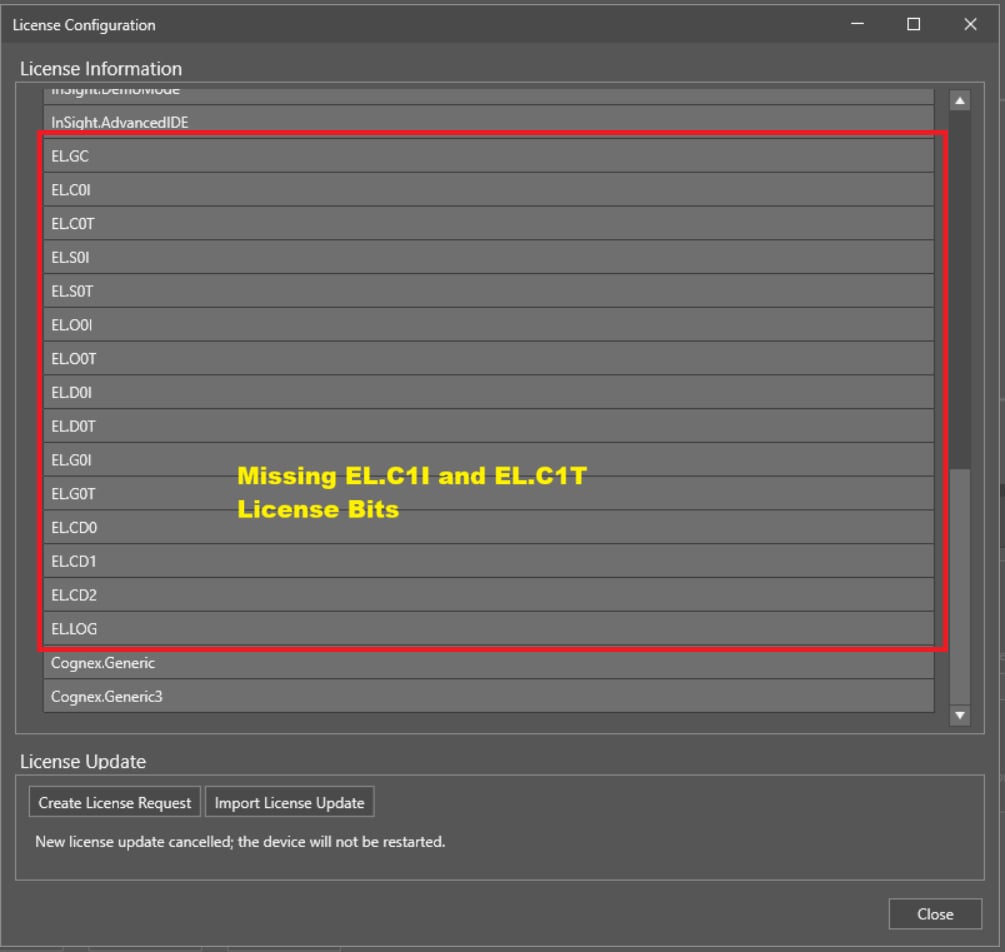
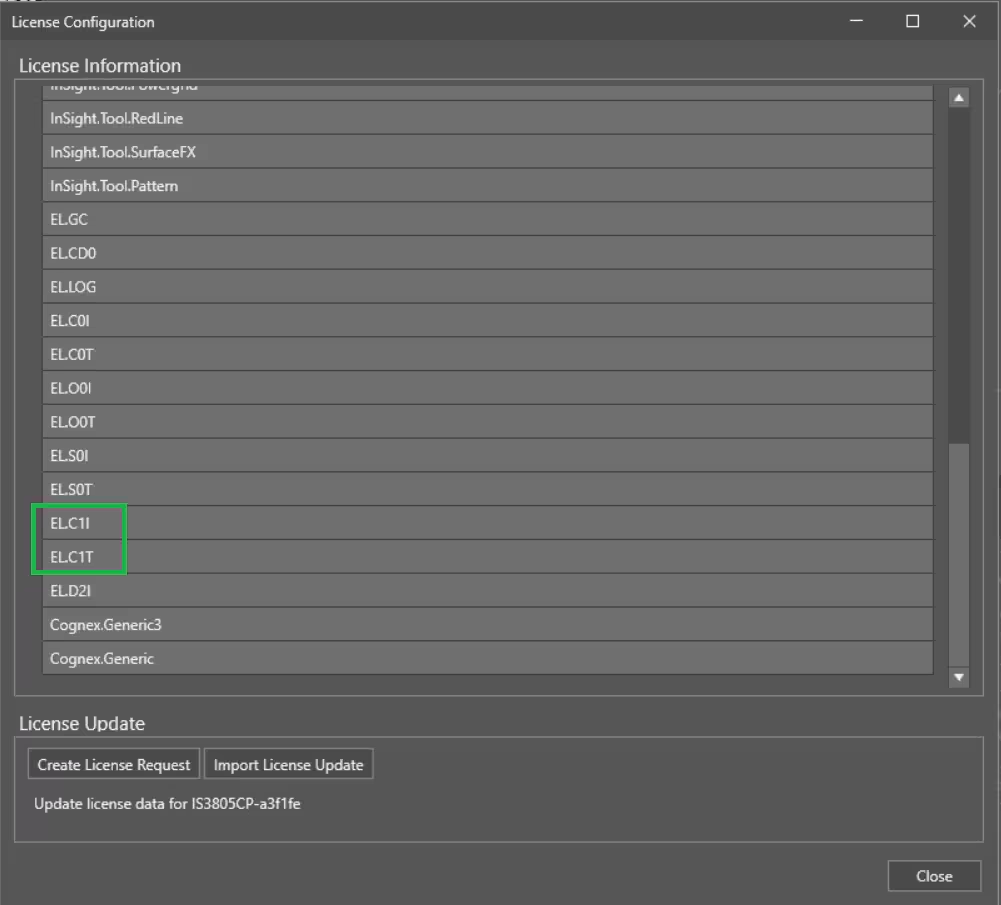
Reason: Label image failed error occurs when 2 license bits - 1. EL.C1I and 2. EL.C1T, are not found.
How to confirm if EL.C1 and EL.C1T are added: User can confirm the license bits by checking the license configuration info for the device in question. EL Anomaly Detect requires both bits to be present: EL.C1I and EL.C1T
If only one or none of these bits are present, the device will not receive Anomaly detect upon firmware upgrade to 25.1.
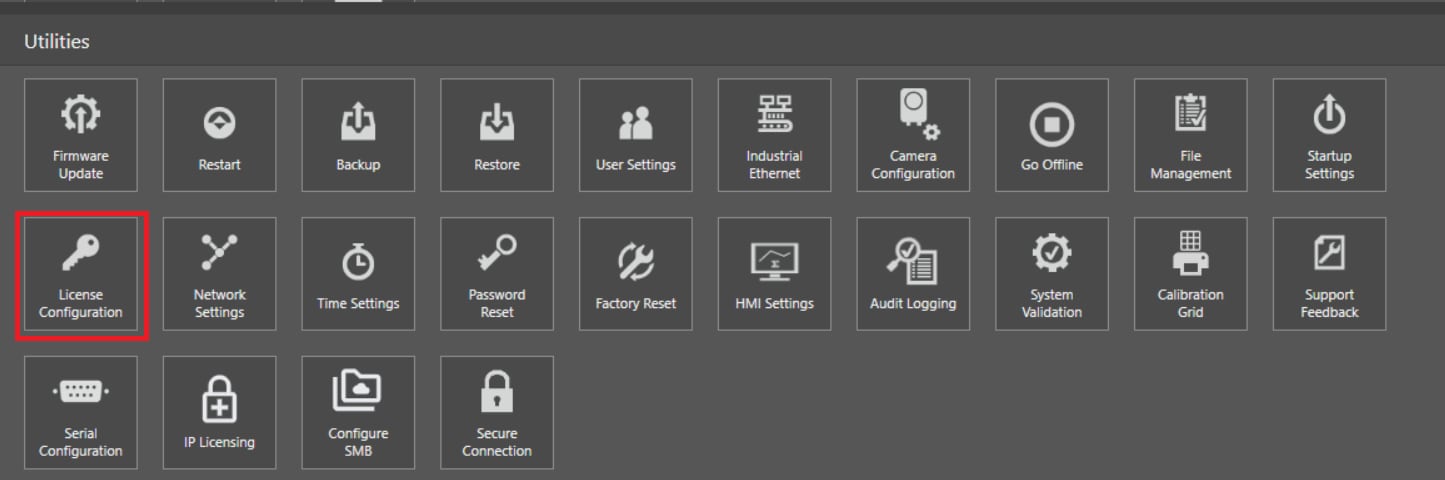
Click on Utilities>> License Configuration
Resolution: To Label image failed error, a FSU needs to be purchased separately for Vision Systems (IS2800/IS3800).
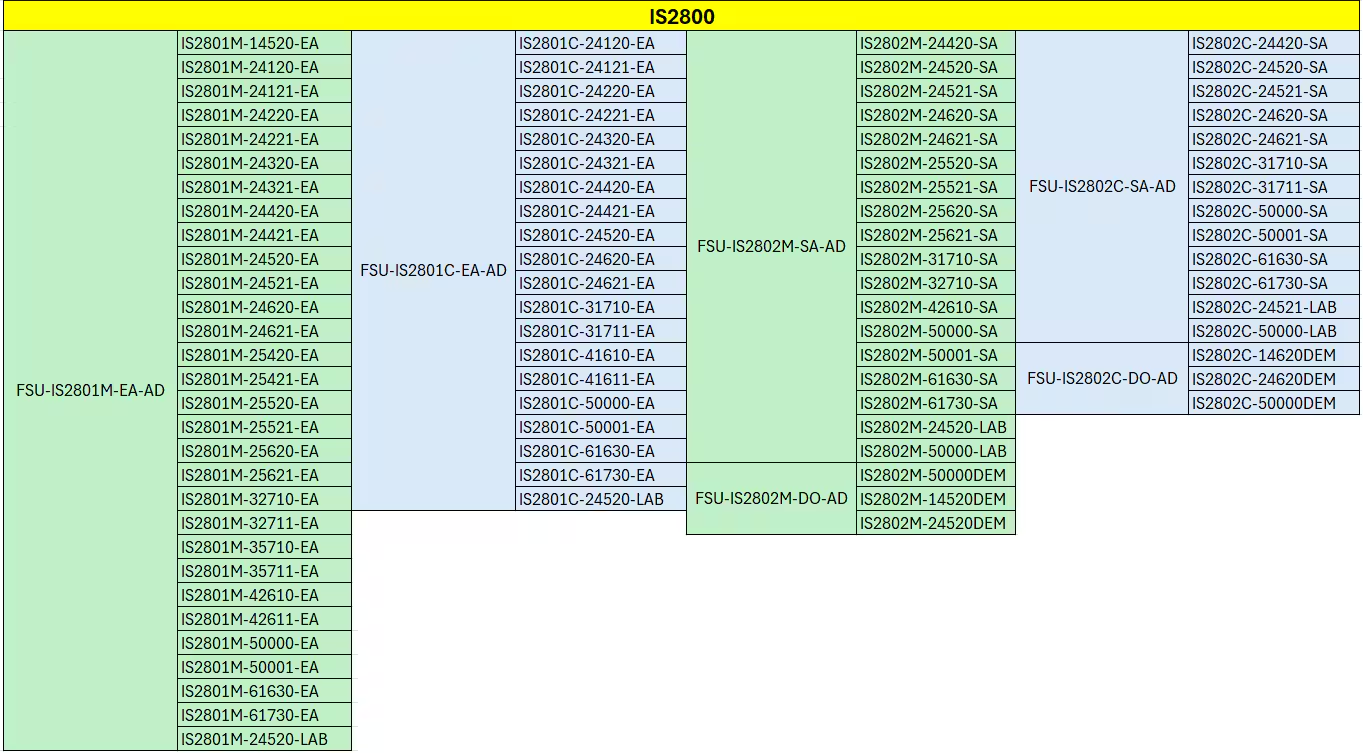
Please refer to the table below to select the right FSU based on the product ID of the device. Customer FSUs should be ordered through the normal salesforce process.
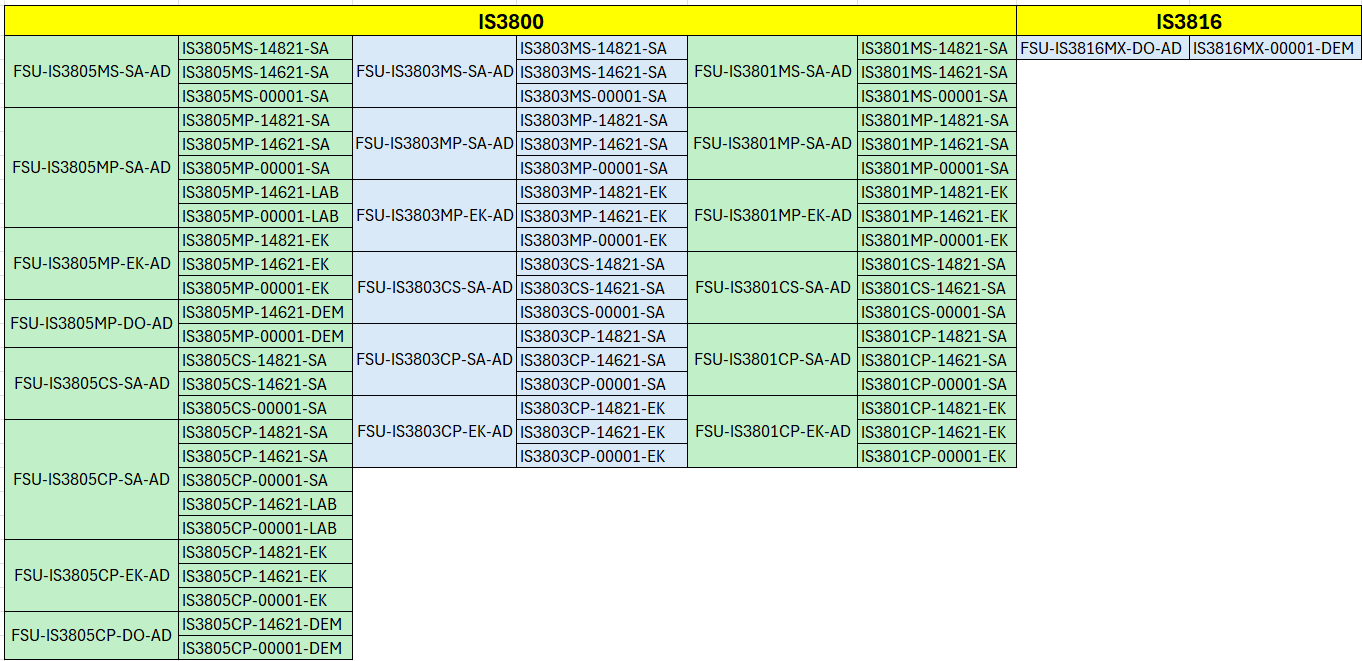
Once FSU is purchased and License file is added then License bits 1. EL.C1I and 2. EL.C1T will be available in License Configuration and users are able to fix Label image failed error and can use the ViDiEL Anomaly Detect tool.
Note: To enable ViDiEL Anomaly Detect in In-Sight Vision Suite emulator please follow below article:
https://community.cognex.com/support/s/article/in-sight-how-to-add-and-access-vidi-el-anomaly-detect-tool-in-in-sight-vision-suite-emulator
Details
This article shows the step to fix Label image failed error while working with ViDi EL Anomaly Detect tool in In-Sight Vision Suite on IS3800/IS2800.
Error: After labeling 2-3 images user encountered the Label image failed error in ViDi EL Anomaly tool
Error Description: This vision system does not have a required license for ViDiELAnomalyDetect. Please contact your sales representative for assistance.
Error Screenshot: Below is the Error Screenshot:
Reason: Label image failed error occurs when 2 license bits - 1. EL.C1I and 2. EL.C1T, are not found.
How to confirm if EL.C1 and EL.C1T are added: User can confirm the license bits by checking the license configuration info for the device in question. EL Anomaly Detect requires both bits to be present: EL.C1I and EL.C1T
If only one or none of these bits are present, the device will not receive Anomaly detect upon firmware upgrade to 25.1.
Click on Utilities>> License Configuration
Resolution: To Label image failed error, a FSU needs to be purchased separately for Vision Systems (IS2800/IS3800).
Please refer to the table below to select the right FSU based on the product ID of the device. Customer FSUs should be ordered through the normal salesforce process.
Once FSU is purchased and License file is added then License bits 1. EL.C1I and 2. EL.C1T will be available in License Configuration and users are able to fix Label image failed error and can use the ViDiEL Anomaly Detect tool.
Note: To enable ViDiEL Anomaly Detect in In-Sight Vision Suite emulator please follow below article:
https://community.cognex.com/support/s/article/in-sight-how-to-add-and-access-vidi-el-anomaly-detect-tool-in-in-sight-vision-suite-emulator