Question
How to issue the Ring/Status LED of In-Sight 2800/In-Sight 3800 from the spreadsheet Editor?
Answer
- In order to issue the Ring/Status LED from spreadsheet, the WriteDiscrete Function must be used.
The Status LED of the In-Sight 2800/3800 is designated to Output 5:
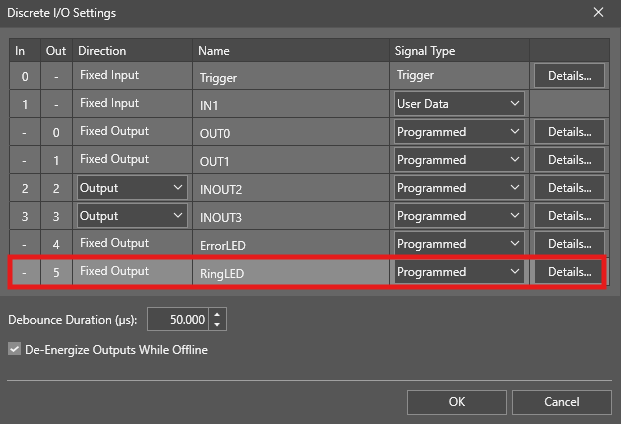
Therefore, the start bit in the WriteDiscrete Function must be set to '5':

- The Event property is linked to A0 by default, but it can be changed to another event.
- Number of Bits must be set to '1'. The value property must be linked to a cell, which must be either '0' or '1' (This can be the Job result).
- This is only working when the camera is in Online mode.
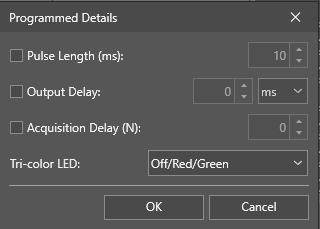
The behavior of the Ring LED can be configured in the "Details..." (See first image/ Discrete IO Settings):