
Details
This article will guide the users with the steps to upgrade the firmware of all In-Sight Vision Suite platform Vision Systems, such as:
- In-Sight 3800,
- In-Sight 2800,
- In-Sight 8900
- L38 etc.
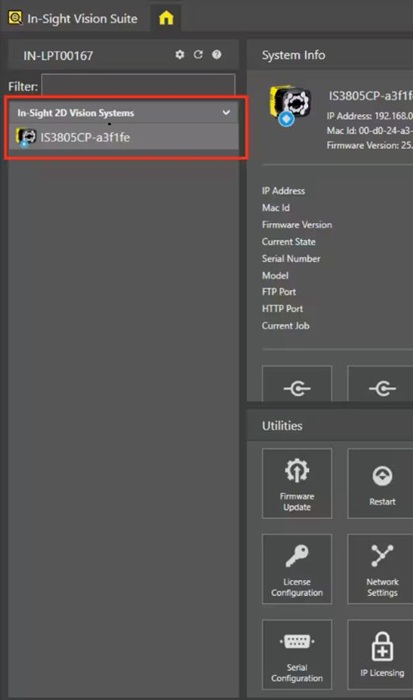
Step 1: Connect the In-Sight Vision Suite platform Vision System to the software:
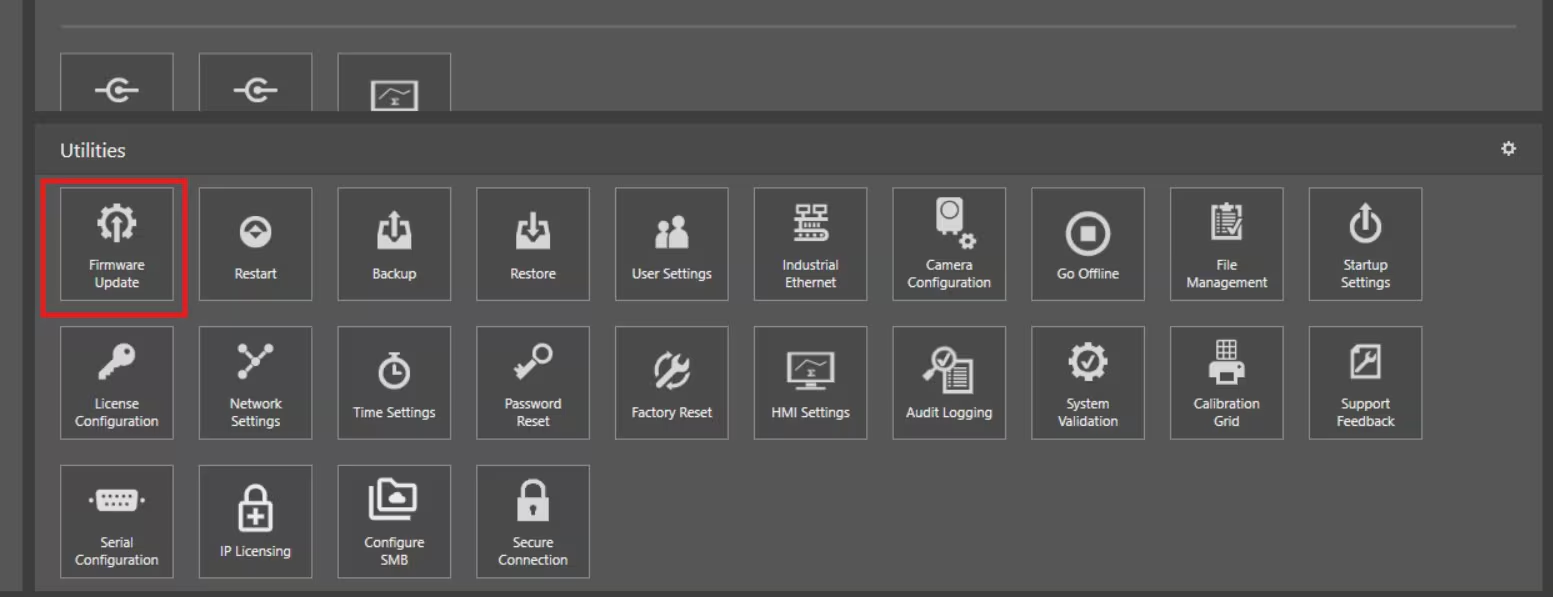
Step 2: Click on the Firmware Update under Utilities Menu:
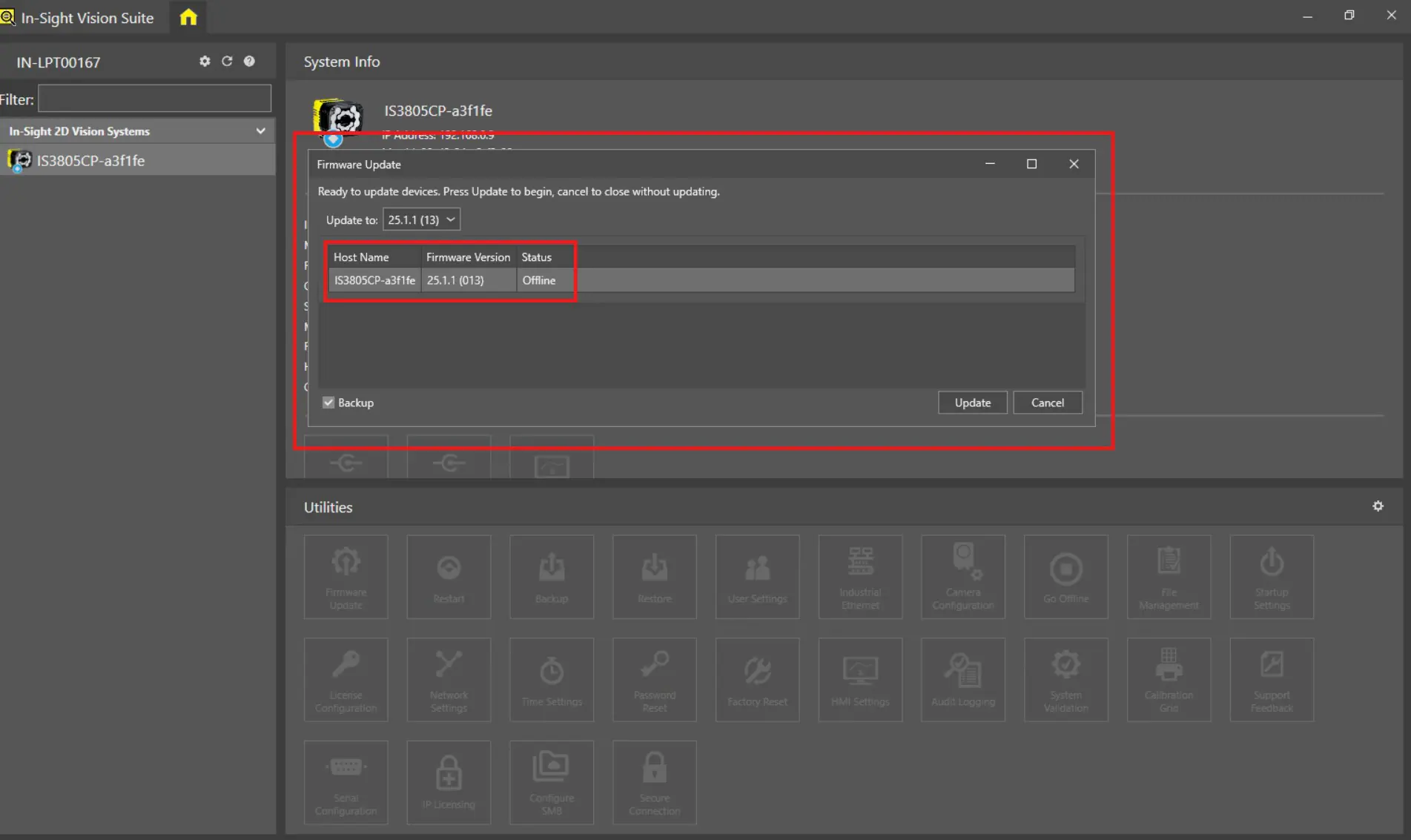
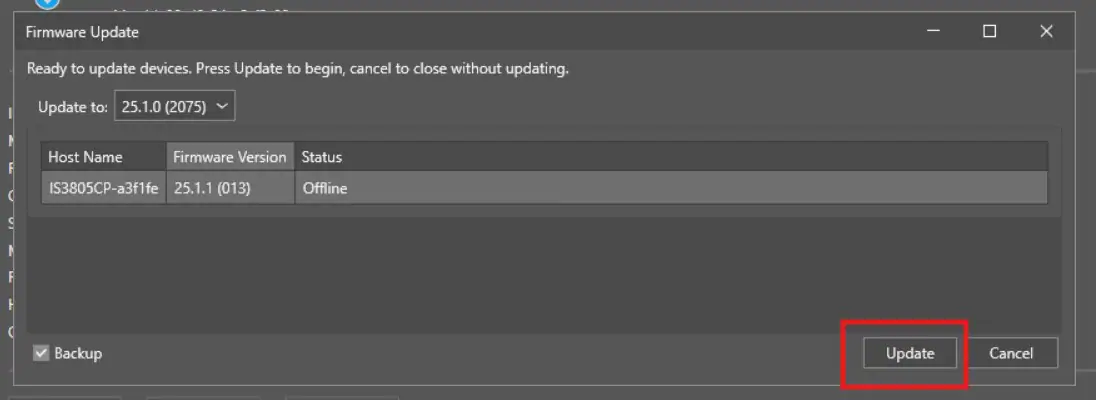
Step 3: After clicking on the Firmware Update option, a new window will pop-up with the details of connected Vision System - Host Name, Current Firmware Version and Status:
Step 4: Now user can view all the In-Sight Vision Suite software versions installed in the PC under Update to drop-down list option and can select the required version to upgrade from this drop-down list:
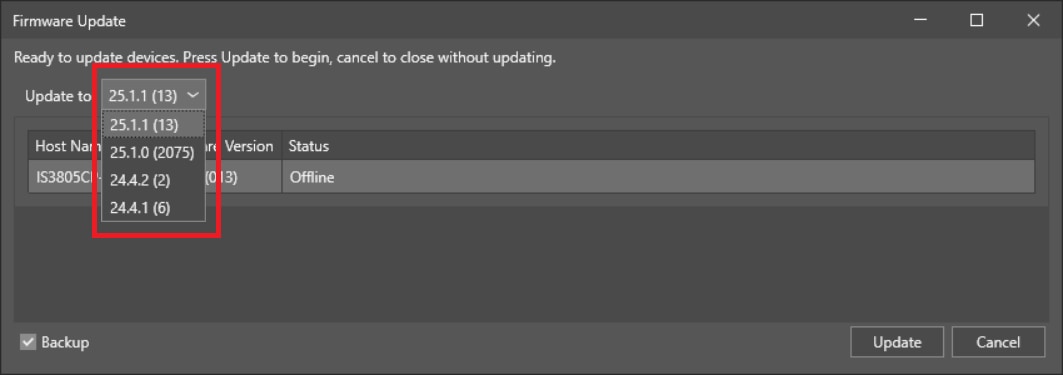
Step 5: Please select the required version and click on Update button:
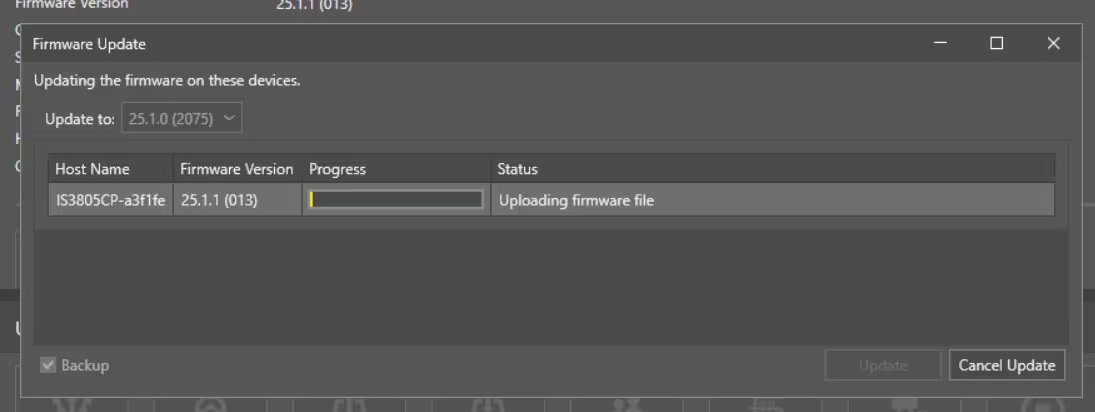
Step 6: Updating the Firmware process will start immediately, and users can see the progress under Status column:
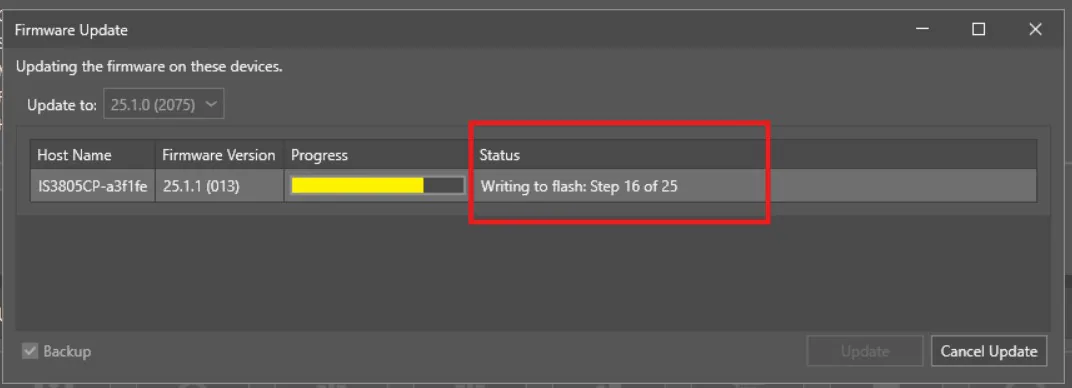
Step 7: Vision System will be restarting the power once Firmware Update is done.
Step 8: Once Firmware update complete message is displayed under Status Column, Click on Close button:
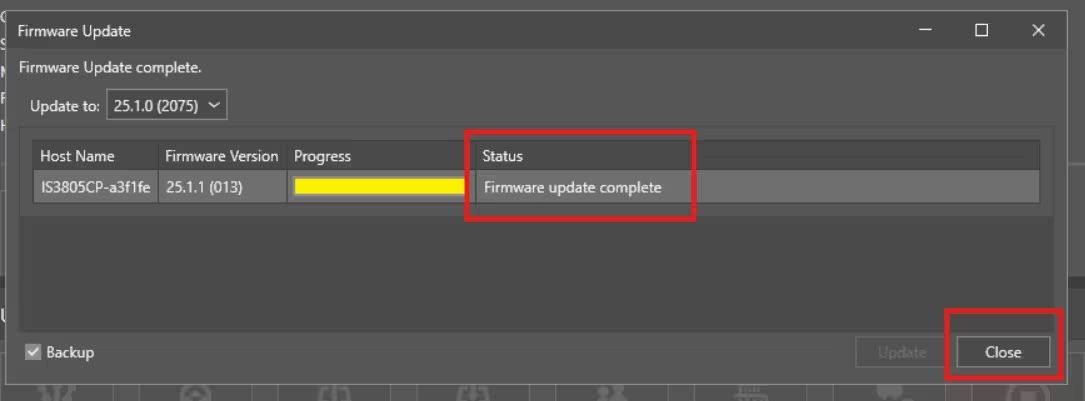
Firmware Update is completed successfully, and users can use the required In-Sight Vision Suite version.