
Details
While developing your VisionPro/Cognex Designer application with Linescan cameras and Encoder-Based Devices, you might need to set it to Time-Based if you don't have an encoder or need to run tests testing different configurations or to enable the Encoder.
Below two examples of how to do that via script.
TIME-BASED - please note: Cognex.VisionPro has to be added as a Using to the script
For Cognex Designer scripting details (like where-to-find the Using box) see also: Cognex Designer - Script Editor - Documentation | Cognex
| ICogAcqFifo fifo = (ICogAcqFifo)$System.GetInternalObject("Devices.DeviceName"); Fifo.FrameGrabber.OwnedGiGeAccess.SetFeature("TriggerSelector","LineStart"); Fifo.FrameGrabber.OwnedGiGeAccess.SetFeature("TriggerMode","Off"); |
ENCODER - please note: Cognex.VisionPro has to be added as a Using to the script
For Cognex Designer scripting details (like where-to-find the Using box) see also: Cognex Designer - Script Editor - Documentation | Cognex
| ICogAcqFifo fifo = (ICogAcqFifo)$System.GetInternalObject("Devices.DeviceName"); Fifo.FrameGrabber.OwnedGiGeAccess.SetFeature("TriggerSelector","LineStart"); Fifo.FrameGrabber.OwnedGiGeAccess.SetFeature("TriggerMode","On"); |
other encoder parameters (like) can be set using the same SetFeature() method.
To get a complete list of any GiGe device supported Features, you can click on the "Show Feature snapshot" button from the Cognex GiGe Vision Configurator :
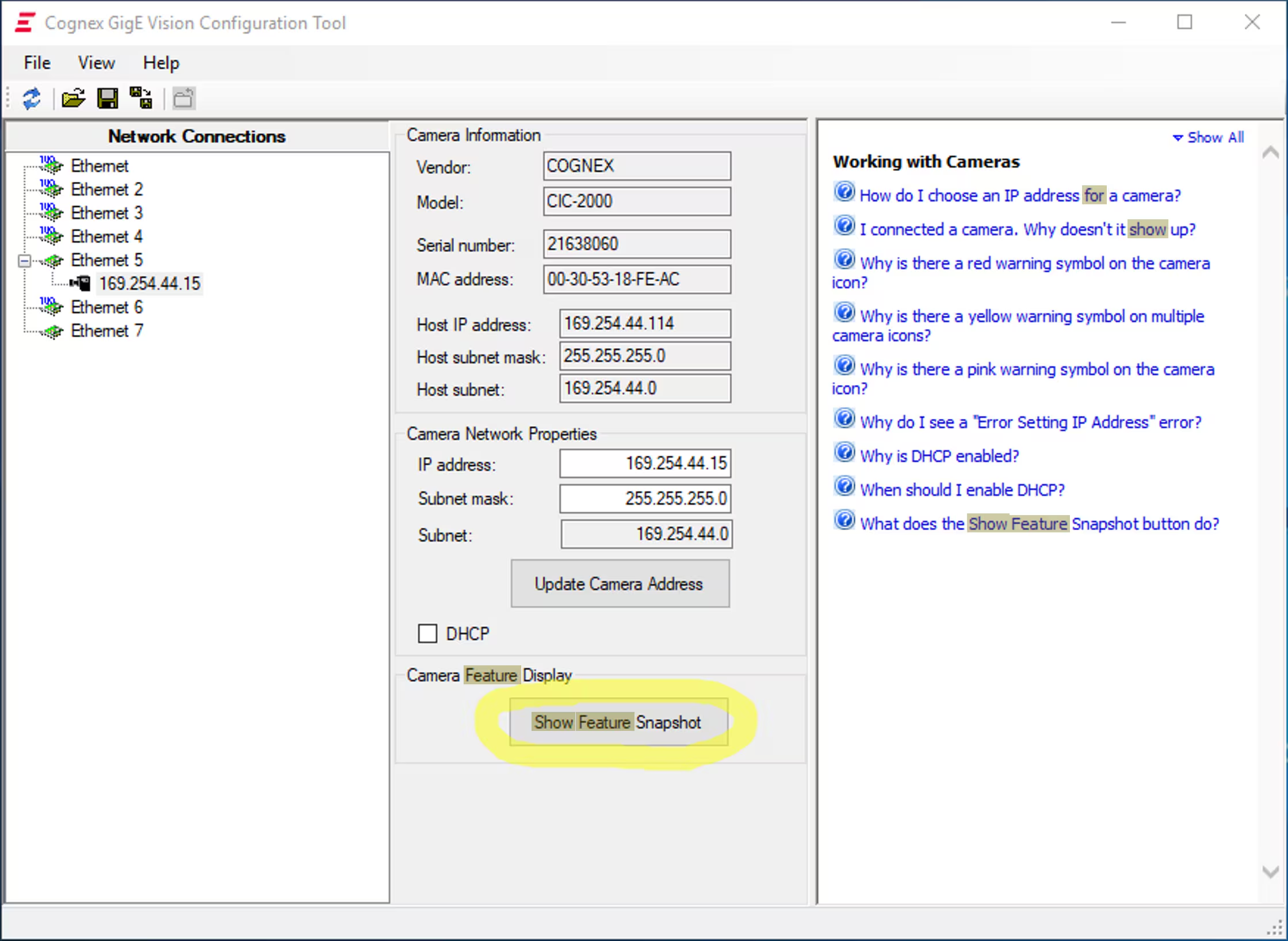
It will output a list of all the supported features.
For Encoder-Based Device, you will see an additional ShaftEncoderModule Category, like for the CIC-4KL:
Category: ShaftEncoderModule
Feature Type Settings, etc.
-----------------------------------------------------------------------------------------------------------
ShaftEncoderModuleLineSelector
: Enum : PhaseA*, PhaseB, access=RW#
ShaftEncoderModuleLineSource
: Enum : Line1*, Line2, Line3, , access=RW
ShaftEncoderModuleMode : Enum : AnyDirection*, ForwardOnly, access=RW
ShaftEncoderModuleCounterMode
: Enum : FollowDirection*, IgnoreDirection, access=RW
ShaftEncoderModuleCounter : Integer : Val=0, access=RO
ShaftEncoderModuleCounterMax
: Integer : Val=32767, min=0, max=32767, inc=1, rep=Linear, access=RW
ShaftEncoderModuleCounterReset
: Command : Supported, access=RW
ShaftEncoderModuleReverseCounterMax
: Integer : Val=10000, min=0, max=32767, inc=1, rep=Linear, access=RW
ShaftEncoderModuleReverseCounterReset
: Command : Supported, access=RW
All the Parameters can be set using the SetFeature() method as from above and the Command can be executed as
| fifo.FrameGrabber.OwnedGigEAccess.ExecuteCommand("Command Name"); |
An example can be found at the VisionPro installation folder:
C:\Program Files\Cognex\VisionPro\samples\Programming\Acquisition\GigEVisionProperties\BaslerLineScan .