
Question
How to set verification report filename when saving report by logging?
Answer
Click “Logging and reporting settings” to set the verification report saved location and filename.

Select the path for saving the report and define the filename prefix and structure in “Reporting” section.
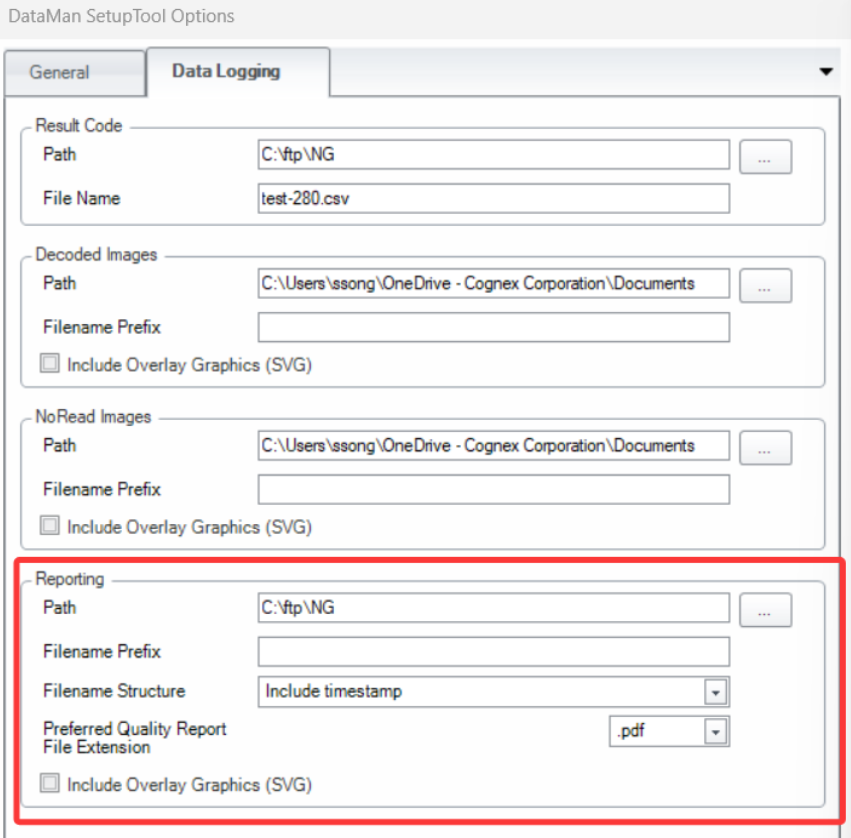
- The “Filename Prefix” can be set in the following ways:
- Use custom string, for example “DM8072V-”.
Use several predefined items and their combinations. The available options are as follows.
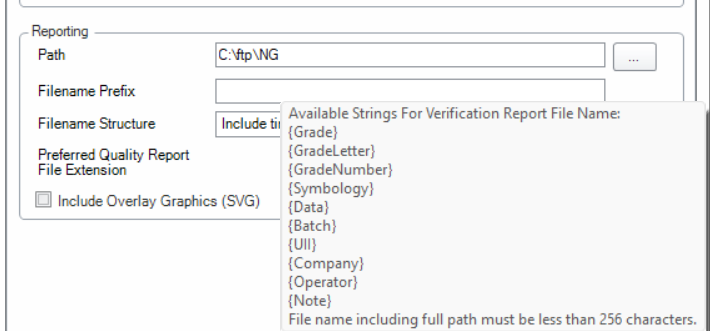
Here is an example of how to add Symbology and Data to filename prefix.
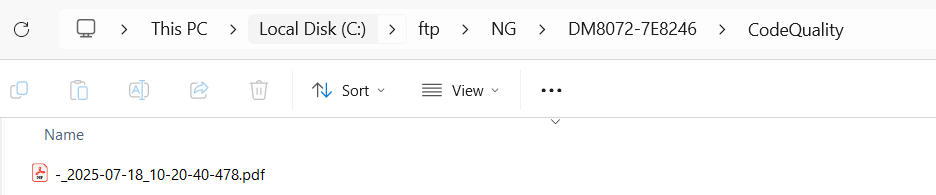
If the code is successfully read, the file name of the report will be saved in the following path with the file name defined above.

If the code fails to be read, the file name of the report will not contain symbology and data.
- The above two methods can be used together.