Question
What to do if an external device doesn't receive the expected character set through usb hid keyboard mode communication.
Answer
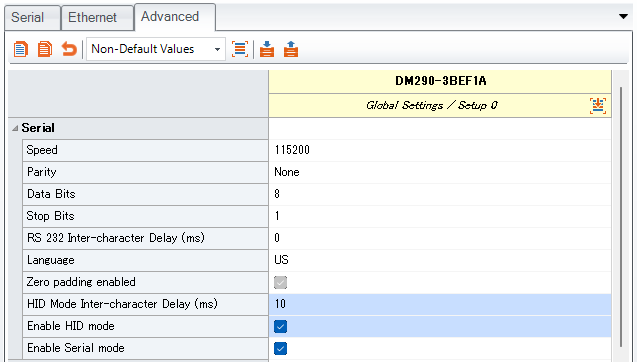
There is a case which your external device doesn't receive the expected character set through USB HID Keyboard mode communication of DataMan. DataMan often outputs data too quickly. This is similar to when you type quickly on a physical keyboard and some characters cannot be entered. To avoid this, there is a paremeter to insert delay between each character output.
[Communications]-[Advanced]-[HID Mode Inter-character Delay (ms)] (default 0ms)
Note: this is the parameter for USB HID mode communicaiton. You also need to enable [Enable HID mode], then connect DataMan and external device by USB cable.