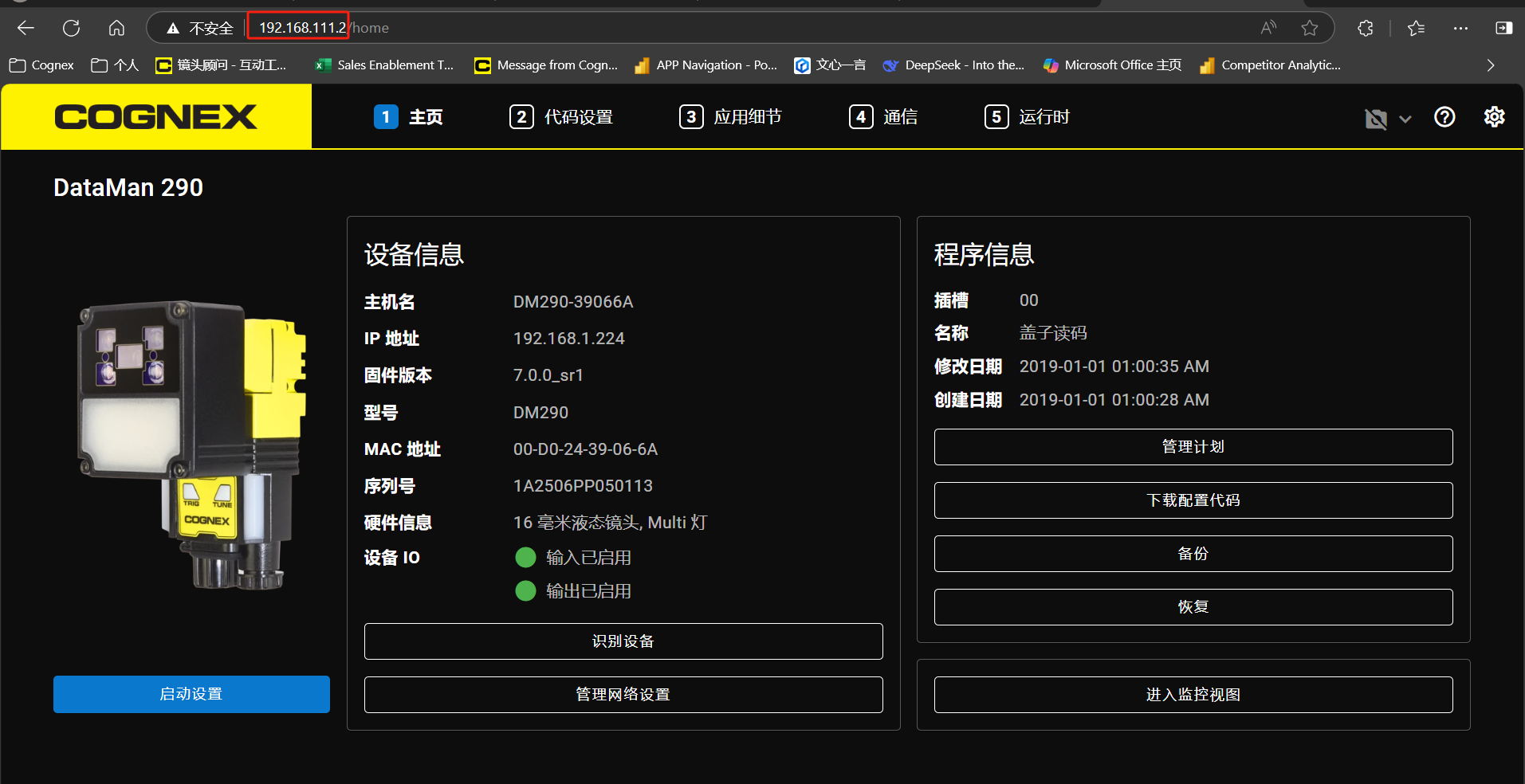
Details
- Hardware Connection: Use a USB-A to Type-C cable or a Type-C to Type-C cable. Connect one end to the computer and the other end to the barcode scanner's Type-C port.
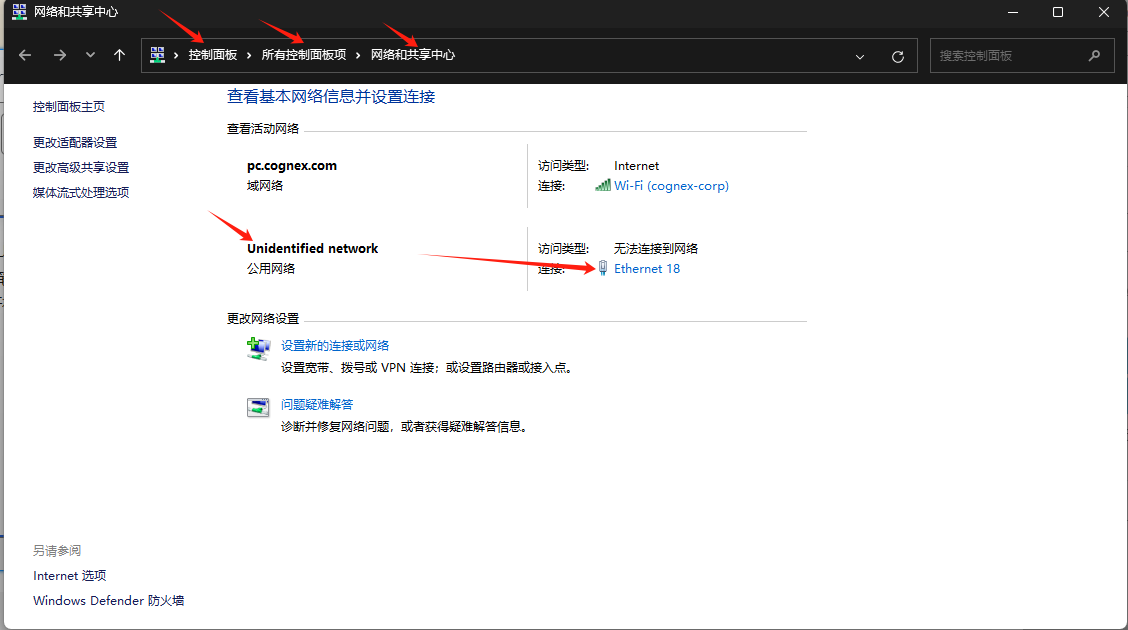
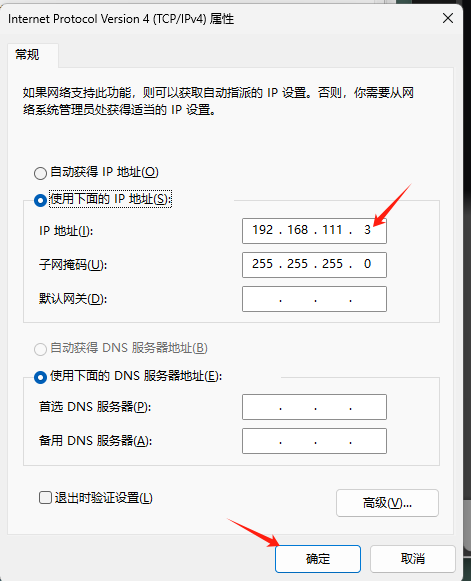
Control Panel - All Control Panel Items - Network and Sharing Center - Unidentified Network - Ethernet 18
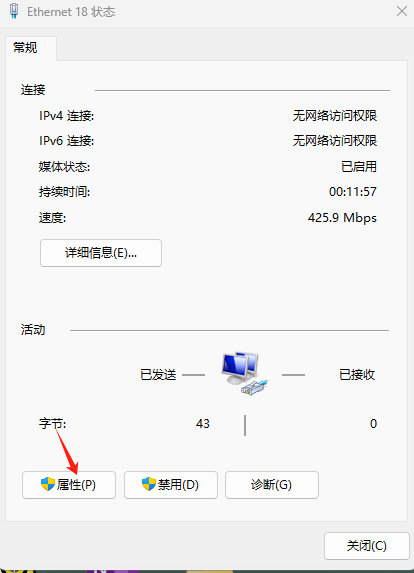
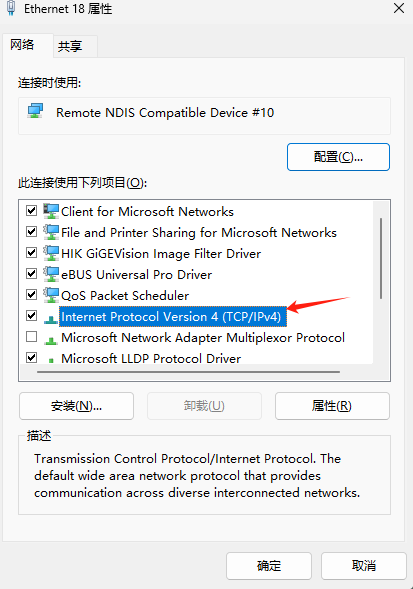
Set the IP address and subnet mask: the IP address is 192.168.111.xxx (note: "x" cannot be set to 2), and the subnet mask is 255.255.255.0. [Navigate to] Properties - Internet Protocol Version 4 (TCP/IPv4)
Open a web browser (Google or Edge is recommended), and enter the fixed IP address of DataMan 290: 192.168.111.2. Note that this IP address is the inherent IP of DataMan 290, and connection via SN/MAC/device name is not allowed in Type-C mode.