
Details
How to install the FTP server components on Windows 11
Although Windows 11 includes support to set up an FTP server, you need to add the required components manually.
To install the FTP server components, do the following:
- Open Control Panel.
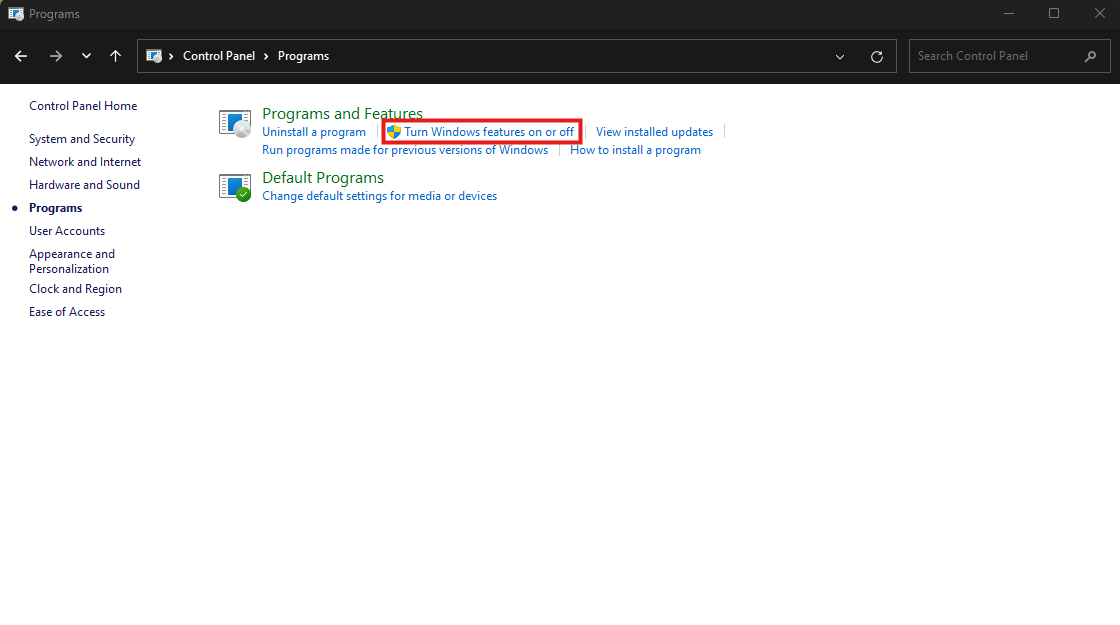
- Click on Programs.
Under "Programs and Features," click the Turn Windows features on or off link.
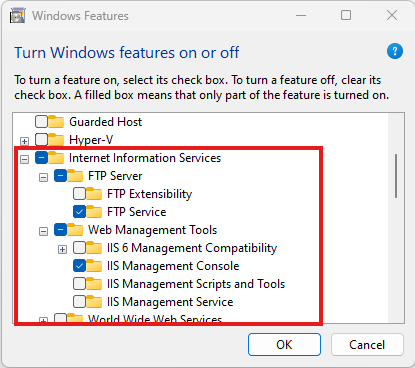
- Expand the "Internet Information Services" feature, and expand the FTP server option.
- Check the FTP Extensibility and FTP Service options.
Check the Web Management Tools option with the default selections, but making sure that the IIS Management Console option is checked.
- Click the OK button.
- Click the Close button.
Once you've completed the steps, the components to set up an FTP server will be installed on your device.
How to setup the IIS services on Windows 11
To configure the FTP server components, do the following:
- Open Control Panel.
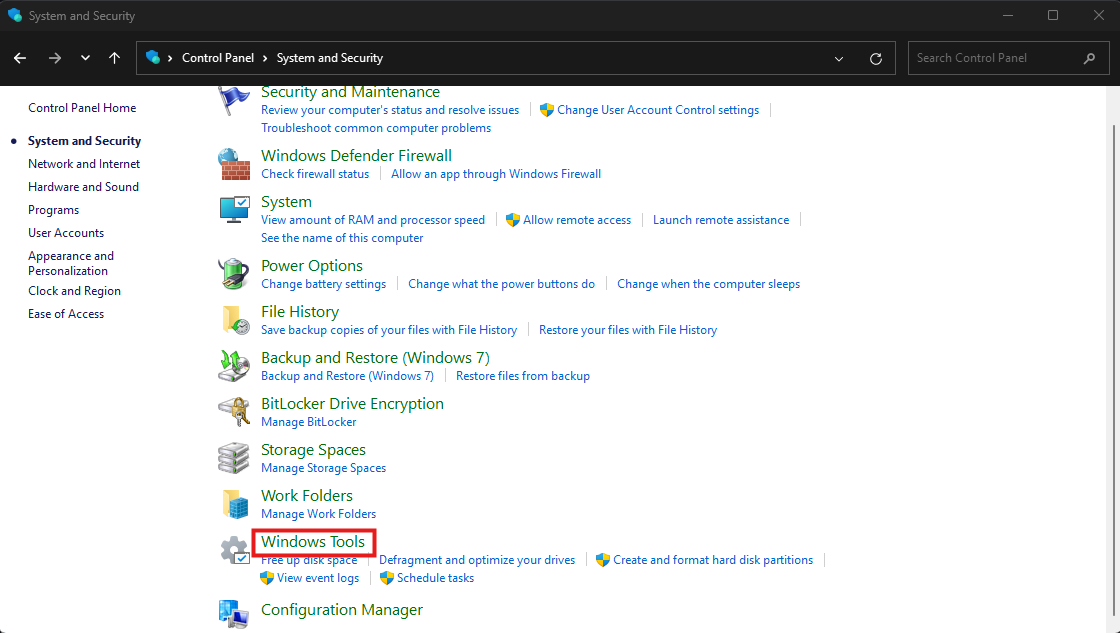
- Click on System and Security.
Click on Windows Tools.
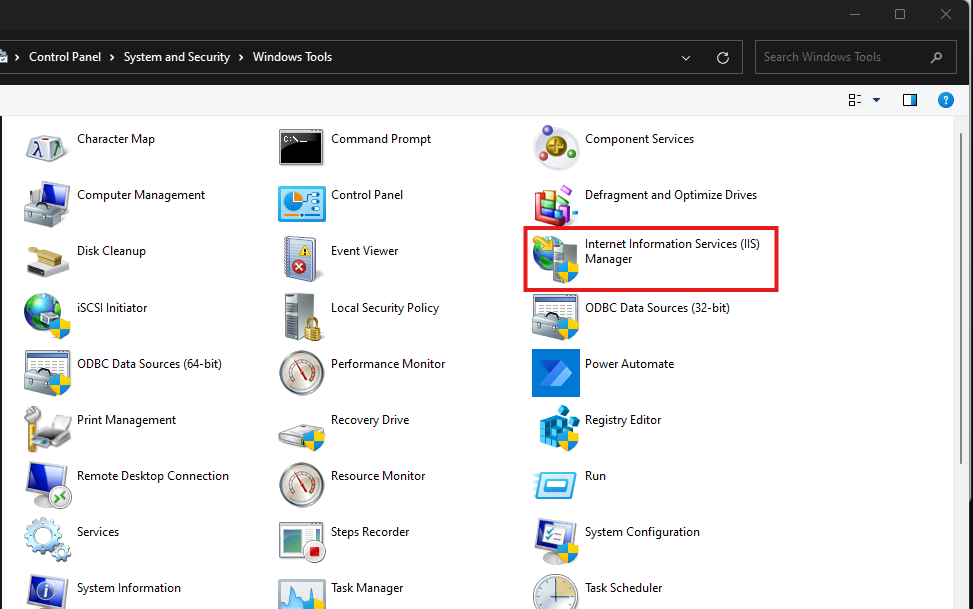
Open Internet Information Services (IIS) Manager.
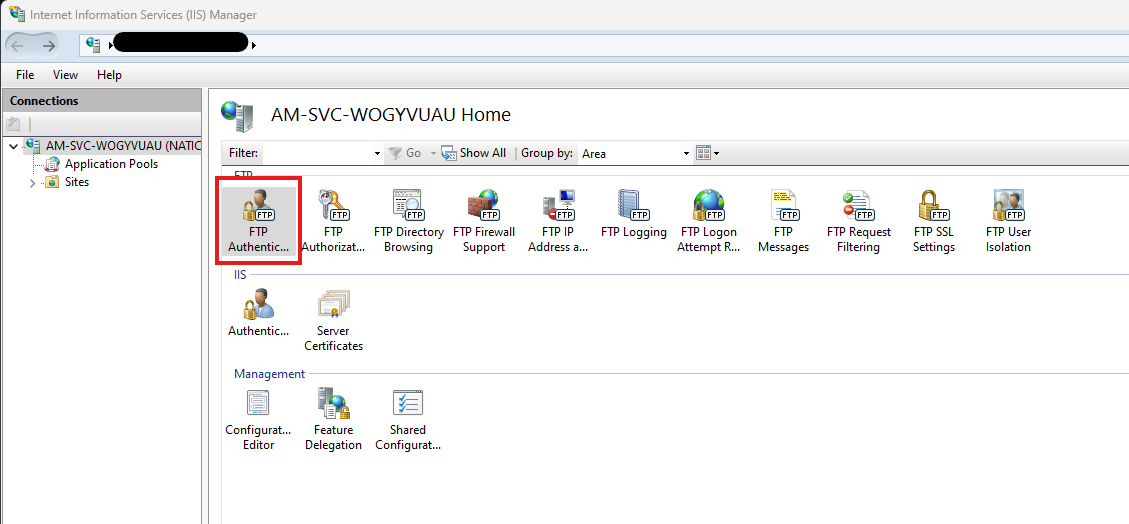
Select the FTP Authentication.
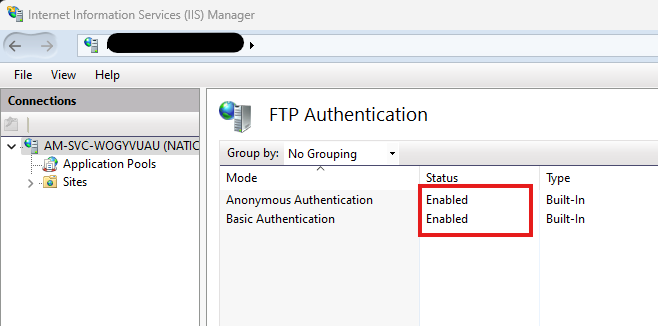
Enable the Anonymous and Basic Authentication.
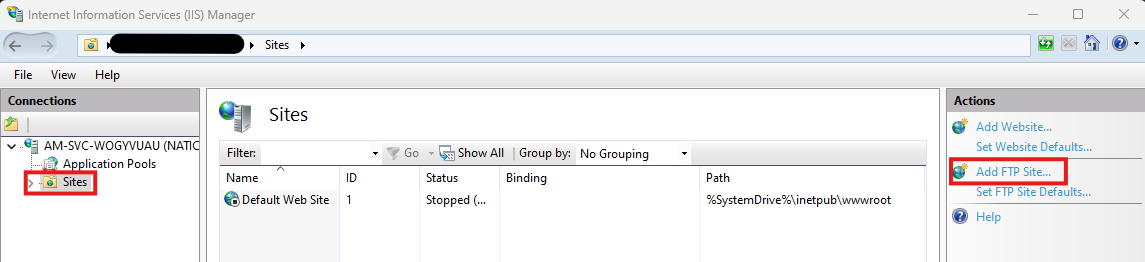
- In the connection tree, select Sites.
Then select Add FTP Site from the options on the right.
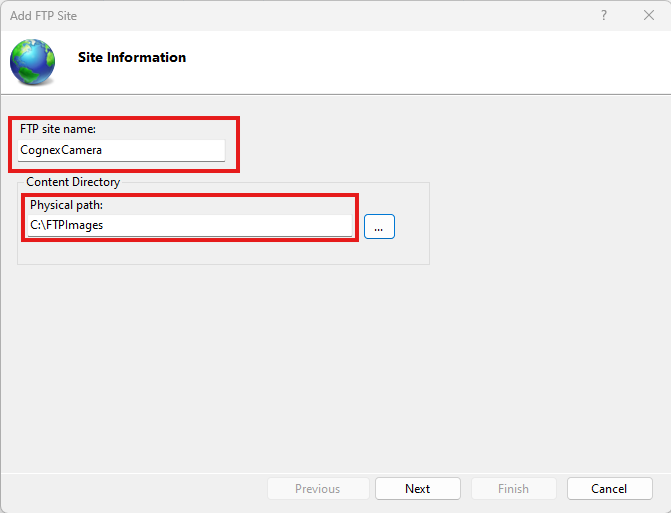
In the Add FTP Site window add a site name and the directory you want to be the home directory of the server C:\FTPImages in this case. Click Next.
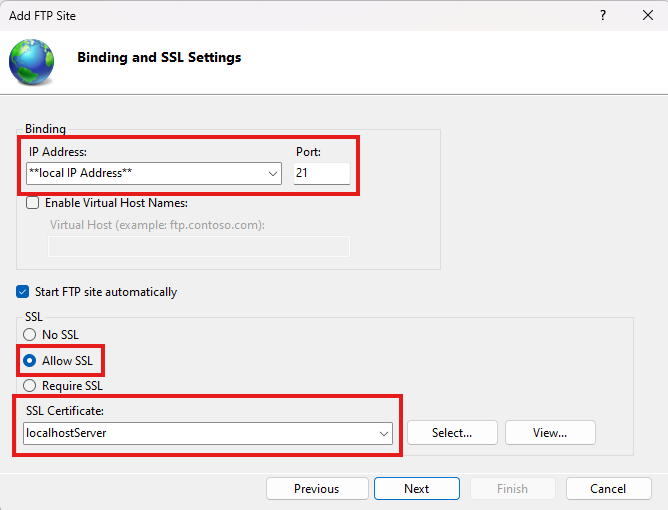
Add the local PC IP address for the network the Cognex camera is on. Select Allow SSL and set the local PC Certificate. Then click Next.
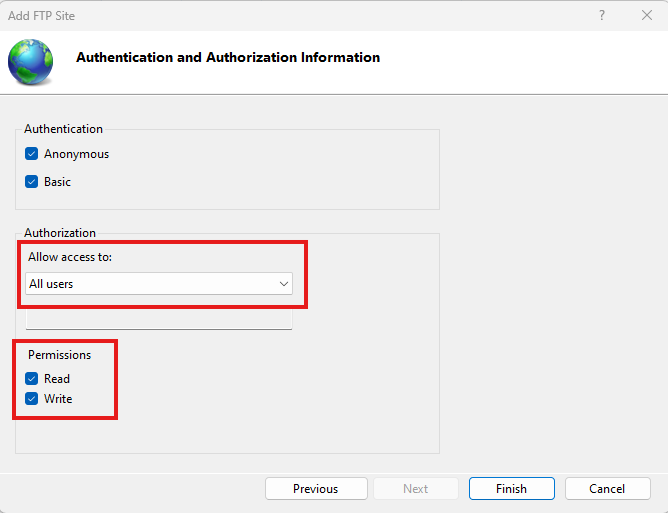
Set the Authorization to All users and select the Read Write options. Then click Finish.
The FTP site has now been created.
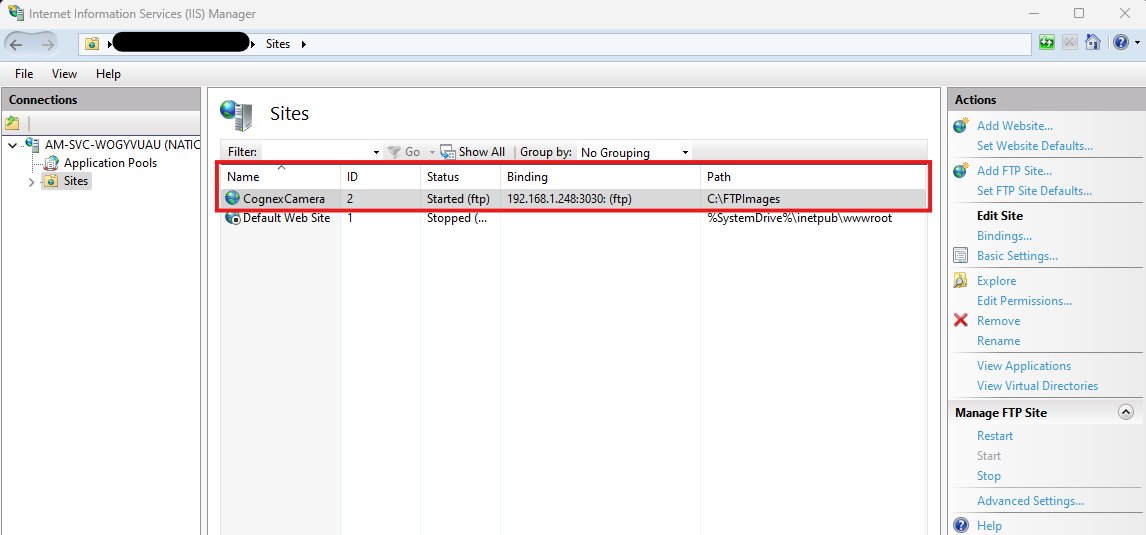
- You can delete the Default Web Site from the Sites list.
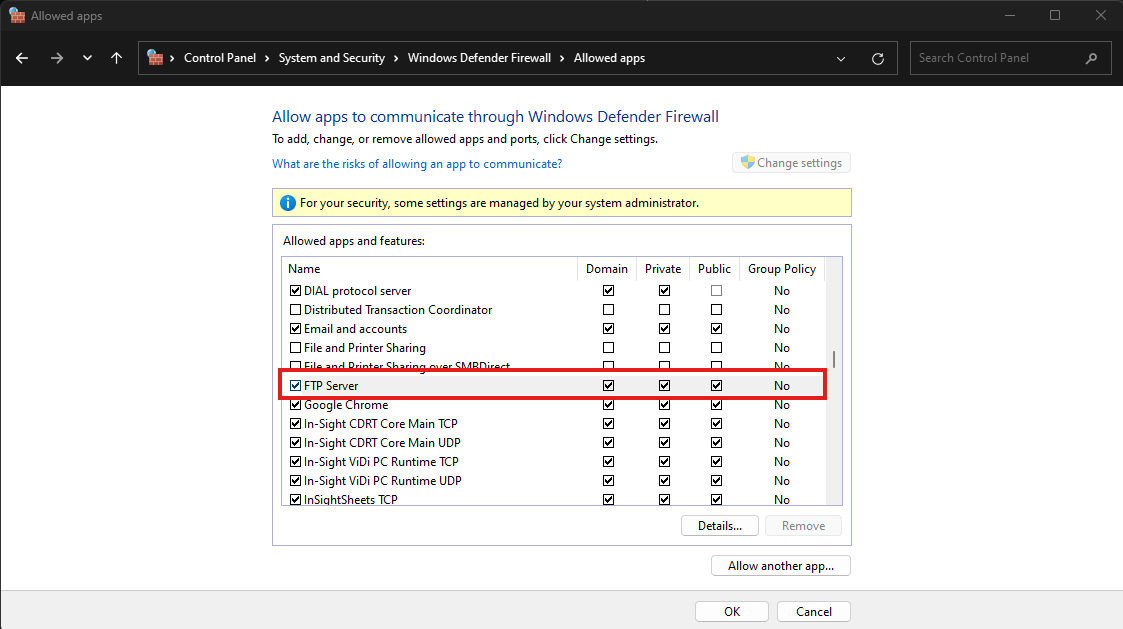
Ensure all Firewalls are turned off. Go to Control Panel > Windows Defender Firewall > Allow an app or feature through Windows Defender Firewall > FTP Server. Enable Domain, Private and Public.
- Reboot the PC.
*To Connect to the FTP server Anonymously, the user name would be “anonymous”.