Details
Symptoms
- The IS8900 does not show up in ISVS.
- Device LEDs are flashing red.
- Connection is made using a USB-C cable.
Cause
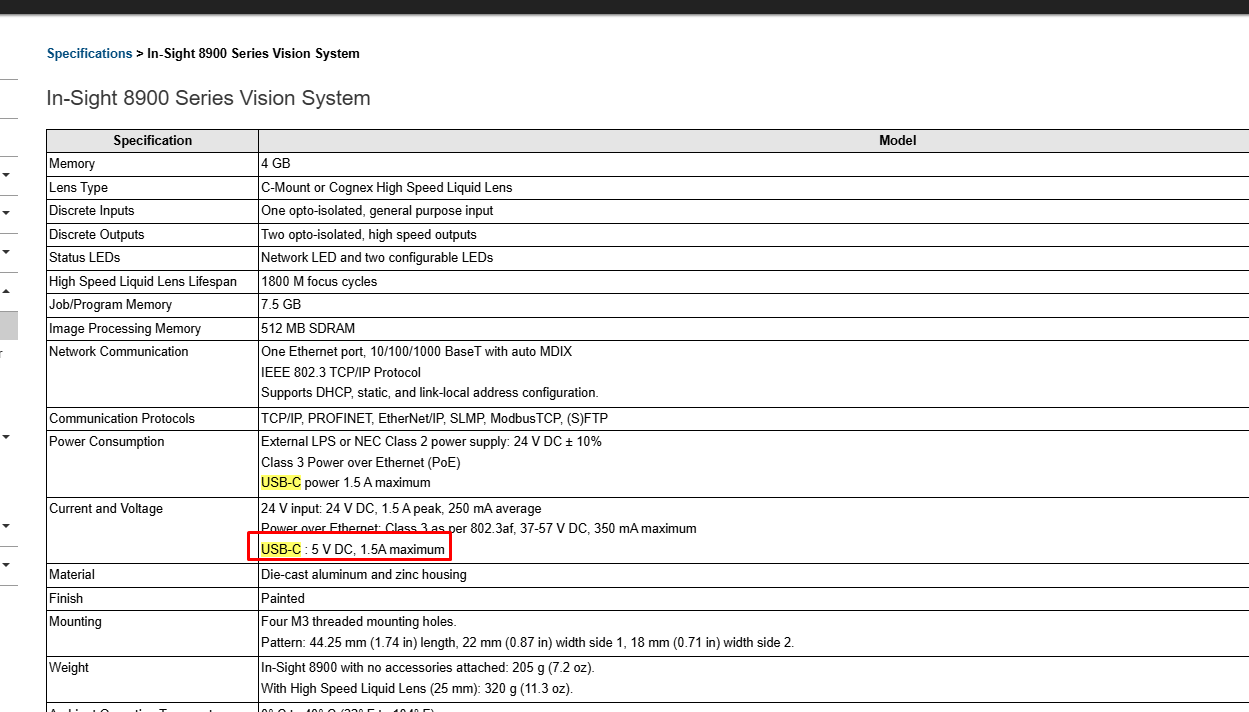
The USB-C cable being used does not provide sufficient power for the IS8900 to operate correctly.
According to the official specifications, the IS8900 requires a USB-C cable that meets the power delivery requirements outlined in the documentation.
Refer to the full specifications here:
In-Sight 8900 Series Reference Manual - In-Sight 8900 Series Vision System - Documentation | Cognex
Solution
- Use a USB-C cable that complies with the specifications recommended by Cognex.
- Once the correct cable is connected:
- The IS8900 will appear in ISVS.
- The LEDs will turn green, indicating normal operation.