Details
In In-Sight Vision Software (ISVS), the scripting tool can read data from any spreadsheet tools.
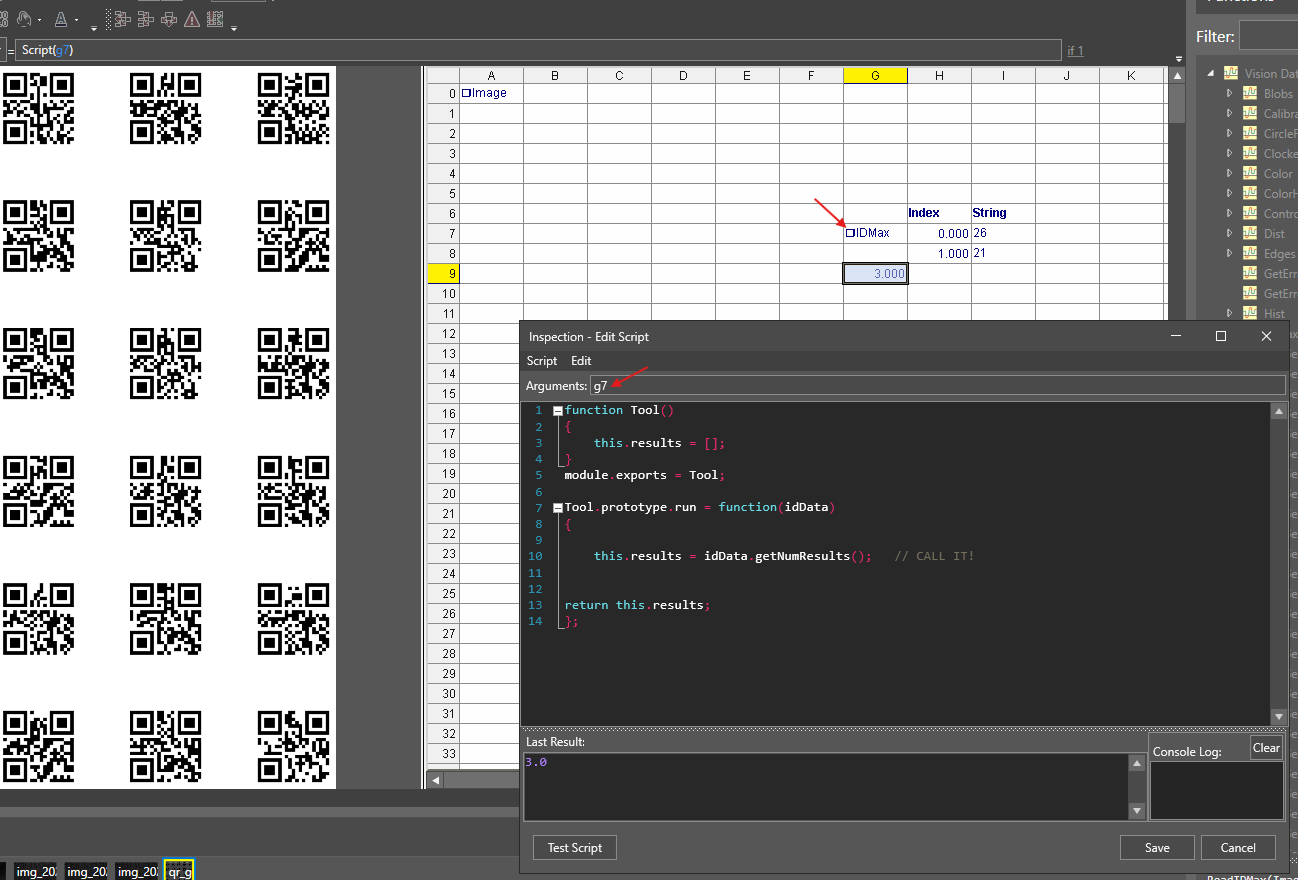
In this example, we show how to access ID Tool / IDMax data using:
we are passing the IDMax cell number to script as a argument to access the tool functions.
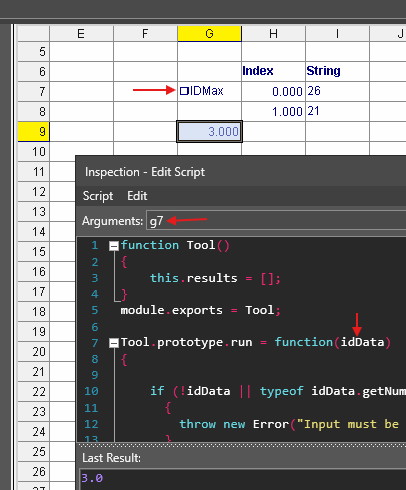
- idData.getNumResults() – with this method we can access all results in script.
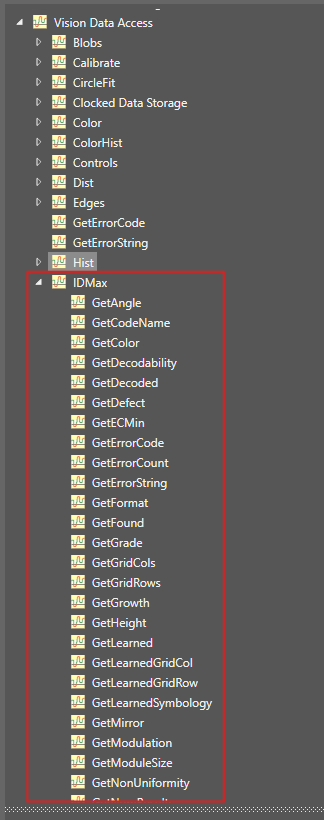
We can use all vision data access commands of IDMax function.
The sample script below demonstrates all of this.
Explanation:
- function Tool() – constructor, used to initialize storage (like this.results)
- module.exports = Tool; – tells In-Sight Vision Suite which object is the script tool
- Tool.prototype.run = function(idData) – called every trigger; idData is usually a tool result (e.g., IDMax)
function Tool()
{
this.results = [];
}
module.exports = Tool;
Tool.prototype.run = function(idData)
{
this.results = idData.getNumResults(); // CALL IT!
return this.results;
};