Question
How to Enable/Disable Read Setup in DataMan via a single DMCC command using Profinet
ATTENTION :
This procedure is valid only for new generation readers, DM80, DM280, DM290, DM370, DM380, DM390, DM470, DM580.
Answer
You will need to use the following command to enable the specific setup, receiving this command will enable the specified setup and disable all the other.
For example, please follow the steps as below to enable Setup 0.
||>SETUP.ENABLE-SINGLE 0
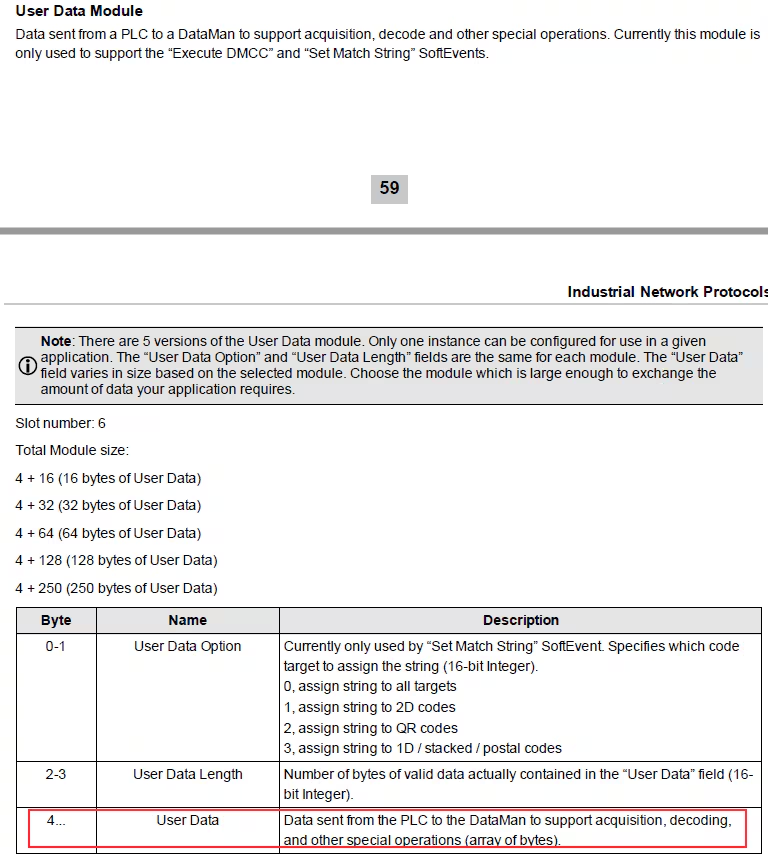
Put ||>SETUP.ENABLE-SINGLE 0$R$L in “User Data”.
DMCC command string must first be placed in “User Data” before invoking this event, and we need put $R$L instead of \r\n when using Siemens software.
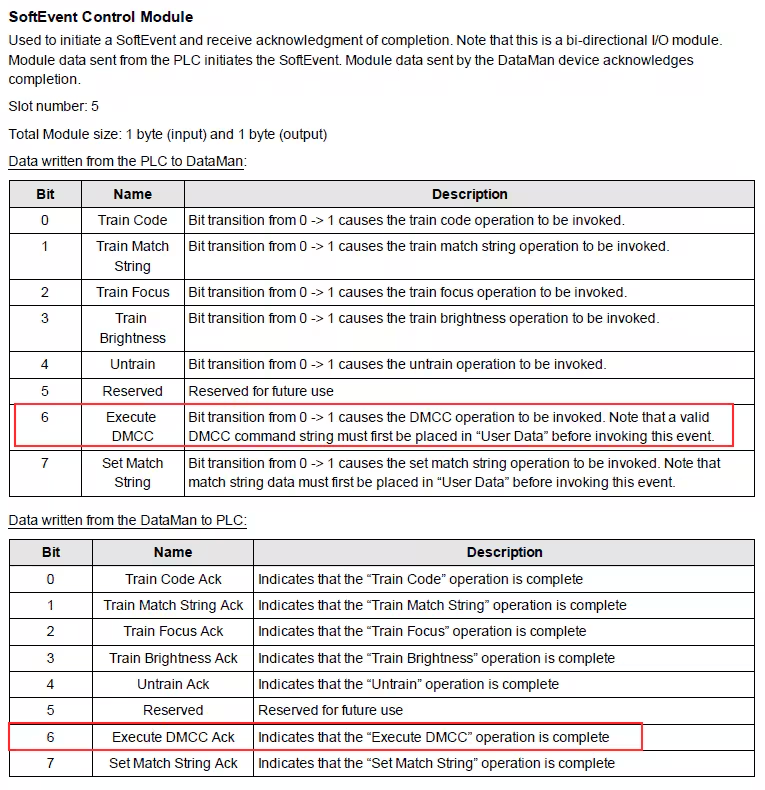
Set “Execute DMCC” bit to “True” to invoke the DMCC operation, and then “Execute DMCC Ack” also will be set to “True” once the “Execute DMCC” operation is complete.
Reset “Execute DMCC” bit, and then “Execute DMCC Ack” will be set to “False” as well.
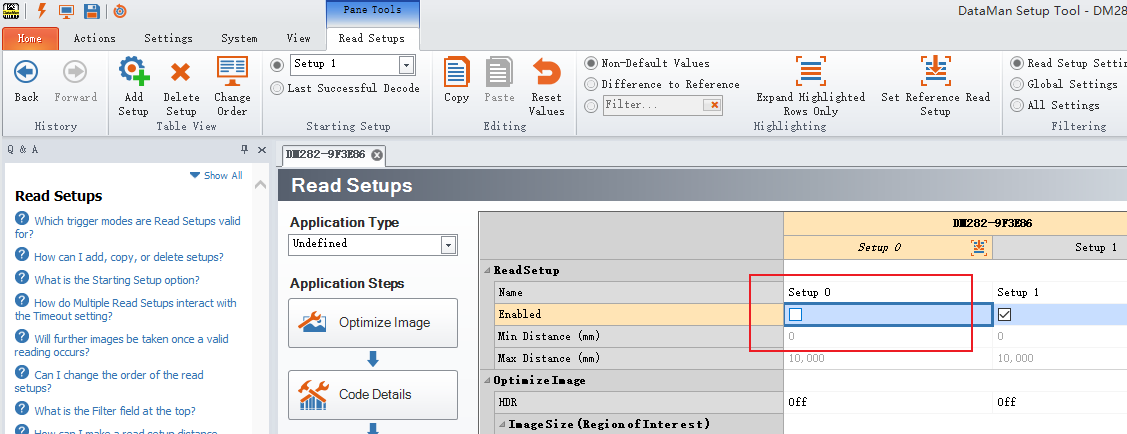
Put ‘||>SET SETUP.ENABLE OFF$R$L’ in “User Data”.
Set “Execute DMCC” bit to “True”, then the Setup 0 will be disabled.
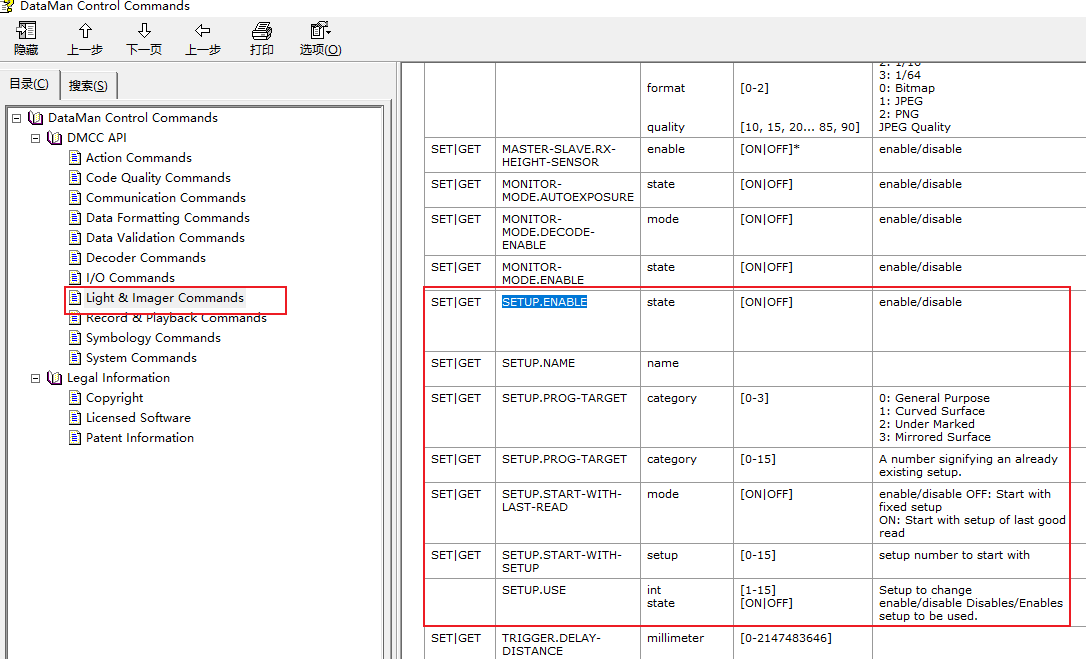
More related setup DMCCs are listed below: