
Details
This article will guide the user to use Fielding in ViDiEL Read tool in In-Sight Vision Suite software.
Users can set the tool to accept only certain characters or patterns under Fielding. There are three main settings, Variable number of characters, Fixed number of character and Flexible Fielding.
- Variable number of characters
The tool reads all the characters in the image.
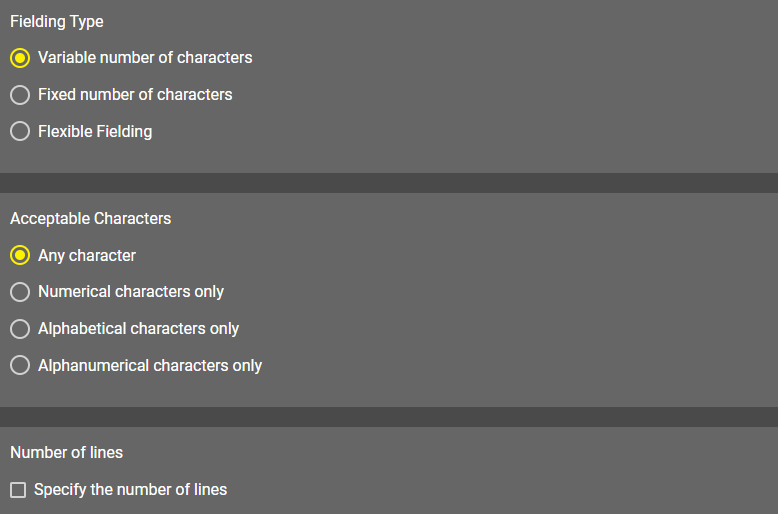
Acceptable Characters: Specify what type of characters the Read tool recognizes.
- Any character: The tool searches for letters, numbers, and symbols (for example <, $, ?).
- Numerical character only: The tool searches for numbers only.
- Alphabetical characters only: The tool searches for letters only.
- Alphanumerical characters only: The tool searches for numbers and letters.
Number of lines: Tick the box next to Specify number of lines if the characters in your image are arranged in multiple rows. Enter the number of rows in the Number of lines input field.
- Fixed number of characters
The tool reads a character pattern or character patterns on the image. The tool recognizes characters that does not fit the provided pattern but returns an error.
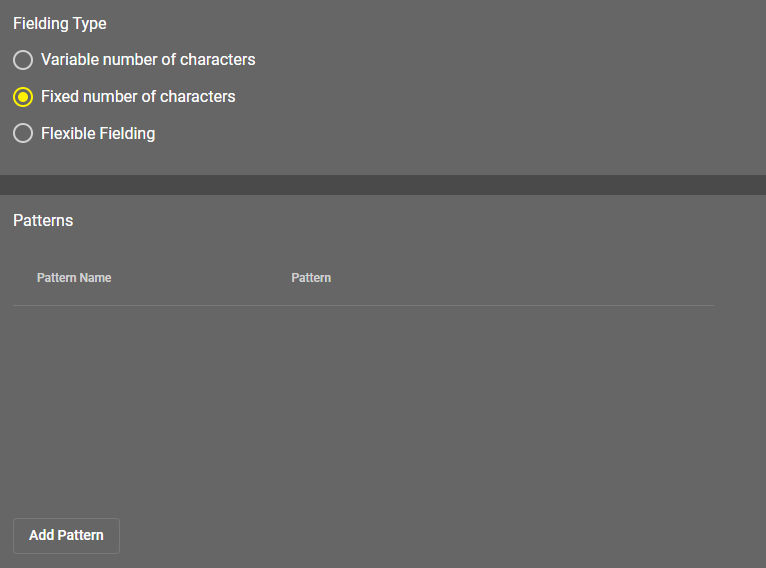
The pattern uses a simple regular expression style composed of constant characters (alphanumerical and special characters) and metacharacters.
You can use the following metacharacters:
- "\d": matches any numerical character [0-9].
- "\l": matches any alphabetical character [a-z, A-Z].
- "\w": matches any alphanumerical character [a-z, A-Z, 0-9].
Examples of valid patterns:
- "\d\d\d\d": matches a number composed of four digits.
- "\l\l\l": matches a word composed of three letters.
- "\d\d:\d\d:\d\d": matches a time in the HH:MM:SS format.
- "N\d\d\d\l\l\l": can be used to read a serial number starting with 'N', followed by 3 digits and 3 letters.
You can apply multiple patterns for one Read tool configuration by clicking the Add Pattern button. If you provide multiple patterns the tool returns the name of the matching pattern during reading.
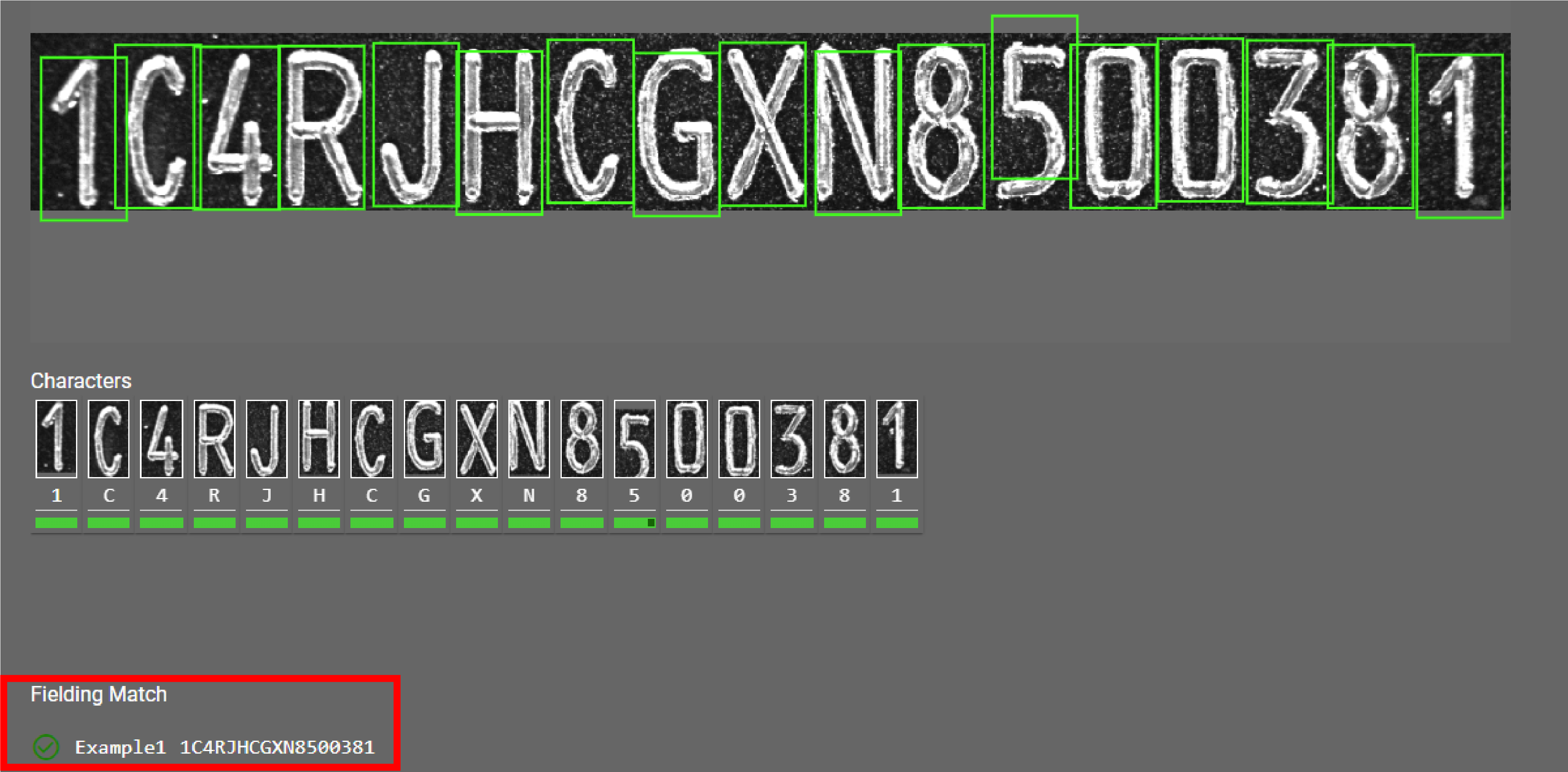
Formula used: 1C4RJH\w\w\w\w\d\d\d\d\d\d\d
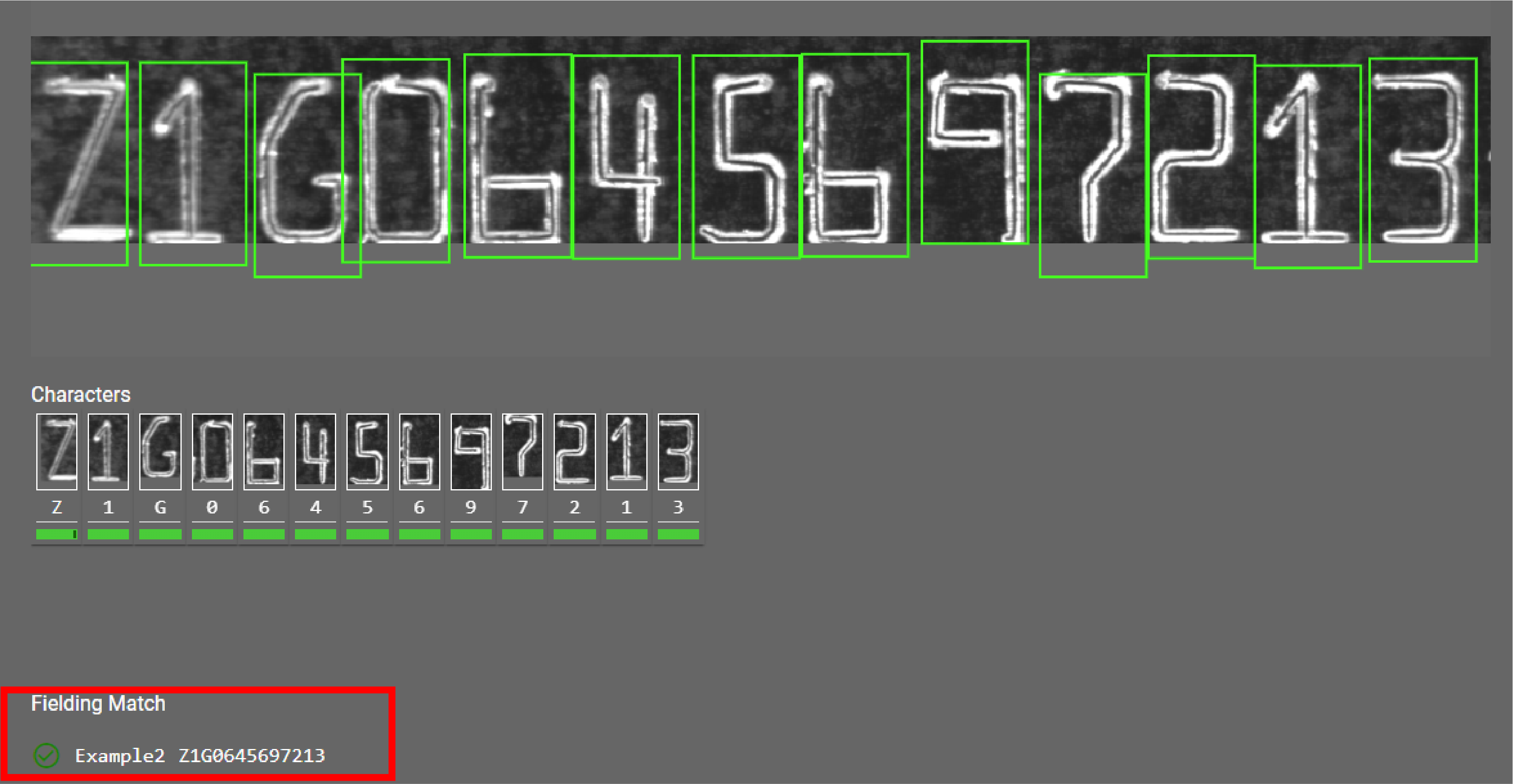
Formula used: Z1\w06456\d\d\d\d\d
- Flexible Fielding
Flexible fielding allows you to capture specific texts and filter out false detections. The flexible fielding is defined using a series of fixed anchoring patterns (for example, “BEST BY” or “SERIAL”) and flexible Regex patterns (for example, to match digits, upper case letters, a specific range of characters, and so on). The anchoring and Regex patterns determine the allowed character classes in the text. Flexible fielding filters out candidates for different characters based on these patterns, finding the combination that best matches the specified patterns, effectively “coercing” the classification. For example, if the user is only looking for digits at a certain position, this can turn a ‘I’ into a ‘1’.
Specific portions of the flexible fielding can be captured. The detected characters that match a capture group is reported in the string output. The other detected characters are not reported in the string output. The non-captured groups can be used to align the text or to filter out false, or flaky detections (for example, using wildcards).
Flexible fielding computes a fielding score from the individual scores of the fielded characters. Both capturing and non-capturing groups are used to compute the fielding score, except for non-capturing wildcards. The fielding score can be used as a metric to measure how well the fielded text matches the target fielding.
Make sure that all expected characters are read correctly before applying the flexible fielding expression. If needed, adjust the character size and/or the character find threshold.
Key Regex-like components:
- ".": Any single character including newlines
- "\d": Digit [0-9]
- "\l": Lowercase letter [a-z]
- "\u": Uppercase letter [A-Z]
- "\w": Alphanumeric [a-zA-Z0-9]
- "[...]": Character set, for example [0-9A-F] matches digits or uppercase A-Z
- "*, +, ?": Zero or more, one or more, zero or one of the preceding characters
- "{n}, {n,}, {n,m}": Exact, minimum, or range of repetitions
- "()": Captures part of the matched pattern
Using capture groups: Always use parenthesis to capture specific parts of the result. The fielding succeeds if there are captures and/or mandatory characters. It only fails if there are only optional, non-captured characters, for example ".*".
Examples:
- .*SERIAL(\d{5}): can be used to read a serial number starting with "SERIAL" followed by five digits, capturing the digits and ignoring preceding text.
- .* (LOT[A-F]\d{3,4}): can be used to read a lot number starting with a letter between A and F, followed by 3 to 4 digits, capturing both the LOT prefix and the actual lot number, ignoring preceding text.
- .*BEST.*BEFORE.*(\d{2}).*(\u{3}).*(\d{4}): can be used to read an expiry date such as BEST BY 12 JAN 2025, capturing only the date and ignoring false detections in-between these character groups using wildcards.
- .*USEBY:?(\d{8}): can be used to read an expiry date such as USE BY 12 01 2025, capturing only the date, ignoring preceding text as well as any flaky detection of the colon (":") character in-between BY and the date.
- LOT(.*)BATCH: can be used to read a string starting with LOT, capturing any text between the words LOT and BATCH, and ignoring both LOT and BATCH.
| Sample Image | Expected Read String | Flexible Fielding Expression | ViDiELRead Result |
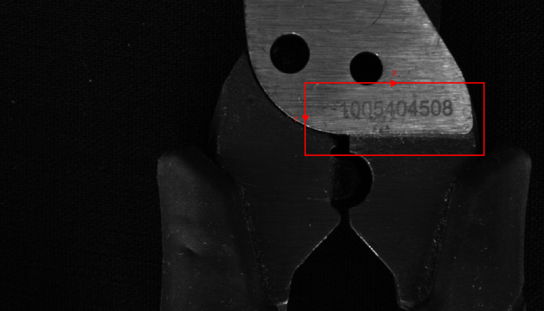 | The identifier can contain any digits and can vary in length. | (\d+) | 1005404508 |
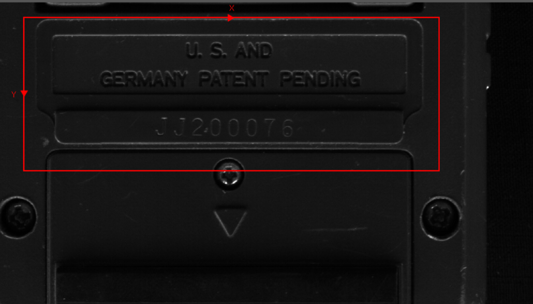 | The identifier starts with JJ, followed by exactly six digits. | .*(JJ\d{6}) | JJ200076 |
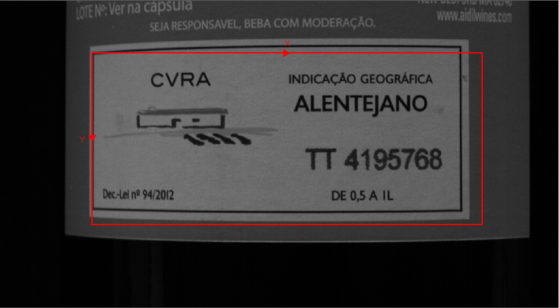 | The identifier starts with TT, followed by exactly seven digits. | .*(TT\d{7}) | TT4195768 |
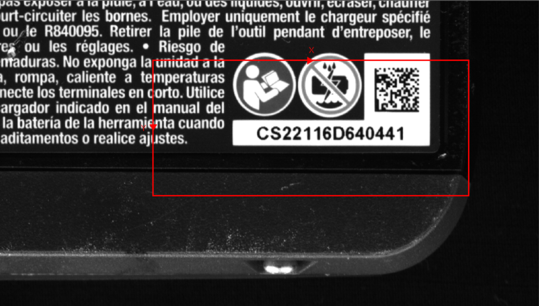 | The identifier begins with the fixed prefix CS, after that there are exactly five numeric digits. After the digits, there is the fixed letter D. Finally, the text ends with exactly six numeric digits. | .*(CS\d{5}D\d{6}) | CS22116D640441 |
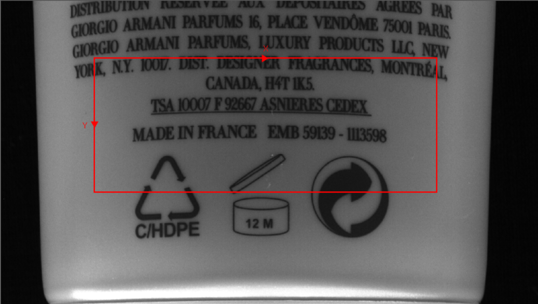 | The identifier starts with EMB, followed by exactly five digits, a hyphen, and then exactly seven digits. | .*(EMB\d{5}-\d{7}) | EMB59139-1113598 |
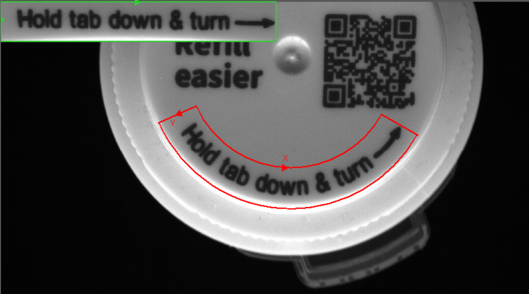 | The text contains any lower and upper case characters. Note: Users can curve the region by using the ScaleImage() function. | ([a-zA-Z&]+) | Holdtabdown&turn |
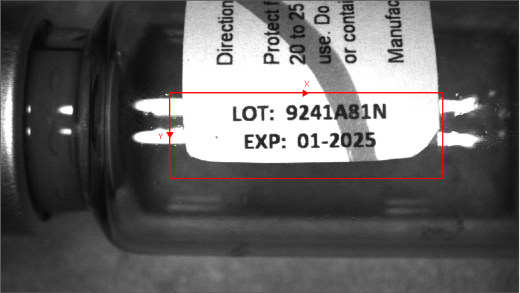 | The lot number consists of alphanumeric characters (letters and digits) following the LOT: label. The expiration date is in the format MM-YYYY, following the EXP: label, with the month and year separated by a hyphen. | .*LOT:(\w+) .*EXP:(\d{2}-\d{4}) | 9241A81N 01-2025 |
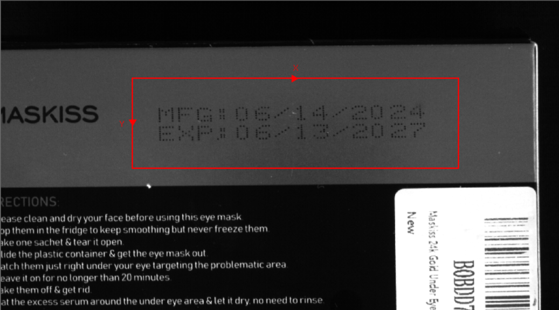 | The manufacturing date follows the MFG: label and is in the format MM/DD/YYYY. The expiration date follows the EXP: label and is also in the format MM/DD/YYYY. | .*MFG:(\d{2}/\d{2}/\d{4}) .*EXP:(\d{2}/\d{2}/\d{4}) | 6/14/2024 6/13/2027 |
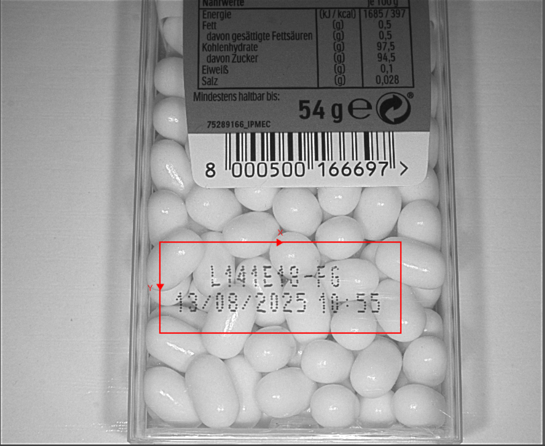 | The first part is an alphanumeric identifier (letters, numbers, and hyphens) that can vary in length. In the second line, there is a timestamp in the format DD/MM/YYYY HH:MM, where the date is separated by slashes and the time by a colon. | ([A-Z0-9-]+)\ n(\d{2}/\d{2}/\d{4}) (\d{2}:\d{2}) | L141E18-FG 13/08/202510:55 |