
Details
This article will guide the users on how to access Quality Control or Process Control Matrix (PCM) parameters of 2D barcodes in In-Sight Vision Suite Software.
Note: Users need to work on Spreadsheet View to access these parameters.
Please follow the steps below to access Quality Control parameters:
Step 1: Add ReadIDMax() function under Vision Tools>>ID in Spreadsheet and select the Region of Interest by Region, check the Data Matrix option in 2D Symbologies and check the Verify option in Decode Settings and click OK.
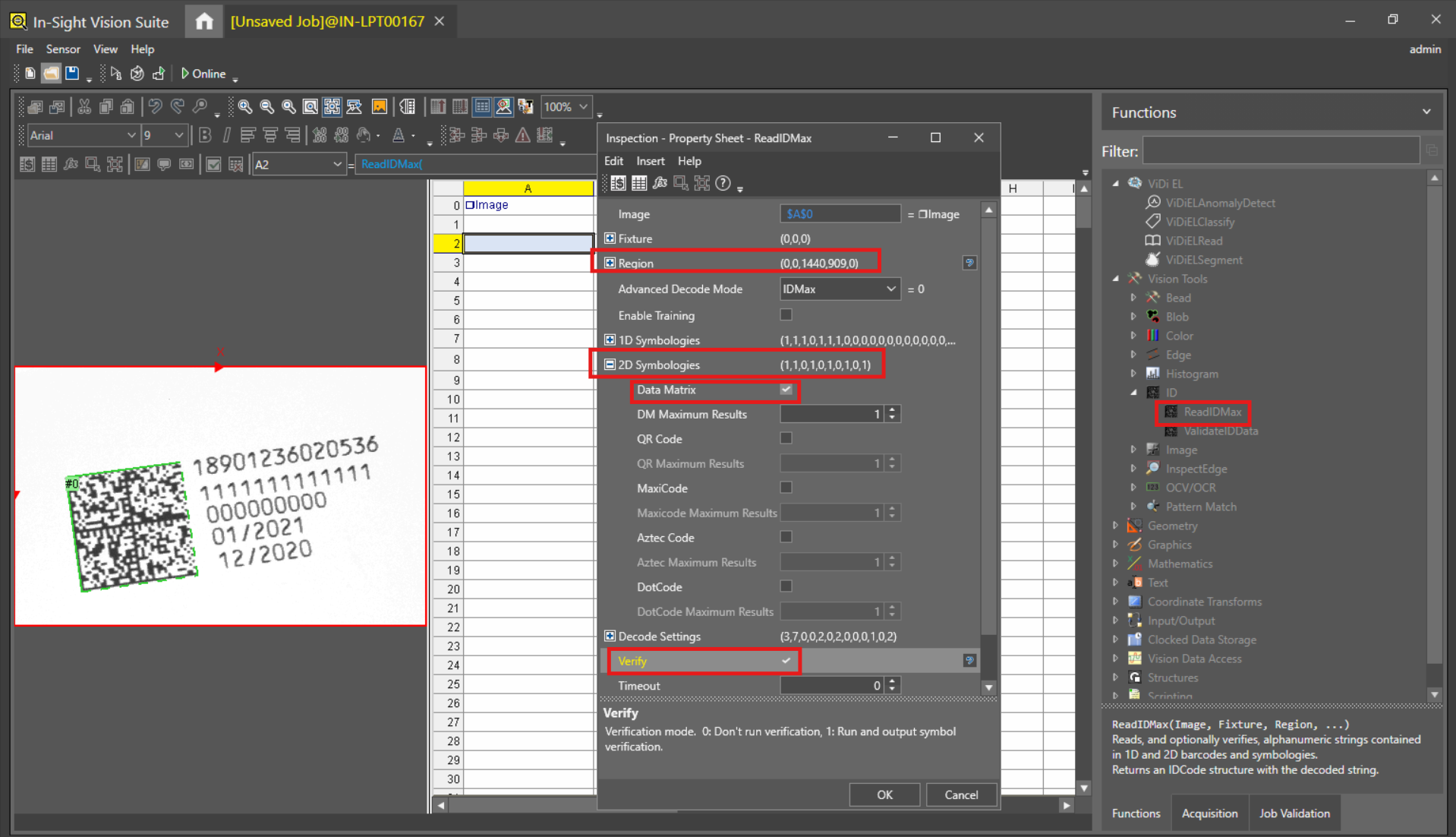
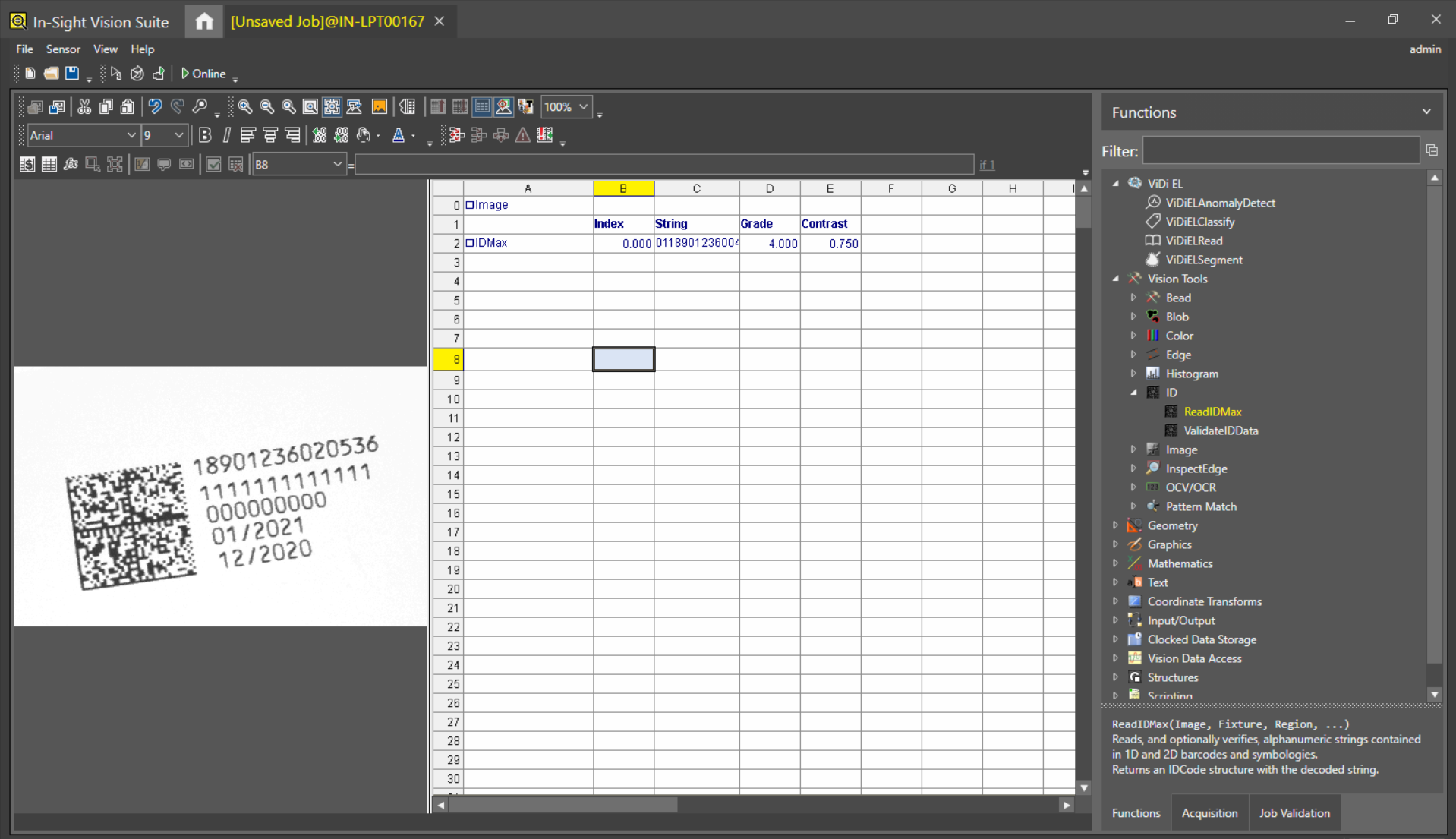
Step 2: IDMax structure will be added in the Spreadsheet cell (Cell A2 in this example) with below results:
- Index - Returns the Index value of the 2D barcode (here only one 2D barcode is available so Index value is 0).
- String - Returns the data in the 2D barcode.
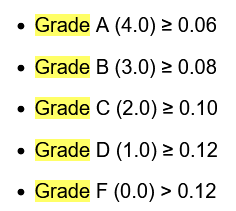
- Grade - Returns the Grade of 2D barcode ranging from 0 to 4 (4 --> "A", 3 --> "B", 2 --> "C", 1 --> "D" and 0 --> "F").
- Contrast: Returns the average contrast between foreground and background in greyscale values in a 2D barcode.
Step 3: Now users need to add the Quality Control Parameters manually with the IDMax structure reference.
For Axial Non-Uniformity - Please add GetNonUniformity(IDMax,[Index]) function
- IDMax - A2,
Index - 0
It returns the 2D symbol axial non-uniformity test result (except PDF 417 symbols).
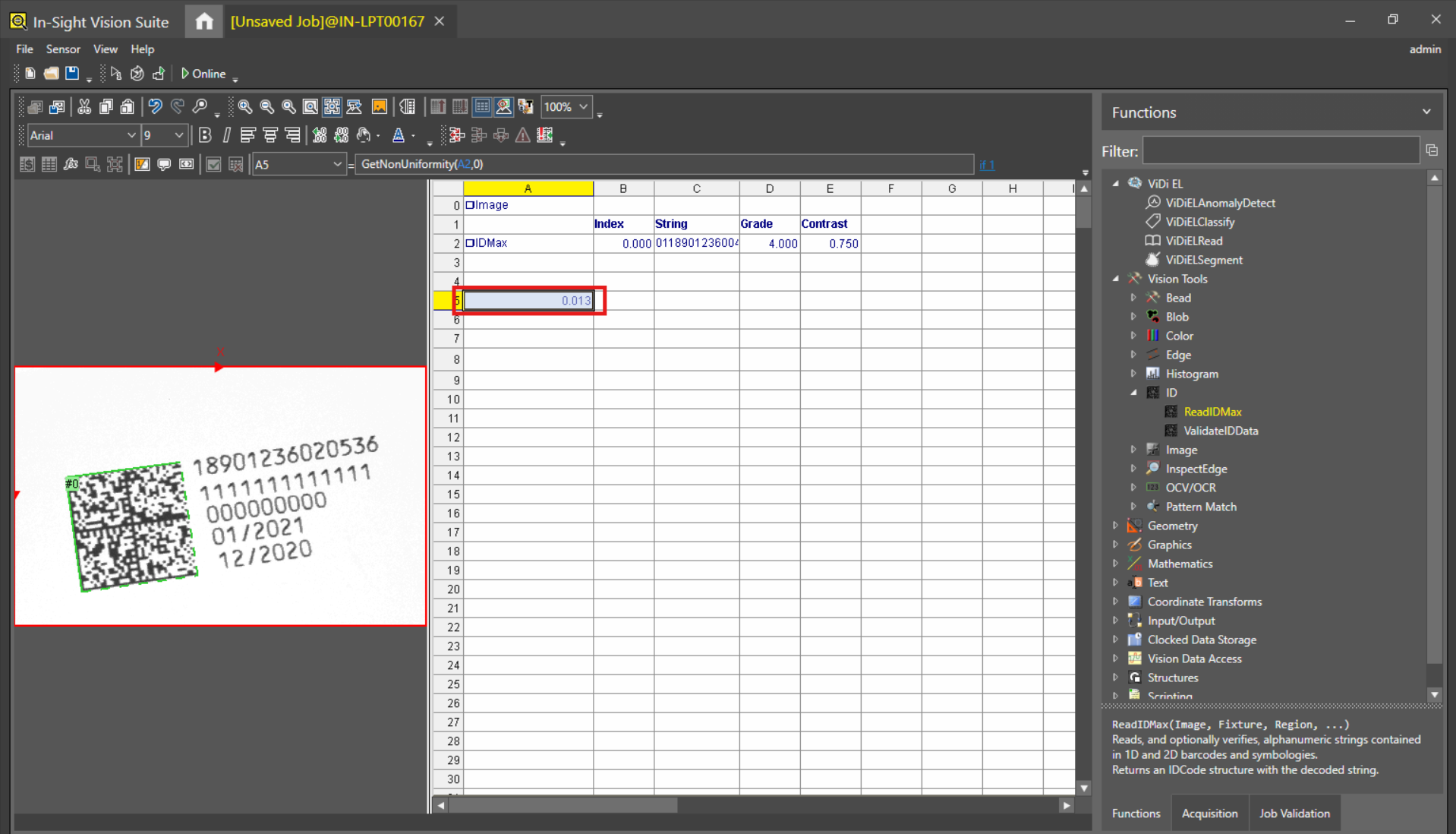
Here, value 0.013 in cell A5 is the Axial Non-Uniformity value extracted from IDMax by GetNonUniformity(IDMax,[Index]) function.
Similarly, below lists the Vision Data Access functions that return values from an IDMax structure.
- GetGrade(IDMax, [Structure])
- GetDecodability(IDMax,[Index])
- GetECMin(IDMax,[Index])
- GetErrorCode(IDMax,[Index])
- GetModulation(IDMax,[Index])
- GetUnusedEC(IDMax,[Index])
- GetSymbologyIdentifier(IDMax,[Index])
- GetAngle(IDMax,[Index])
- GetCodeName(IDMax,[Index])
- GetColor(IDMax,[Index])
- GetDecoded(Structure,Index)
- GetDefect(IDMax,[Index])
- GetErrorCode(IDMax,[Index])
- GetErrorCount(IDMax,[Index])
- GetErrorString(IDMax,[Index])
- GetFormat(IDMax,[Index])
- GetFound(IDMax, Index)
- GetGridCols(IDMax,[Index])
- GetGridRows(IDMax,[Index])
- GetGrowth(IDMax,[Index])
- GetHeight(IDMax,[Index])
- GetLearned(IDMax,[Index])
- GetLearnedGridCol(IDMax,[Index])
- GetLearnedGridRow(IDMax,[Index])
- GetLearnedSymbology(IDMax)
- GetMirror(IDMax,[Index])
- GetModuleSize(IDMax,[Index])
- GetNumResults(IDMax)
- GetRawStream(IDMax,[Index])
- GetResolution(IDMax,[Index])
- GetWidth(IDMax,[Index])
- GetX(IDMax, [Index1], [Index2])
- GetY(IDMax, [Index1], [Index2])
- SetSymbolMinStringLength(IDMax,Symbology,MinLength)