Details
Issue:
"Failed to load library" error occurs when using API.
Causes:
The System Environment Variable for VisionPro Deep Learning is not on the top of the list.
Resolution:
Edit Path variable in System environment variables to move VisionPro Deep Learning to the top:
- In Search, search for and then select: System (Control Panel)
- Click the Advanced system settings.
- Click Environment Variables.
In the section System variables click Path environment variable and click Edit.
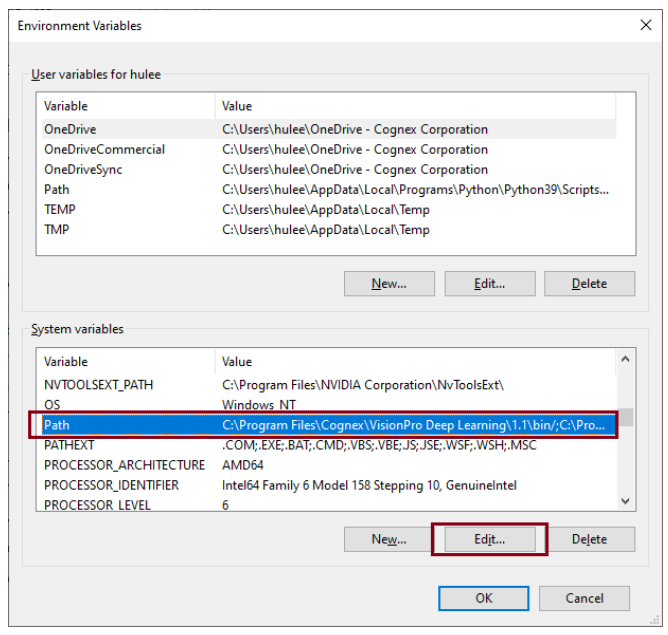
Find "C:\Program Files\Cognex\VisionPro Deep Learning\2.1\bin" on the list and click Move Up to move this path to the top of the list.
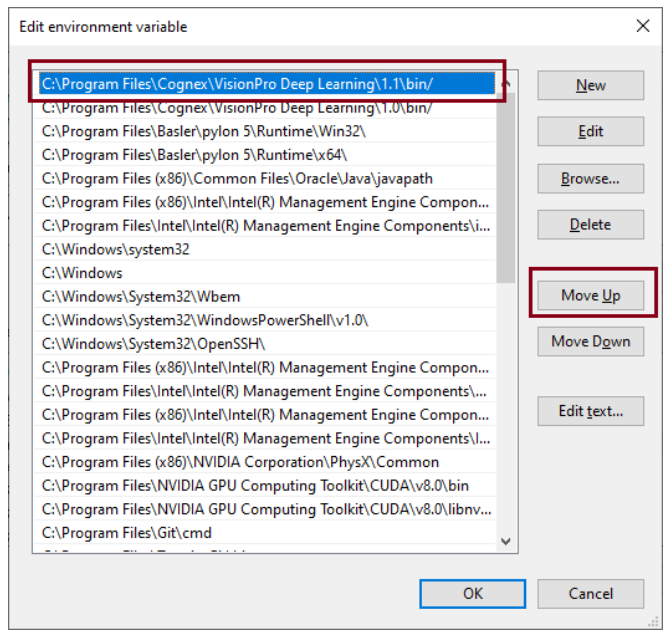
- Click OK and restart VisionPro Deep Learning.