Skip to Main Content

如何去更换DM8700的网络通讯模块

如何去更换DM8700的网络通讯模块

2026/01/05

Details

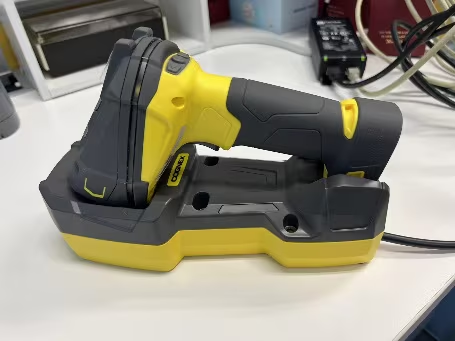
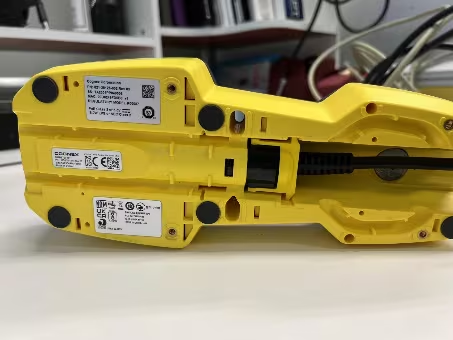
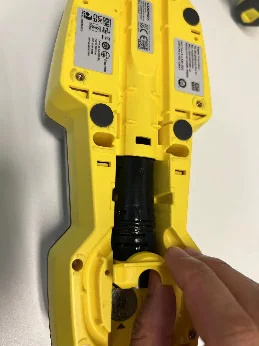
  1. 翻转底座,找到网络模块的位置

    How-to-change-ethernet-communication-module-of-DM8700_image-1
    How-to-change-ethernet-communication-module-of-DM8700_image-2
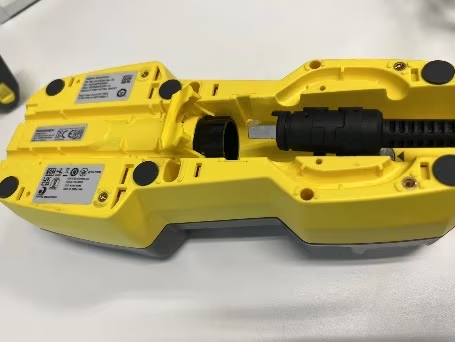
  2. 拨开锁紧卡扣,拔出网线

    How-to-change-ethernet-communication-module-of-DM8700_image-3
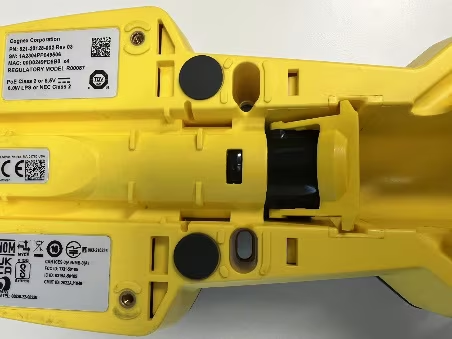
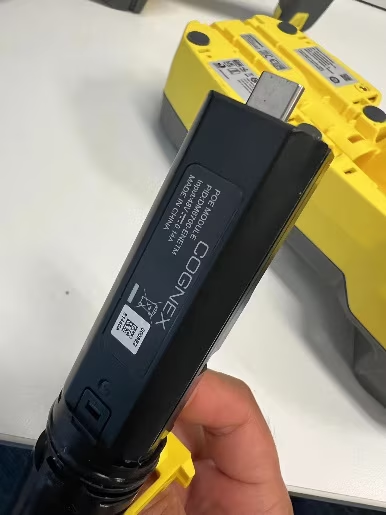
  3. 按下黑色锁紧按钮,随即可以拔出黑色模块

    How-to-change-ethernet-communication-module-of-DM8700_image-4
    How-to-change-ethernet-communication-module-of-DM8700_image-5
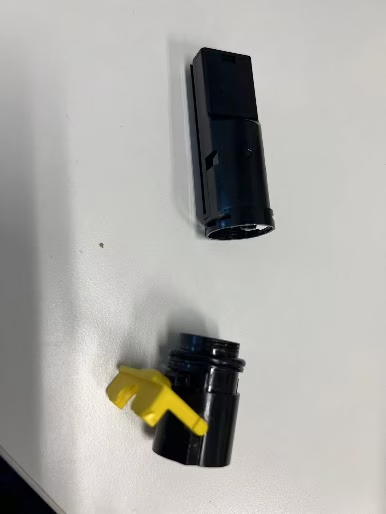
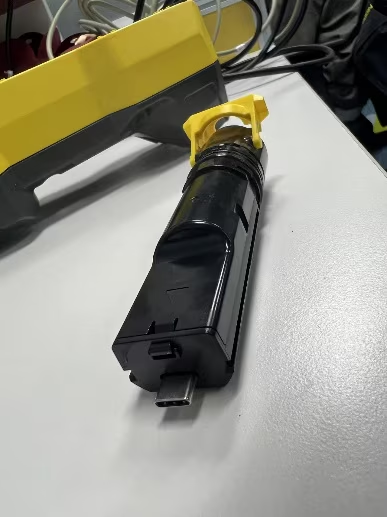
  4. 黑色模块拔出后,更换图中的部分,重新装进底座

How-to-change-ethernet-communication-module-of-DM8700_image-6
How-to-change-ethernet-communication-module-of-DM8700_image-7
How-to-change-ethernet-communication-module-of-DM8700_image-8