Details
- Currently, the only readers capable of reading Vericode are the DataMan 152 and DataMan 262 series; all other models do not support this functionality.
- Cognex only provides the hardware unit itself. If a customer wishes to read this code, they must purchase a license directly from Veritec Corporation.
- Without a valid license, the reader can only perform emulated reading of Vericode, but partial content of the code will be lost.
- Below are the steps for emulated reading of Vericode:
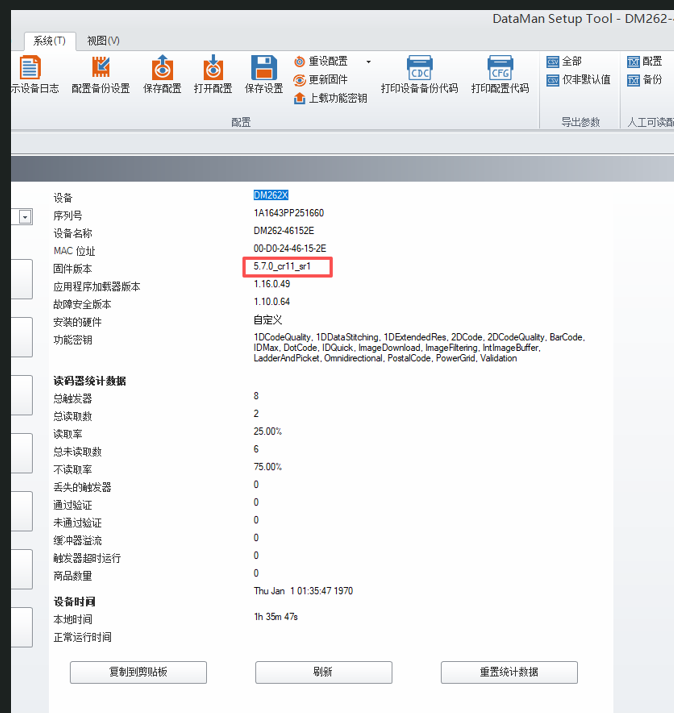
- Download the dedicated firmware version: 5.7.0_cr11_Sr1. The link is provided below.
https://support.cognex.com/en/downloads/detail/dataman/3752/1033 Update the firmware following the standard procedure. After the update, verify its success; the screenshot is provided below.
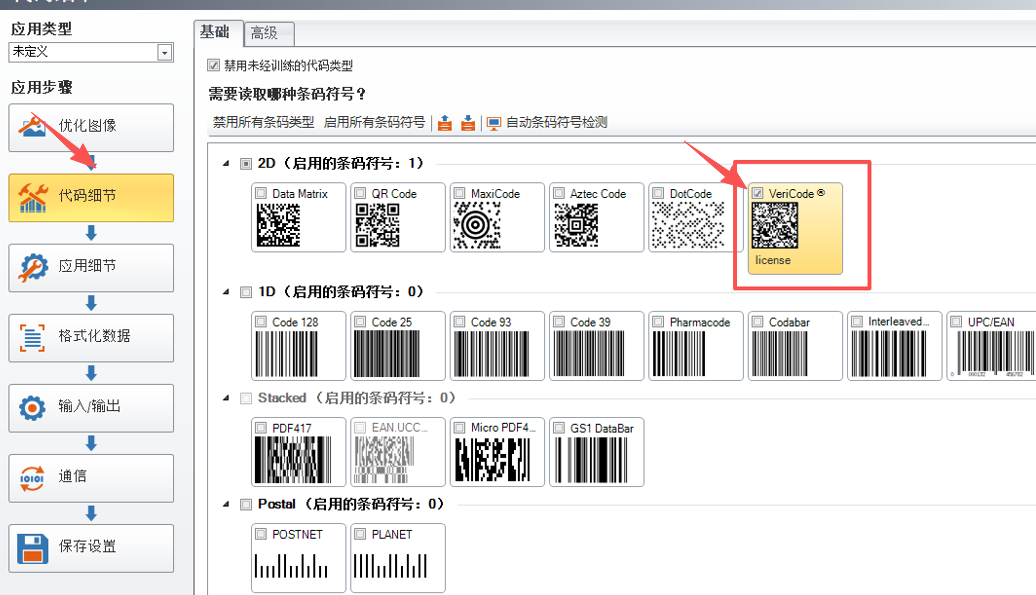
Enable Vericode: go to Code Details > check Vericode (option).
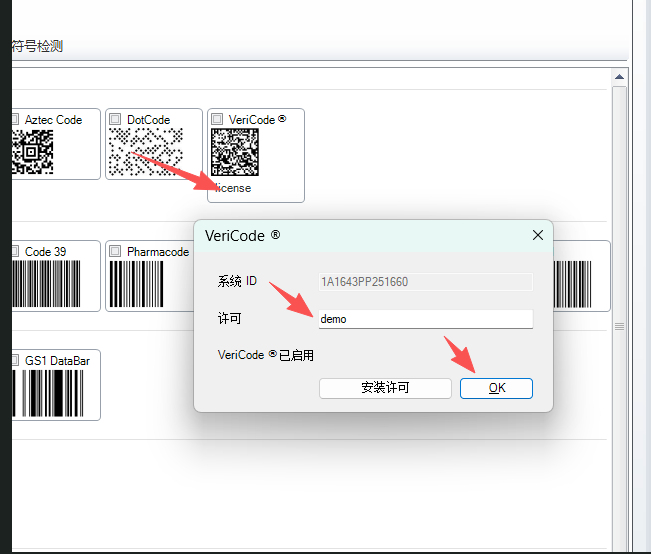
Enter a license or use demo mode. Demo mode is emulation mode: it allows code reading but will hide part of the code content. After entering a valid license, the reader can be directly used in production.