
Question
I would like to remove a specific cloud license.
Answer
- Open the CodeMeter Control Center.
Select the serial number of the cloud license you want to delete - "140-" and 10-digit number - by highlighting it with your mouse, then right-click and copy it.
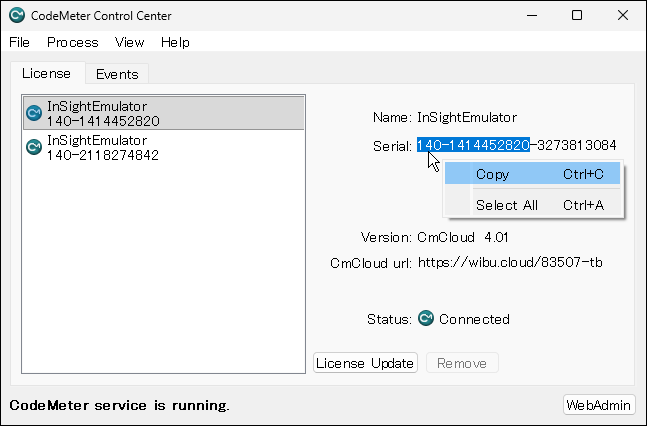
Open Windows Notepad and add the serial number to the end of the following command string:
"%ProgramFiles%\CodeMeter\Runtime\bin\cmu.exe" --delete-cmcloud-credentials --serial 140-1414452820
Copy the command string, right-click in the Windows Command Prompt window, and paste the command string.
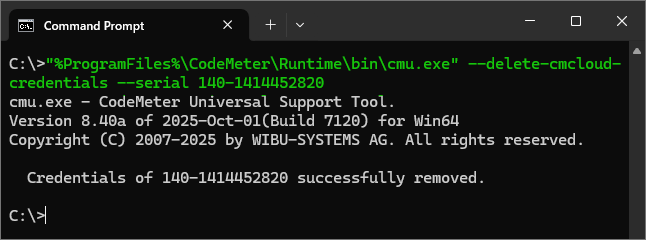
- The process is complete when you see the message like "Credentials of 140-1414452820 successfully removed." as shown above.