
Question
I would like to remove all cloud licenses.
Answer
Copy the following three command lines:
PATH %PATH%;%ProgramFiles%\CodeMeter\Runtime\bin
FOR /f "tokens=6" %S in ('cmu /l^|find " 140-"') DO cmu --delete-cmcloud-credentials --serial %S
remRight-click on the Windows Command Prompt screen and paste the above commands.
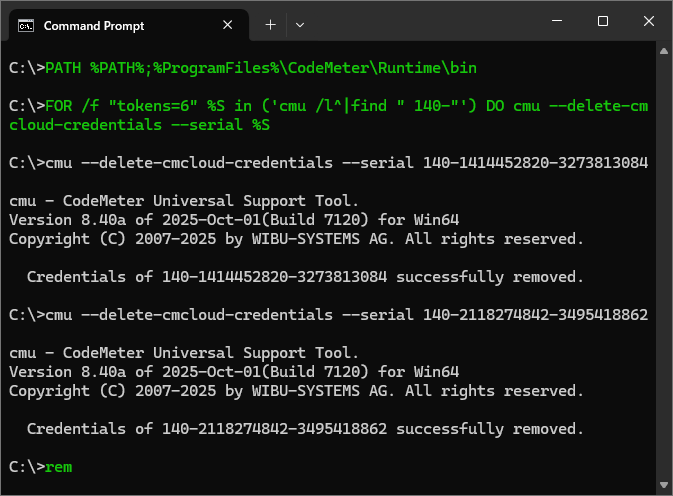
- The process is complete when you see the message like "Credentials of 140-2118274842-3495418862 successfully removed." as shown above.