
Details
Issue:
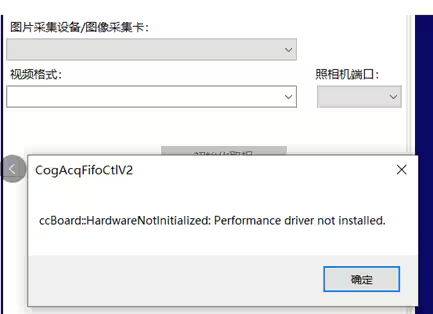
When selecting a camera in CogAcqFifoTool, the following error appears:
“ccBoard: HardwareNotInitialized: Performance driver not installed”.
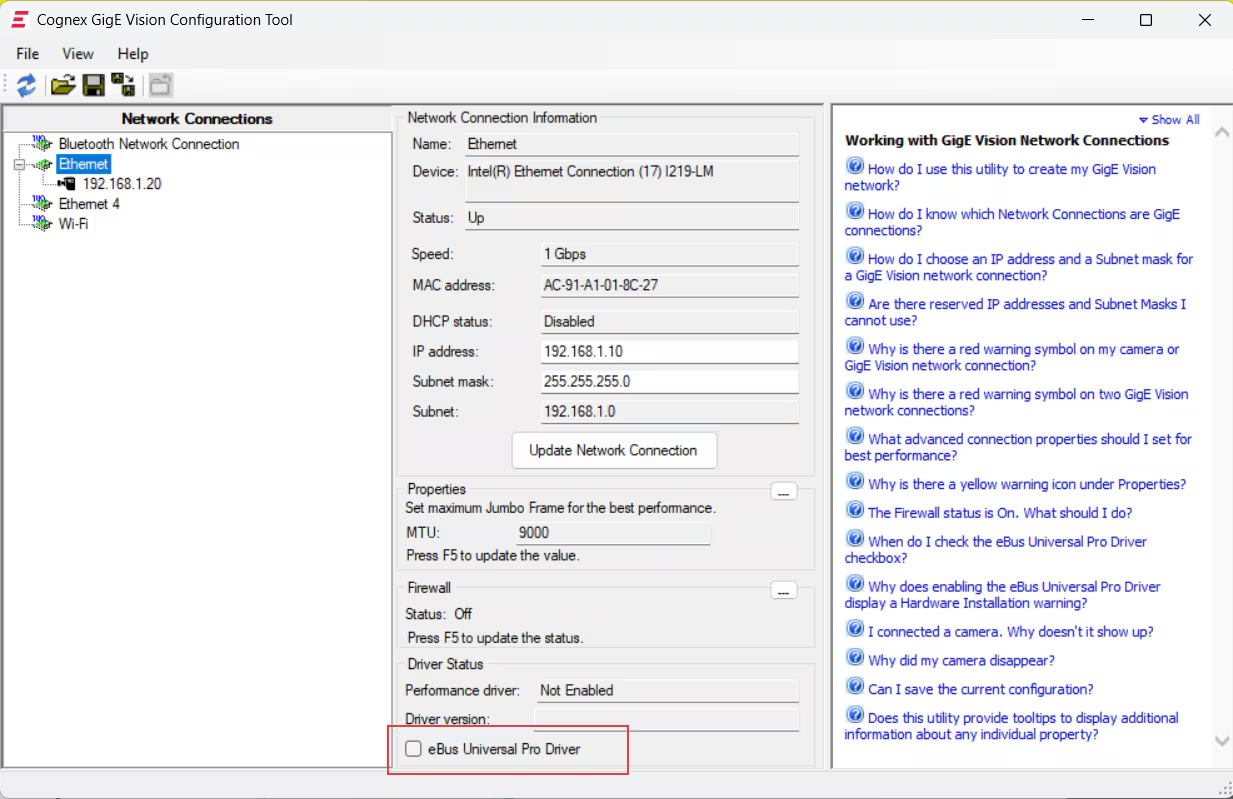
At the same time, in the Cognex GigE Vision Configurator, the “eBus Universal Pro Driver” cannot be selected. A screenshot is shown below
Workaround:
- Check if there is a third-party camera driver installed. If so, it needs to be uninstalled or disabled.
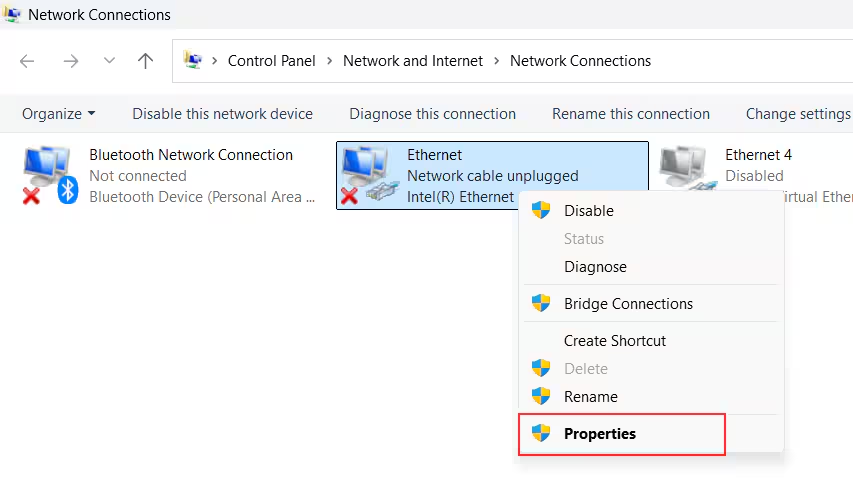
Go to 'Control Panel / Network and Internet / Network Connections', find the network adapter connected to the camera, and open its properties page.
In the properties page, select “eBus Universal Pro Driver”, then click the “Uninstall” button below to remove it.
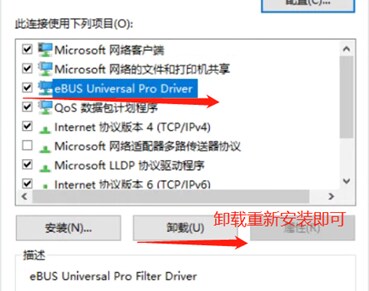
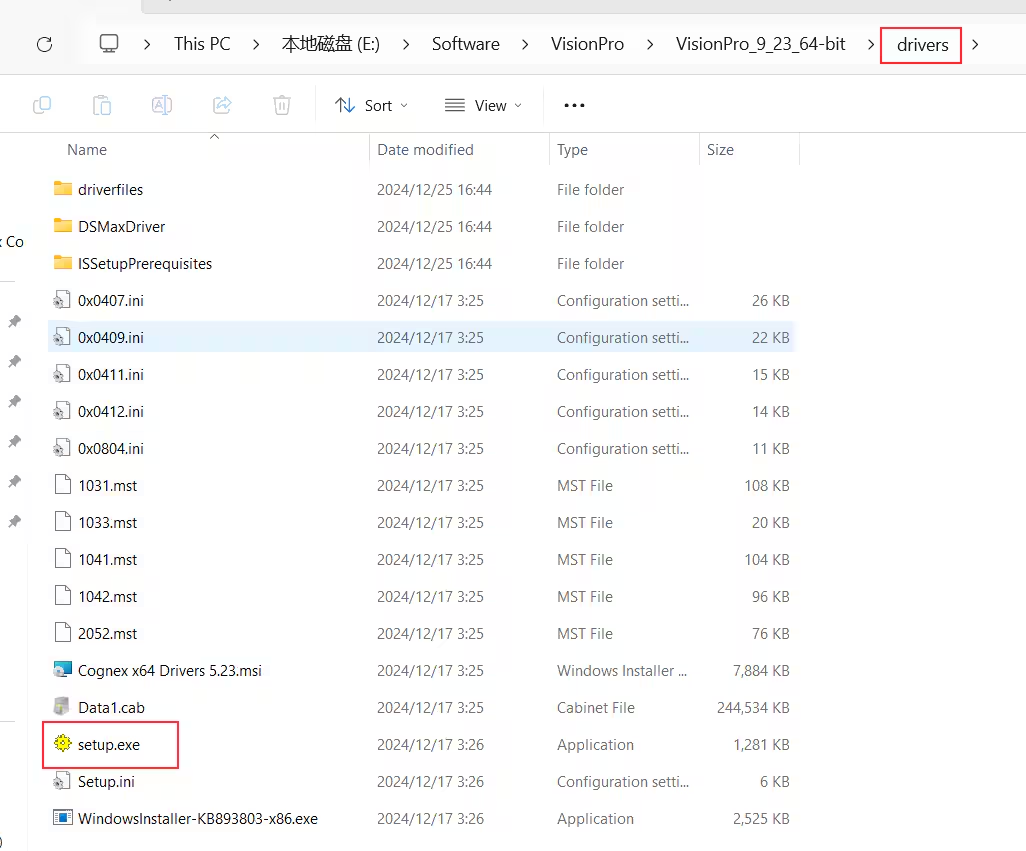
In the VisionPro installation package, locate the “drivers” folder and double-click the “setup.exe” file to reinstall the driver.
- After the installation is complete, restart the computer.