
Details
Adding the Grade value on File name will only work after FW version of 5.7.10_SR2
DataMan Setup Tool settings: connect the scanner.
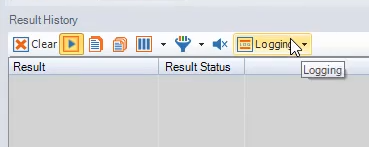
Open Logging in result History.
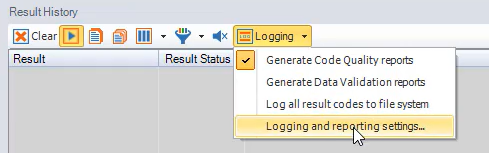
Open Logging and reporting settings.
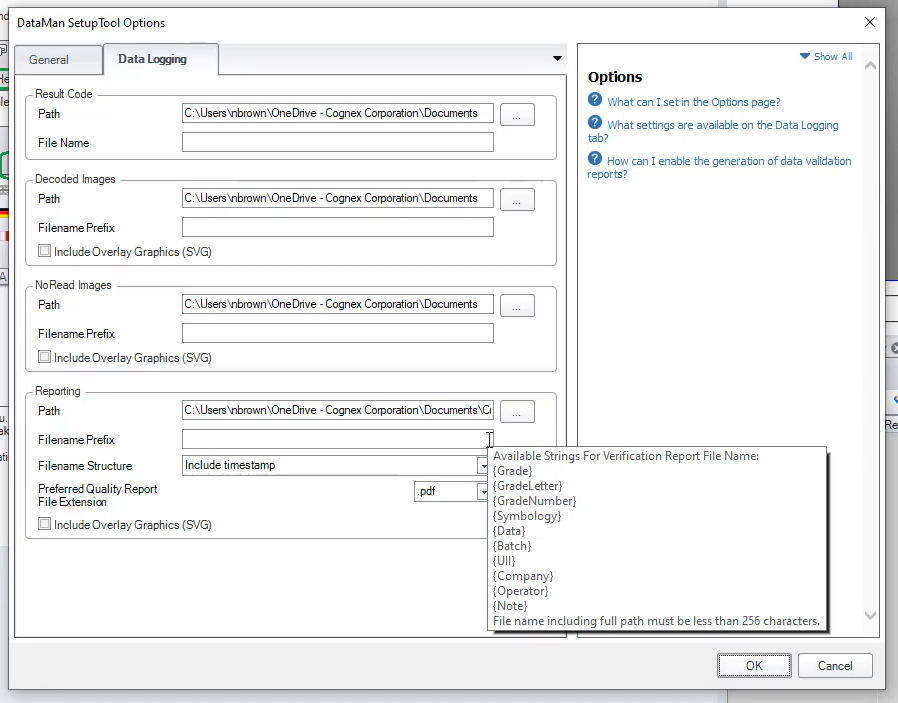
In Reporting use below syntax to add the grade or any other parameters.
Available Strings For Verification Report File Name:{Grade} {GradeLetter} {GradeNumber} {Symbology} {Data} {Batch} {UII} {Company}
{Operator} {Note}
File name including full path must be less than 256 characters.
- Save the setting.
------------------------------------END-------------------------------