Question
How do I adjust debounce for trigger signals on dataman readers?
Answer
The Dataman has a debounce option for its inputs. Typically, this is done for trigger signals on Input0. You can set these via SetupTool by going to the Inputs / Outputs section and pressing the Inputs Tab.
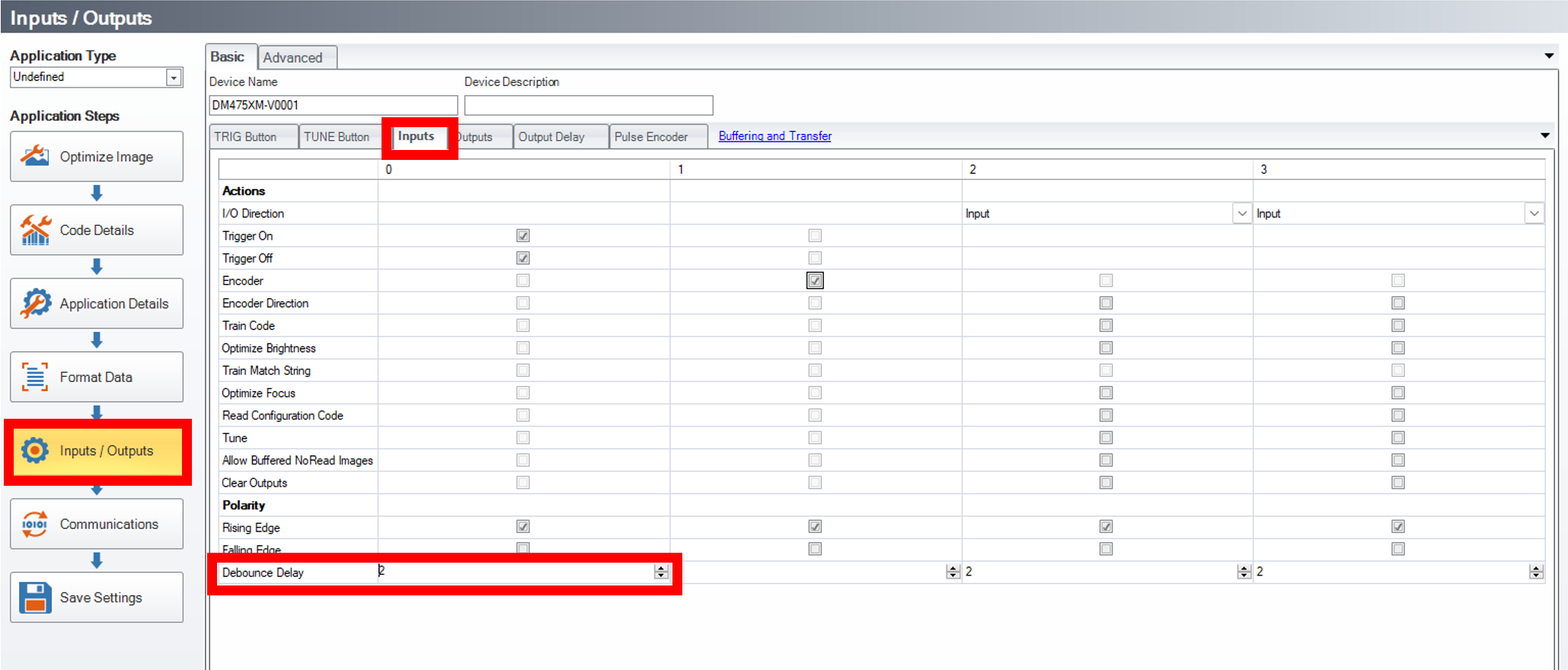
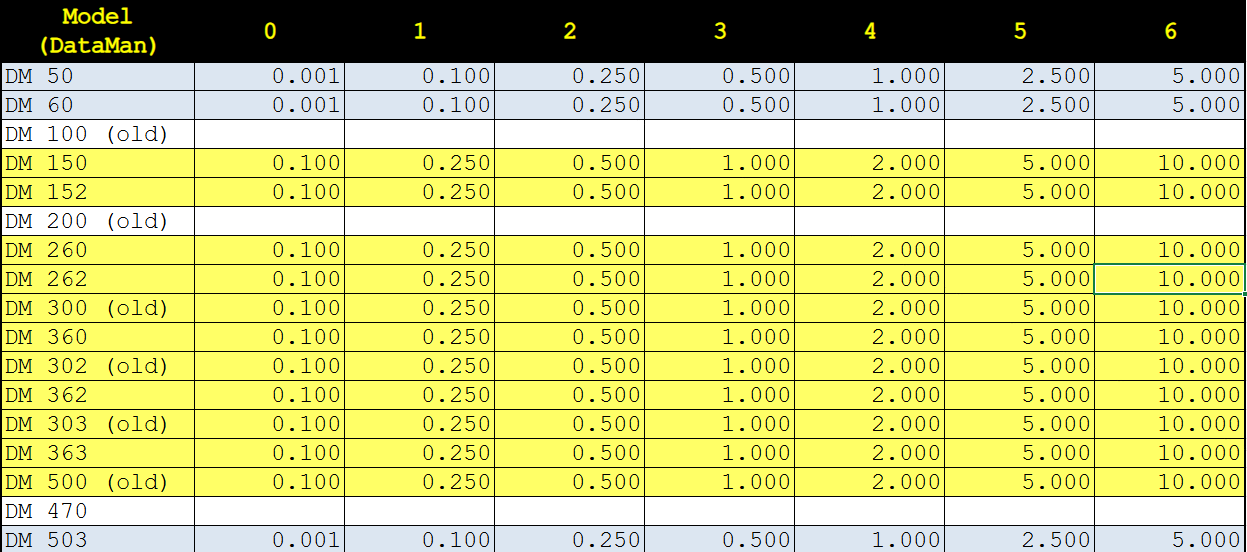
The default setting is 2 (0.5ms). If trigger overruns are being experienced and you suspect that debounce is needed, start by increasing your debounce value to see if this help. Note, that the min value is 0 and the max value is 6. These values do not scale linearly. A table below shows the mapping based on the DataMan Device. Most newer devices will use the same values as those highlighted in yellow. Times shown in the table cells are in millisecond and the columns are for the inputs 0-6.