Details
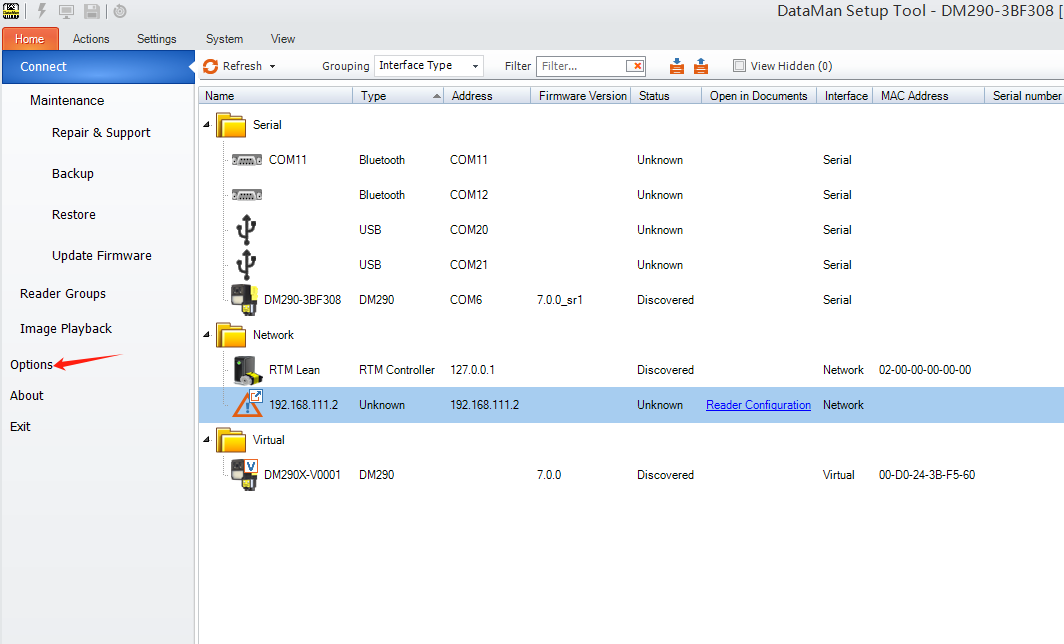
Open Setup Tool > select General > access Code Display
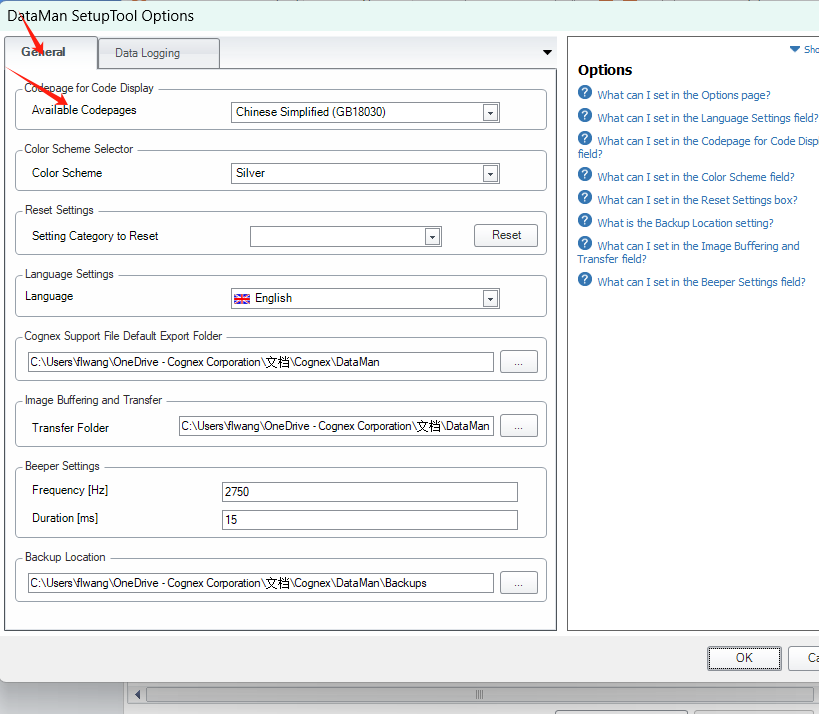
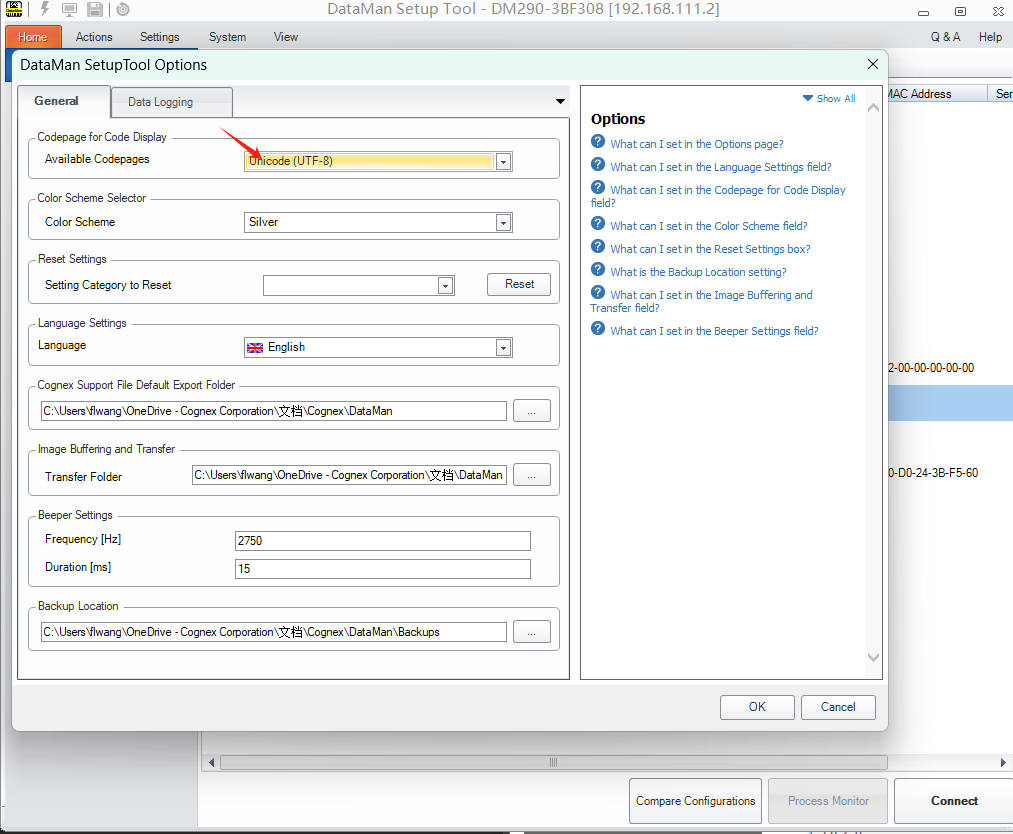
Modify the available code display page: change Simplified Chinese (GB18030) to Unicode (UTF-8).
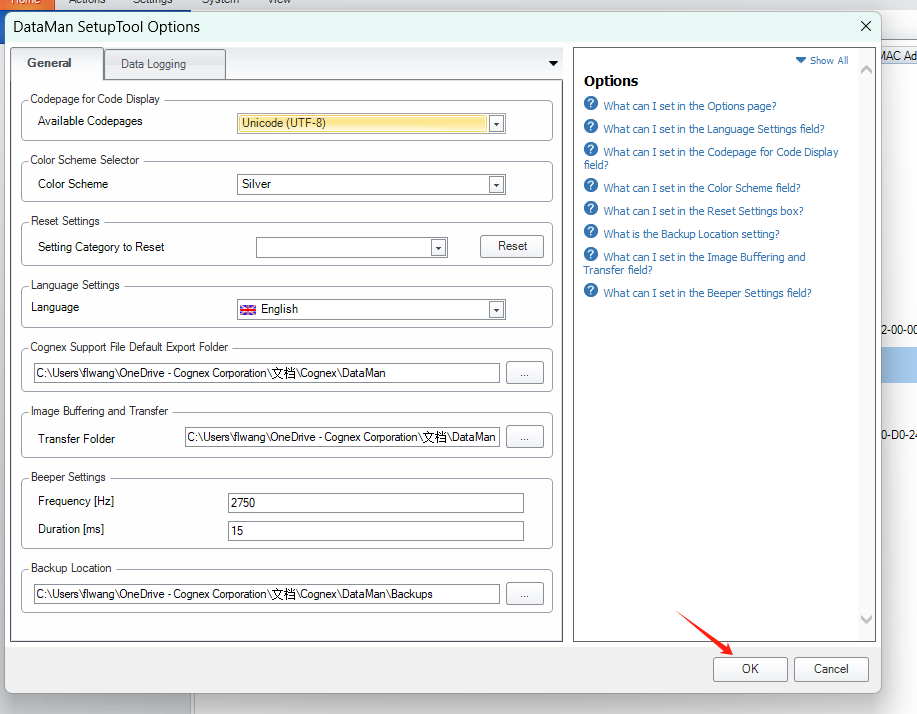
Click OK button, restart setup tool to reconnect reader.
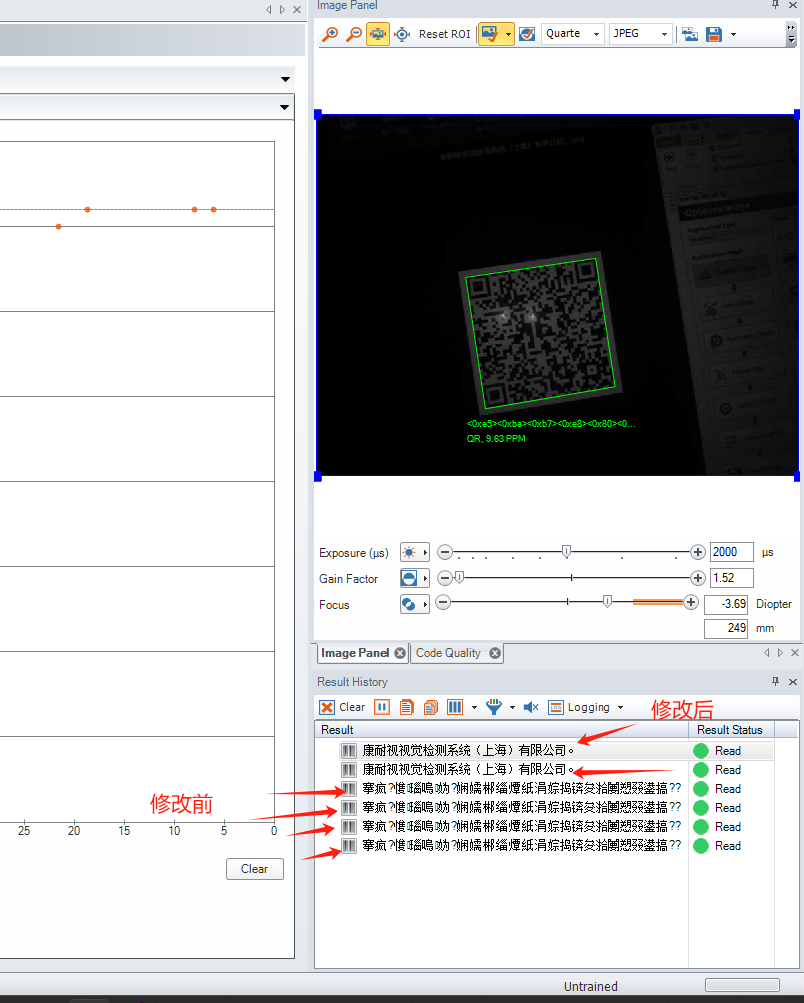

How to resolve garbled character issues in Chinese code decoding.
Open Setup Tool > select General > access Code Display
Modify the available code display page: change Simplified Chinese (GB18030) to Unicode (UTF-8).
Click OK button, restart setup tool to reconnect reader.