Question
How Can Data Be Written Into a Text File from a DataMan Reader?
Answer
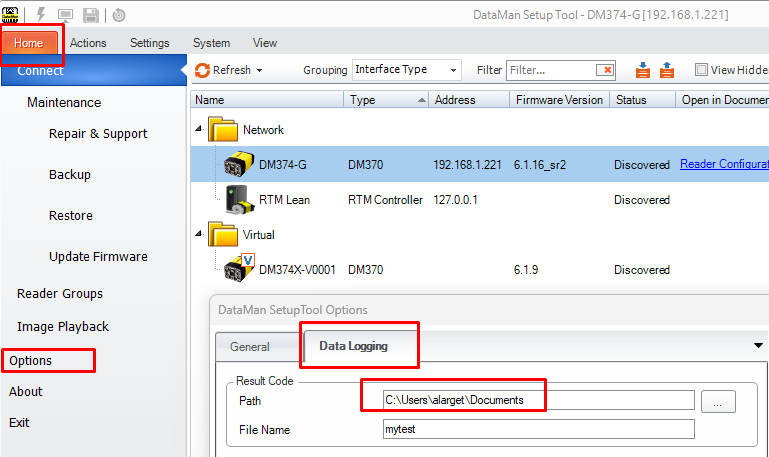
- Navigate to the “Home” tab, then click on “Options”
-
In the “Data Logging” tab, specify a file path for “Result Code”:
- Connect to the reader
-
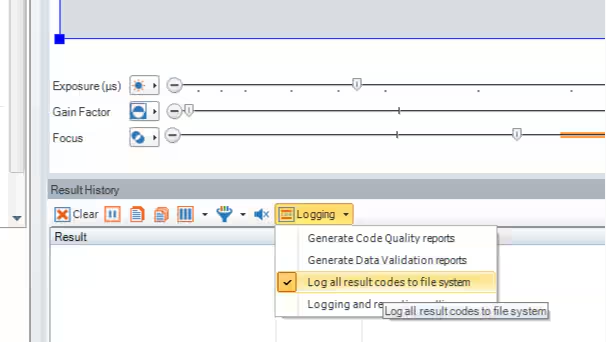
In the “Result History” section, go to “Logging”, and select “Log all result codes to file system”:
-
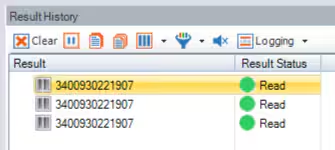
Present a readable code to the reader, and send a trigger :
-
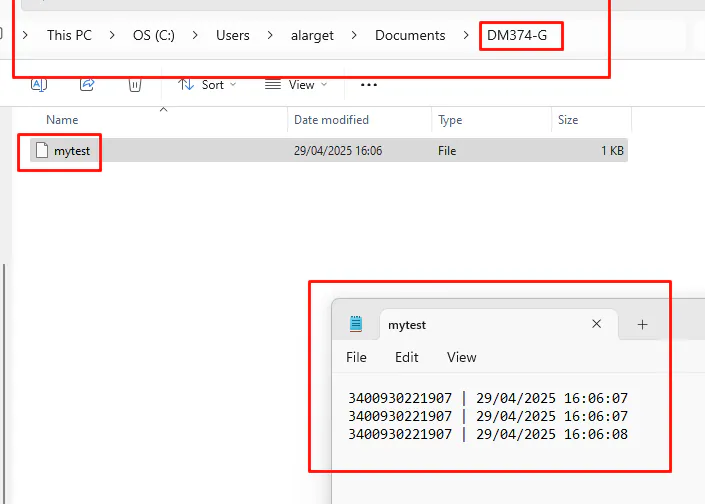
A new folder will automatically be created, using the name of the reader (e.g., “DM374-G”), containing a text file with the logged result codes: