
Details
Create a master-slave group > edit the group
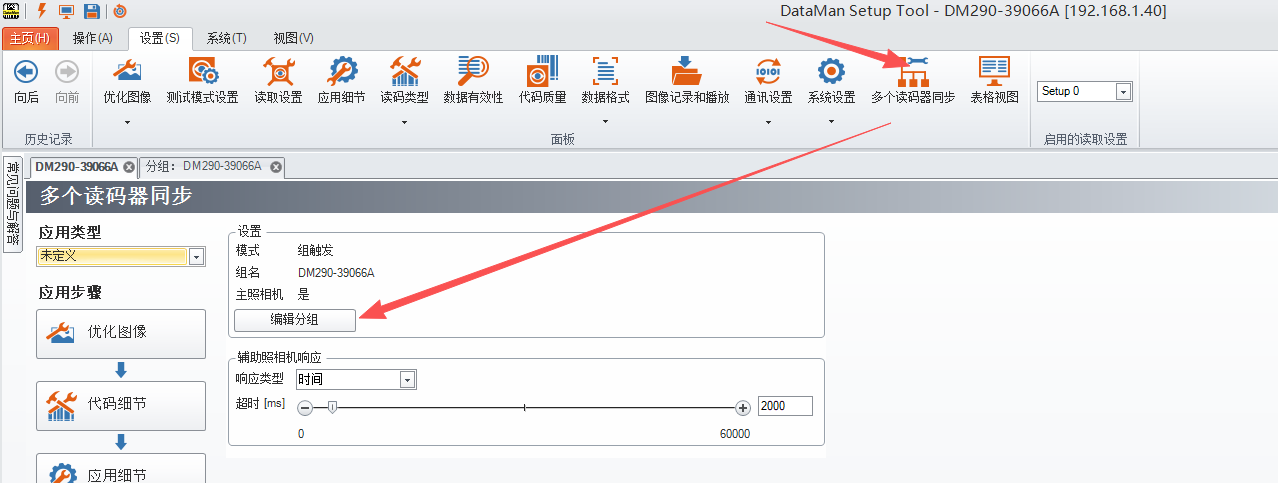
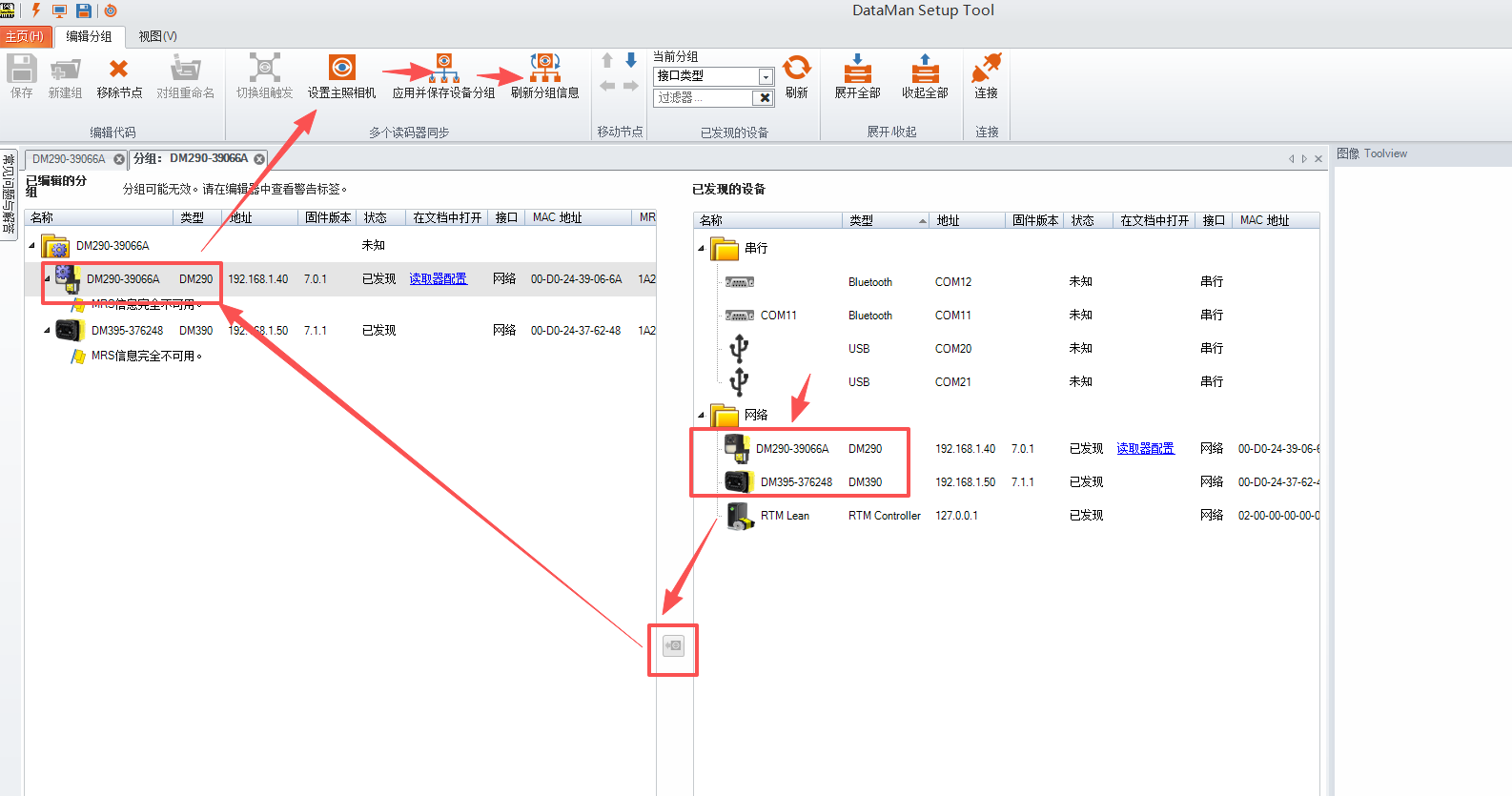
Set up the master reader > add the reader list > designate the master reader > save the group settings > refresh > save
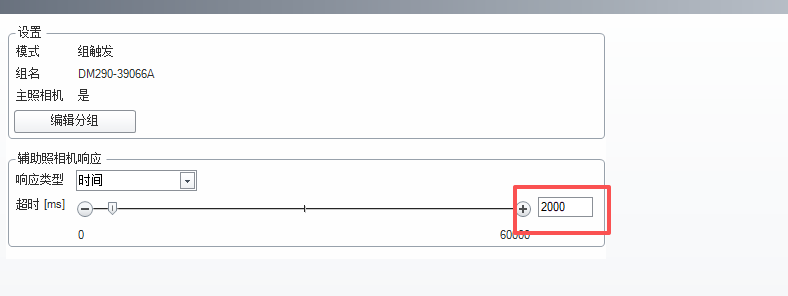
Set the response timeout period. This period must be longer than the maximum timeout value among all slave readers, to ensure that the master can receive data from all slaves after the completion of decoding
- Save setting
- Notes>>
- All external trigger signals must be processed by the master station to ensure it can obtain all data.
- Data sent from slave stations to the master station must not use data formatting.
- It is recommended that the trigger modes of the master and slave stations be set to be consistent.