Question
How to use Profinet commands to send a Mach String via Profinet
Answer
This an example on how to send a MatchString via Profinet to a DataMan reader.
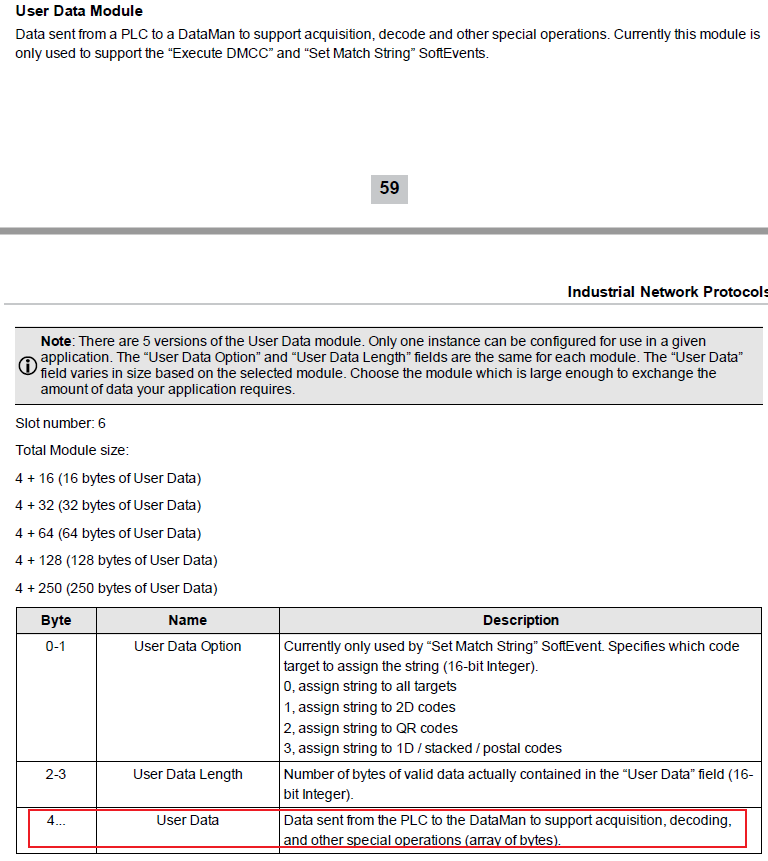
First of all the string must first be placed in “User Data” module, than the string lenght have to be placed in the User Data Lenght field.
Other than this, but is not mandatory, in the User Data Option you can select where to apply this string, according to the table below:
This an example on how to send a MatchString via Profinet to a DataMan reader.
First of all the string must first be placed in “User Data” module, than the string lenght have to be placed in the User Data Lenght field.
Other than this, but is not mandatory, in the User Data Option you can select where to apply this string, according to the table below:
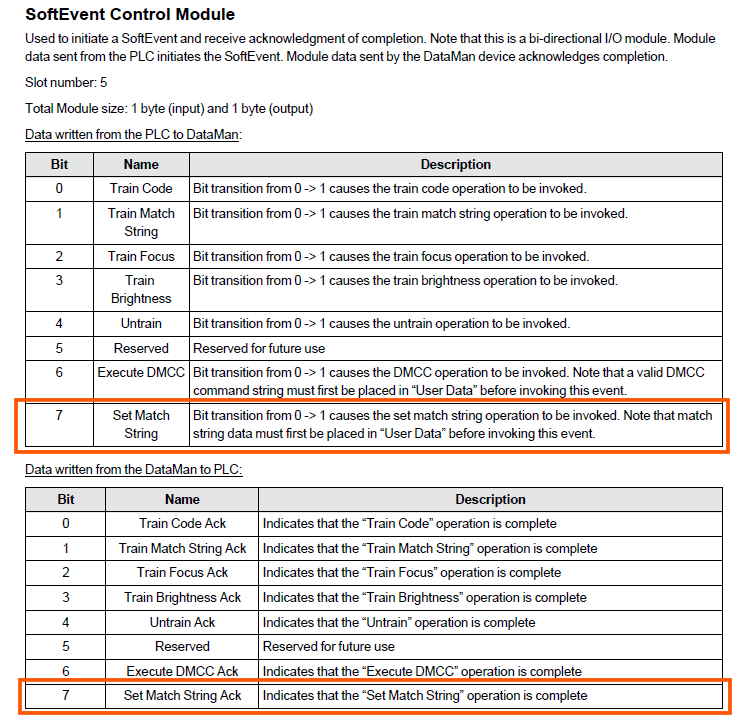
Once all those data are set, to send the string to the reader you have to set the Set Match String bit below.
If everything works correctly, the reader will send you the Set Match String ACK bit, that means that the string is been correctly received and placed.