Question
When connecting the DataMan 290 via Type-C and transmitting data to a TXT document in Keyboard mode, garbled characters occur.
Answer
Prioritize using Word or Excel for testing.
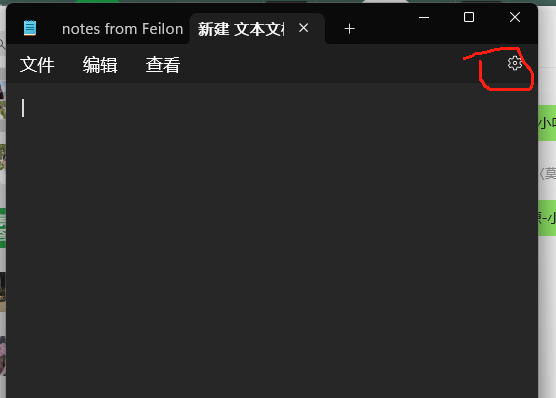
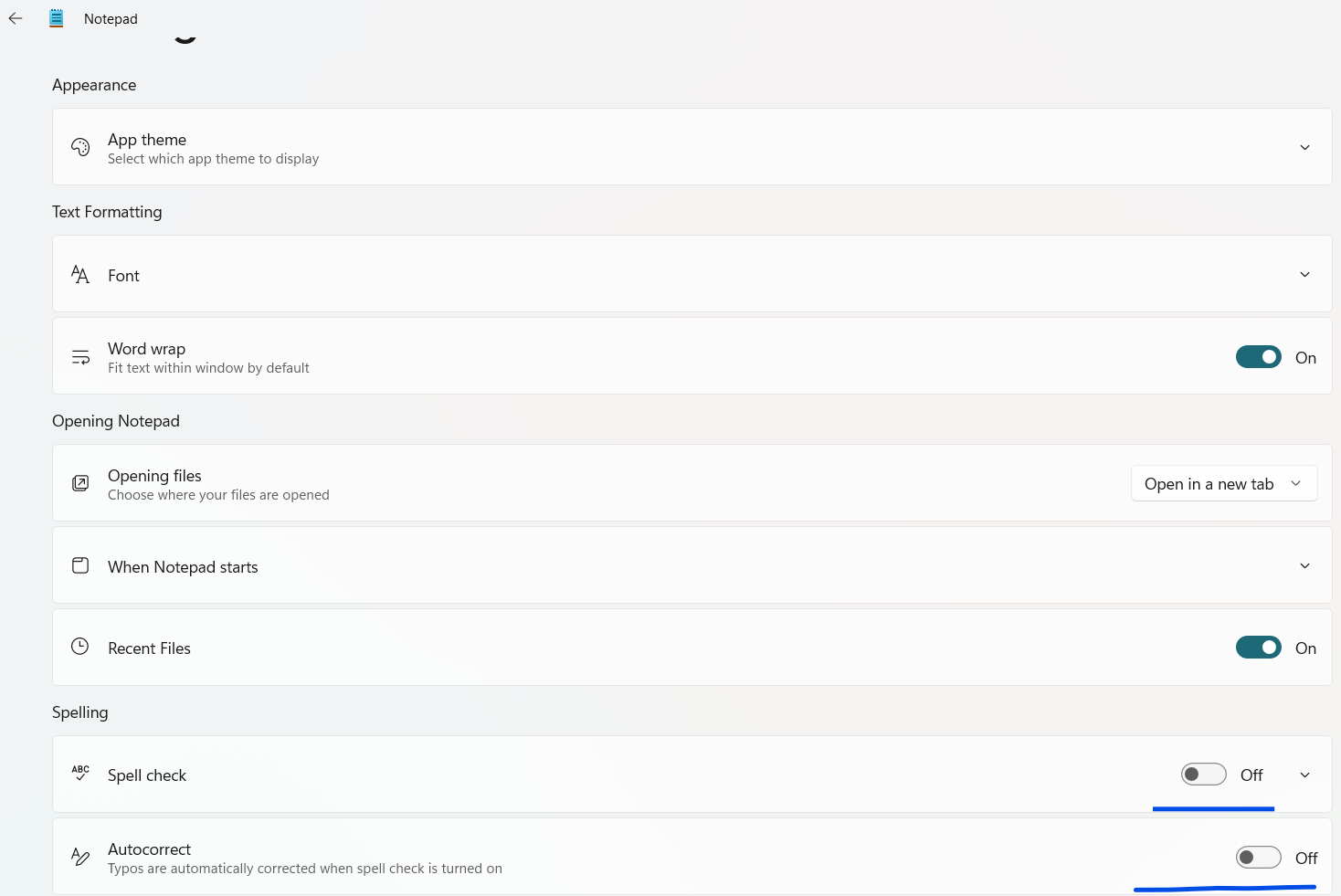
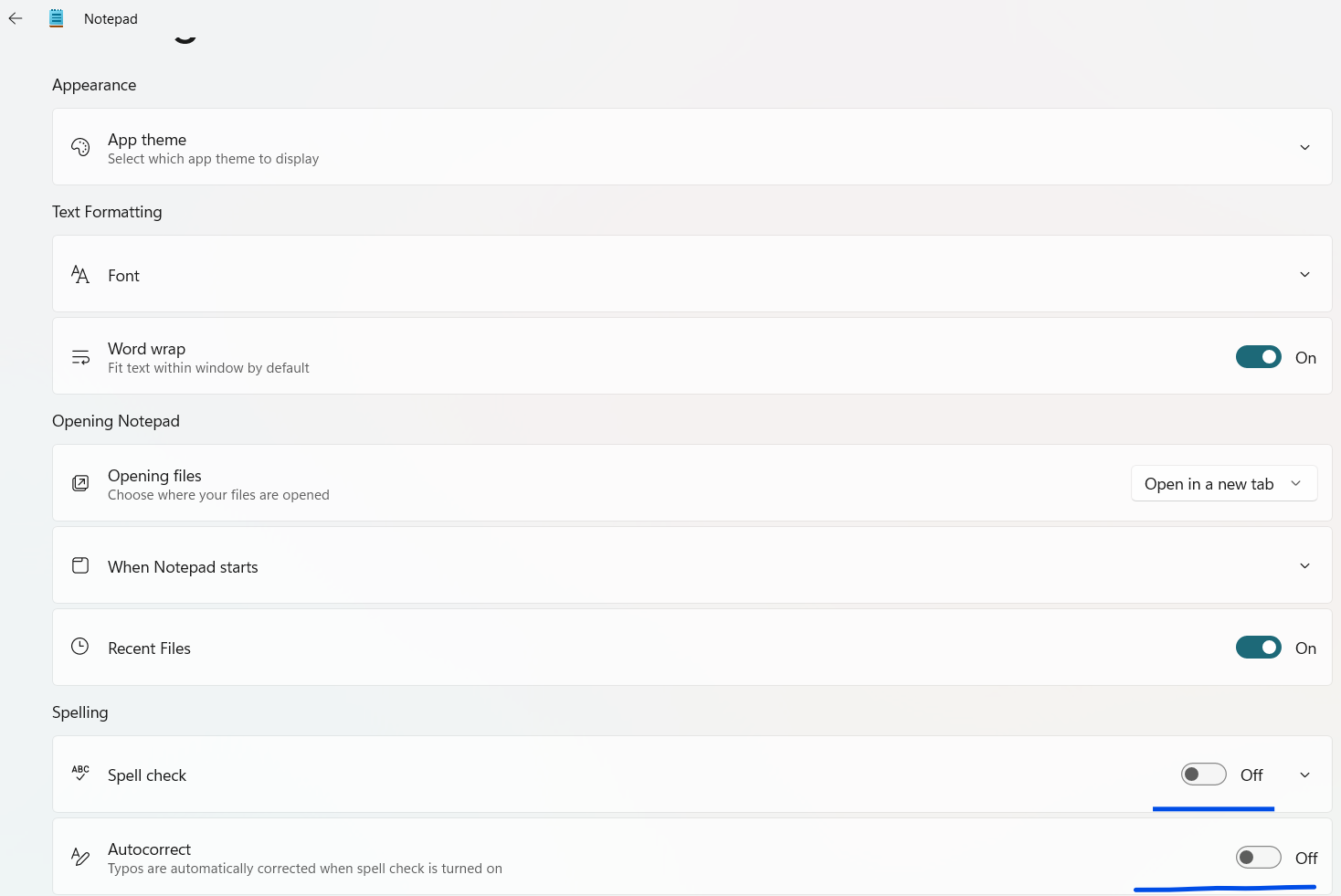
Disable spell check in the TXT document settings; refer to the details for operation steps.
Details
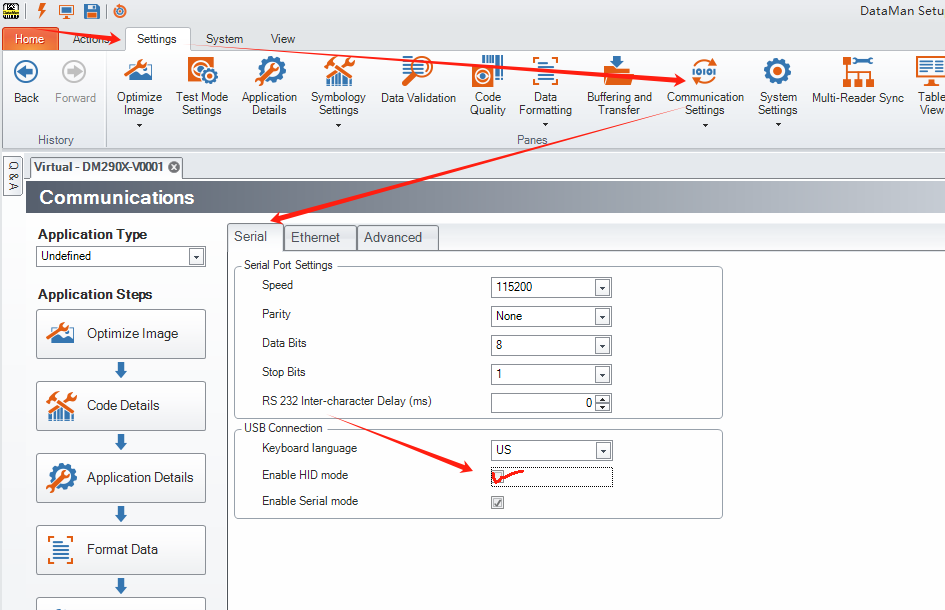
Configure the serial port parameters of the reader according to the following information. Open the Setup Tool software > Settings > Communication Settings > Serial Port > check the HID Mode box.
Configure the settings of the TXT document: go to Settings > disable spell check and automatic spelling correction.