Skip to Main Content
Centre d’assistance Cognex
Logo

How to Resolve Garbled Character Issues When Using Keyboard Transmission on DataMan 290

How to resolve garbled character issues when using keyboard transmission on DataMan 290.

16/02/2026

Question

When connecting the DataMan 290 via Type-C and transmitting data to a TXT document in Keyboard mode, garbled characters occur.

Answer

Prioritize using Word or Excel for testing.
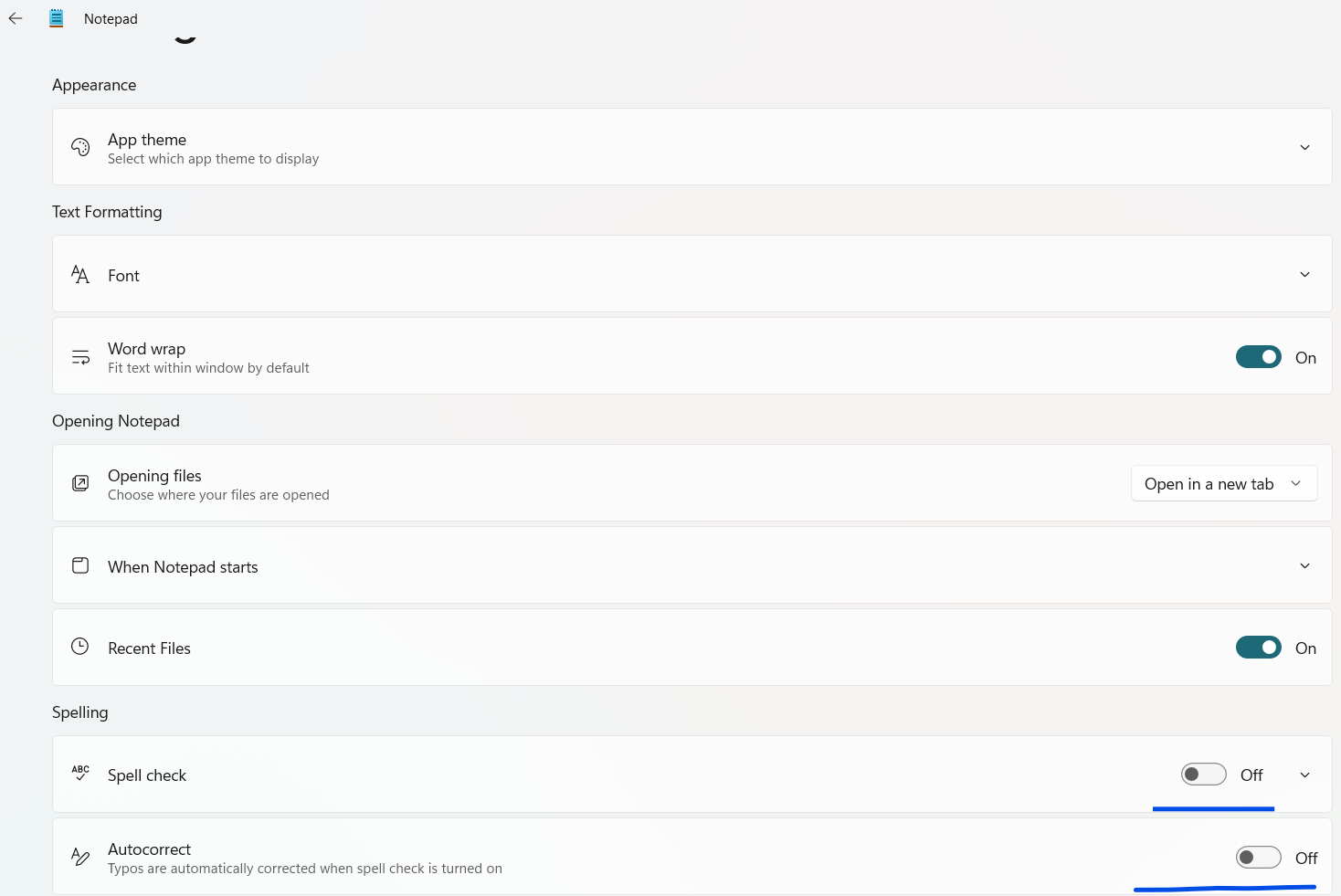
Disable spell check in the TXT document settings; refer to the details for operation steps.


Details

  1. Configure the serial port parameters of the reader according to the following information. Open the Setup Tool software > Settings > Communication Settings > Serial Port > check the HID Mode box.
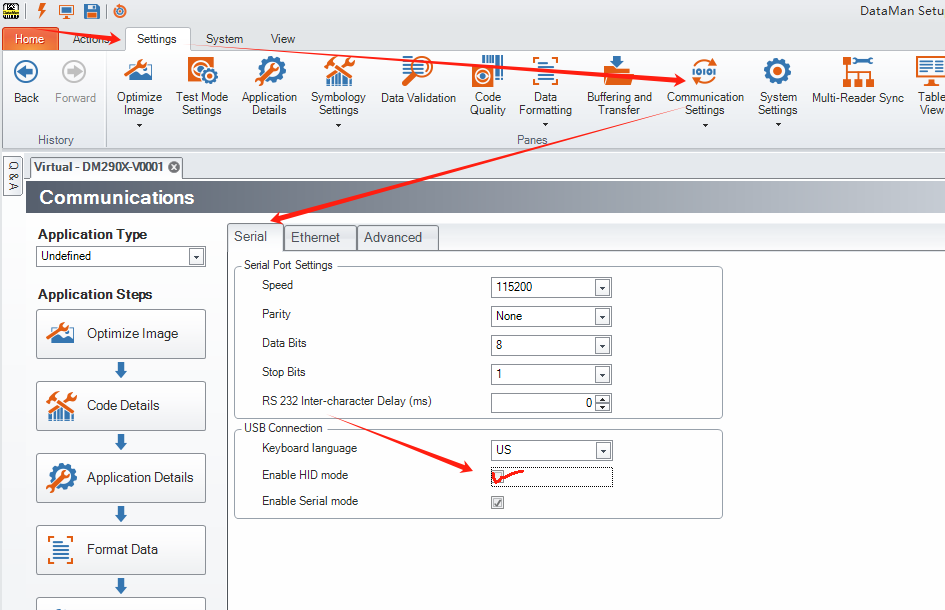
    How to Resolve Garbled Character Issues When Using Keyboard Transmission on DM290_image-1
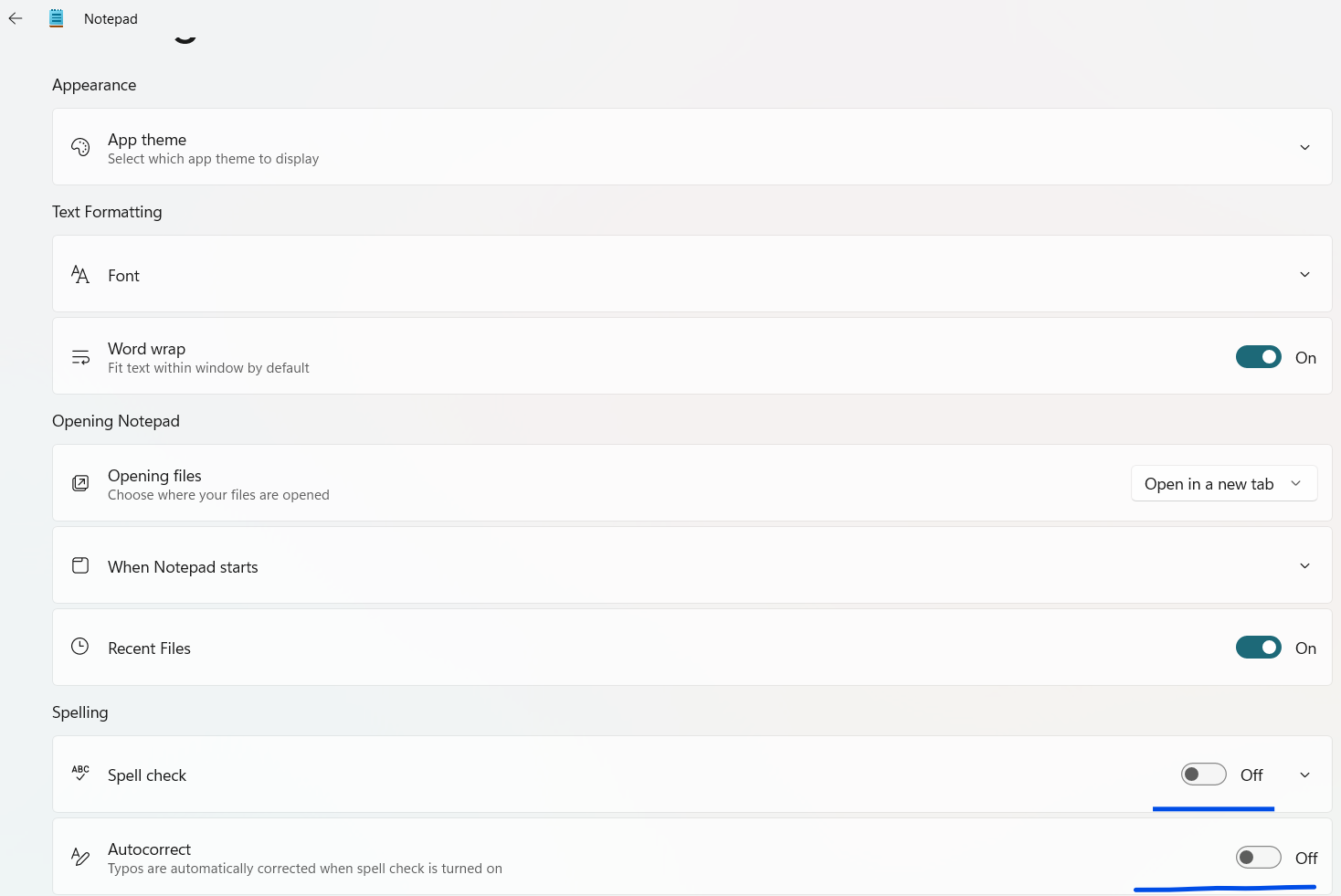
  2. Configure the settings of the TXT document: go to Settings > disable spell check and automatic spelling correction.
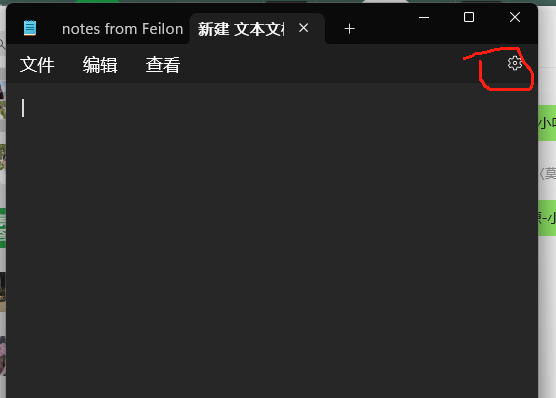
    How to Resolve Garbled Character Issues When Using Keyboard Transmission on DM290_image-2
    How to Resolve Garbled Character Issues When Using Keyboard Transmission on DM290_image-3
    How to Resolve Garbled Character Issues When Using Keyboard Transmission on DM290_image-4

Ressources connexes